


AgentSanchez
Members
-
Joined
-
Last visited
Everything posted by AgentSanchez
-
Apparently you can also change NPCs, it's limited to the next special NPCs: ig_nervousron ig_JimmyDiSanto ig_TracyDiSanto ig_AmandaDiSanto If you want to take a picture of an NPC with a hat and glasses on then I'd recommend you do Ron, as Michael's family members tend to load the most random stuff ever.
-
You can also play with Cutscene character models, they work almost flawlessly and won't make your game crash at any instance.
-
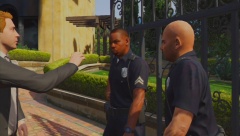
After a while playing with this I noticed the Families insulting me for being a cop, saying this such as ''Watch out, it's the LSPD'' in a mocking manner.
-
Wow, nice.
-
I've heard somebody on the GTAF topic say you can blend in with cops during wanted levels as they'll believe you're one of them.
-
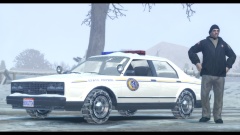 Nice.
Nice. -
Looks great, I'll have to watch it.
From the album: The world of Southern San Andreas
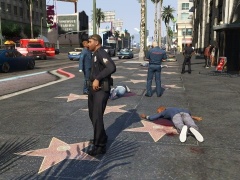
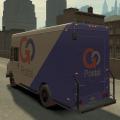
LSPD Officers arrive at the scene of a violent massacre in Downtown Vinewood in where a mad man that is on the loose killed around 10+ persons then ran away in a Weazel News van.Antics of the residents and others in the state of san andreas.
From the album: The world of Southern San Andreas
![GTA V Brute Ambulance & Liveries Retextured [WIP]](//s3-gallery.int-cdn.lcpdfrusercontent.com/gallery/album_2959/sml_gallery_64826_2959_180827.jpg) I like it, you gonna do LSFD and LSMD?
I like it, you gonna do LSFD and LSMD?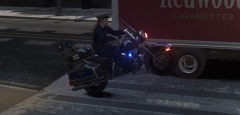 I just like to do wheelies on my bike during a hard day's work.
 ''Mr. Berstein you're describing half of this town''If I recall it is not because of the bikini girl but one of the random event characters named Lacey Jonas, whom you have to help escape from a group of paparrazis from an alley way.The Vice City Police Dept. should be based off MD, plus I think it would be a nice touch to also have fire depts.I wonder how that could of been used. But, does it break or anything?
 Nice.@Lt. Phill Bellic There are around 5 models for dogs, two are rotweillers (One being Chop's folder, the other being hostile), a retriever, an unused sheperd and the husky. Of course, some of them might come back as the next-gen trailer showed an arrange of new animals such as stray cats, hammer heads and pitbulls.1#: The ability to have Air Support deploy a N.O.o.S.E team via-fast rope by dropping a flare at any given location when ground units can't reach you. 2#: Being able to switch between your dutybelt and Police vest inside the station's armoury (The dutybelt and the Bulletproof vest are both separate accs) 3#: Choosing load out at the armoury. (Restricted to Police weaponry and to one weapon of each class ) 4#: Convenience store robberies 5#: Terrorist activity related crimes and other things such as trains derrailing into the highway. @Sam You can always use the clean FIB HQ, plus the Paleto Bay Station has an unloaded interior which could be triggered (If they didn't delete it).Well... it seems that there is going to be a lot more wildlife such as cats and hammerhead sharks, a lot of new cool details and much more. This is going to be quite epic.Fucking A'. GTA V confirmed for Next gen and all that stuff... if you missed it then I am sorry for you.... but knowing them they might release it in their channel. Oh my god it looks so goddamned detail...


![GTA V Brute Ambulance & Liveries Retextured [WIP]](http://s3-gallery.int-cdn.lcpdfrusercontent.com/gallery/album_2959/sml_gallery_64826_2959_180827.jpg)
