Skip to content
View in the app

A better way to browse. Learn more.

LCPDFR.com

A full-screen app on your home screen with push notifications, badges and more.

To install this app on iOS and iPadOS
  1. Tap the Share icon in Safari
  2. Scroll the menu and tap Add to Home Screen.
  3. Tap Add in the top-right corner.
To install this app on Android
  1. Tap the 3-dot menu (⋮) in the top-right corner of the browser.
  2. Tap Add to Home screen or Install app.
  3. Confirm by tapping Install.

RADIANCE V 2.1

(70 reviews)

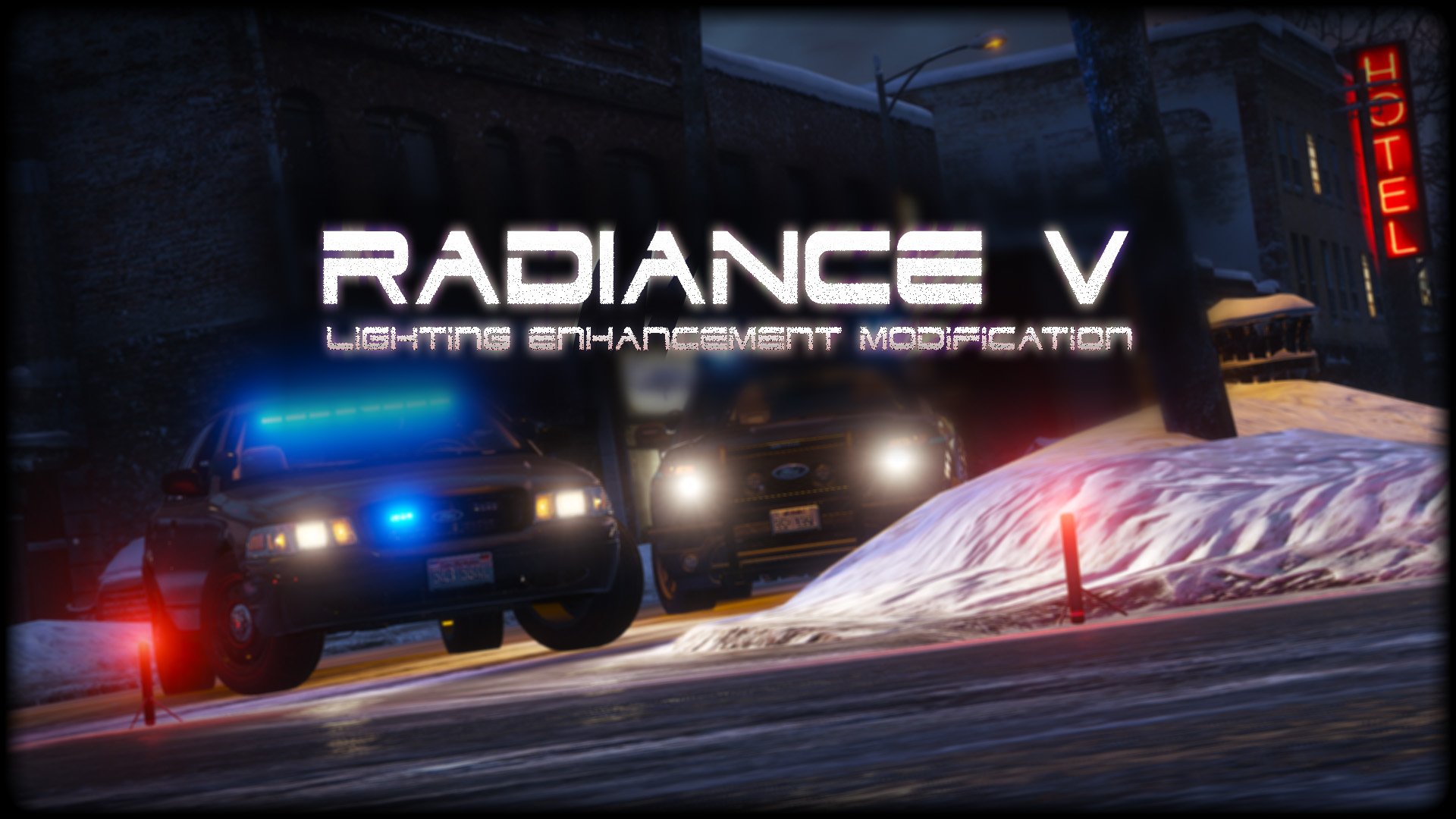
1 Screenshot

2bbTayS.png
 
88x31.png

This work is licensed under a

By downloading this file you agree to the TERMS OF USE AND DISTRIBUTION, If you can not abide by those terms then do not download this file.

Edited by Bxbugs123

What's New in Version 2.1

Released

v1.5 - Added Amber Parking Light's.

v1.6 - Tweaked All Settings.

v1.8 - Tweaked All Settings for Newest GTA V Update Version 1.0.877.1 Biker DLC, Please download Version 1.6 if you are on an older Patch.


v2.0 - Updated for latest version of GTAV,  Removed Amber Parking Lights,  Added OIV Install pack.

v2.1 - Reworked most Settings, Added Replace & Add options for pack installer,  Fixed issue with OpenIV giving unknown error on install (hopefully)


Short Description

Lighting Enhancement Modification

User Feedback

Recommended Comments

OfficerDeMagio

Members

2 hours ago, NAUGHTY REVOLVER said:


It turns out i did have that installed, i uninstalled it and i'm still having the same problem. 

You're lucky with it being too bright. Mine are totally dull and washed out lol.

4 hours ago, OfficerDeMagio said:

You're lucky with it being too bright. Mine are totally dull and washed out lol.


I feel like i'd actually prefer that to be honest, it sucks a lot when you can't even see where you're going :p

Hello i have problem because all cars had permanently turned lights on. i tryied brigh,very bright also different game setting but nothing help me.

http://imgur.com/PtzWvVy

Spitfire7

Members

How can I turn down the roof lights for Taxis?  They are blaring extremely overpoweringly bright and I only have the lower bright version installed. 

joe25

Members

what exactly does this mod do ? do i need it ? why do i want it ?

Caramel Please

Members

40 minutes ago, joe25 said:

what exactly does this mod do ? do i need it ? why do i want it ?


It makes emergency vehicles lighting brighter. By default the lights are quite dull during the day and even a bit at night, this enhances the lights some even say too much. It gets very bright at night but their are other tweaks on this mod to make it less bright at night.

Dewar90

Members

(edited)

Hi all. Was wondering if anyone can help.

I would like to reduce the brightness of the red lights at the back when they are on at night. They are very bright when driving. It is also the same for the front.

I have attached a image.

Many thanks

2016-11-20 14_42_59-Greenshot.png

2016-11-20 21_26_19-Greenshot.png

Edited by Dewar90

7 KING 11

Members

On 9/18/2016 at 2:33 PM, 7 KING 11 said:

I need help!

lights on some cars are all white, mainly the yellow color.And even on bxbuggs car models the lights are messed up.

Thank you and please help me

got it fixed my shaders were not set above high

On 11/9/2016 at 4:27 AM, Jakub Watkins Dvorak said:

Hello i have problem because all cars had permanently turned lights on. i tryied brigh,very bright also different game setting but nothing help me.

http://imgur.com/PtzWvVy

use the non-amber lights version of the visual settings.

Policepro98

Members

On ‎12‎/‎11‎/‎2015 at 2:28 PM, sergeantFrank said:

why its not working for me? The Post FX Setting is set to high, i dont know what im doing wrong, please help. 

same im trying to figure it out

i installed it but it isnt working. plz help

On 2016/11/26 at 10:10 AM, Policepro98 said:

same im trying to figure it out

i installed it but it isnt working. plz help

same problem here

Spitfire7

Members

The police lights look amazing, but where is the setting that controls the interior dash lights?  My dashboard on some cars is so blaring bright that I can't see outside.  Also, Taxi's light up my entire screen so I can't see anything.  I am using the less bright option.  Please help.  I just want to lower the dashboard interior gauge lights.  Thanks.

15303810_10154988843479384_1502313444_o.jpg

Nils Carlson

Members

Does this work with visualv?

Caramel Please

Members

8 hours ago, Nissekula said:

Does this work with visualv?

Yes, with Visual V their is a optional openiv package for compatibility but when I install that and load up gta 5 the lights do not change so after installing that package I manually install Radiance V and then the lights change. 

Spitfire7

Members

(edited)

Any one found a fix yet for some of the add on car interiors?  Check my past 2 up from here to see example pic where dash is completely illuminated way too bright and yes I am using the less bright option. 

Edited by Spitfire7

Caramel Please

Members

19 minutes ago, Spitfire7 said:

Any one found a fix yet for some of the add on car interiors?  Check my past 2 up from here to see example pic where dash is completely illuminated way too bright and yes I am using the less bright option. 

That is not controllable as it is a bug that has occurred from Rockstar changing something when they updated the game a couple months ago. It does not occur to all vehicle mods and sometimes people get it, sometimes they dont. I was using a motorcycle mod and it was the only vehicle that was doing it but then I wanted to change my policeb to a different model and then went back to that policeb model and the dash lighting was normal. Basically it is not this mods fault nor is it any other lighting visual mods.

Brandonb4808

Members

Will this work with the new DLC? I had it before the update, loved it, updated now my game crashes when I have this installed.

kcoynejr

Members

Does anyone know how to turn down the brightness of the taxi cab sign? Figure this was answered in the past just can't find it!

Tukkan

Members

I've tried this mod together with VisualV, but when I turn on siren on certain cars (e. g. SAHP Buffalo), the screen darkens. And when I turn them off, the screen goes back to normal brightness. Plus there are not many reflections of those lights, just along the vehicles (not slicktop).

Any suggestions how to fix this? (I also tried Custom Visuals, but the problem's the same.)

arllo

Members

(edited)

Nice

Edited by arllo

Adam L

Members

Thanks for making this love how the police lights look so realistic.

Matthewcl375

Members

Doesn't seem to work anymore, has no noticeable effect on the brightness of lights

xPicture

Members

What's the difference between and ELS? Is there a difference? Will it affect my game if I have both of them installed?

Caramel Please

Members

58 minutes ago, xPicture said:

What's the difference between and ELS? Is there a difference? Will it affect my game if I have both of them installed?

no difference because they arent even is the same category. ELS is a mod that allows you to control the patterns of lights. Radiance V is a mod that increases the brightness of Lights. ELS requires a mod such as Radiance V to work properly as ELS with default GTA 5 light brightness is too dull. So if you want to use ELS you will need a mod such as Radiance V or an equivalent.

Shroomie

Members

Why are my emergency lights turning amber/orange colored on all my cars when using this?

Blue lights work good, but all red ones turn into amber/orange.


I have all settings maxed out, and I installed the high-end settings as well?

I tried both bright and very bright too, still looks bad :/

PeakPolice

Members

How do I uninstall this? It made my lights dim and no blurs, or maybe someone has a solution to that?

Create an account or sign in to comment

Latest Mods

Account

Navigation

Search

Search

Configure browser push notifications

Chrome (Android)
  1. Tap the lock icon next to the address bar.
  2. Tap Permissions → Notifications.
  3. Adjust your preference.
Chrome (Desktop)
  1. Click the padlock icon in the address bar.
  2. Select Site settings.
  3. Find Notifications and adjust your preference.












