Skip to content
View in the app

A better way to browse. Learn more.

LCPDFR.com

A full-screen app on your home screen with push notifications, badges and more.

To install this app on iOS and iPadOS
  1. Tap the Share icon in Safari
  2. Scroll the menu and tap Add to Home Screen.
  3. Tap Add in the top-right corner.
To install this app on Android
  1. Tap the 3-dot menu (⋮) in the top-right corner of the browser.
  2. Tap Add to Home screen or Install app.
  3. Confirm by tapping Install.

gamingplaza

Members
  • Joined

  • Last visited

  1. You can go to the chirp settings by hitting ctrl period or just period the default is different per version. But after you do that you can change some settings and on the top where it says turn off chirp just hit enter and it will turn the chirp off completely and you need to go back into settings again to turn it back on.
  2. Alrighty, I'll get that figured out as soon as I can and try to get it fixed/updated I have released a new update waiting for it to be approved. But with the new update you can change the volume correctly in the new menu with ctrl + keyboard period key along with other settings. Just make sure your siren is on when getting out. As I still having issues with it myself once in a while doing both sounds.
  3. I will take a gander at that. For when I did it, I had it well code 3 and siren on and then stepped out and it should stop the siren. ctrl+f10 is the hotkey to turn the chirp on and off completely. Try doing that and see. I do appreciate your input so I can get theses bugs out as we all have different plugins running together.
  4.    Dippa reacted to a comment on a file: Georgie State Patrol Chirp Siren/ Location Beacon
  5. I'm happy you love it. Thank you for bring that up I will take a look at it and get it fixed as soon as I can. The INI was supposed to change it. But I'm probably going to turn it into a in-game menu as well. where you can change it.
  6. Thank you, Appreciate you pointing that out. I'll get that fixed with the new update of the script.
    • 205 downloads
    • Version 1.5.0
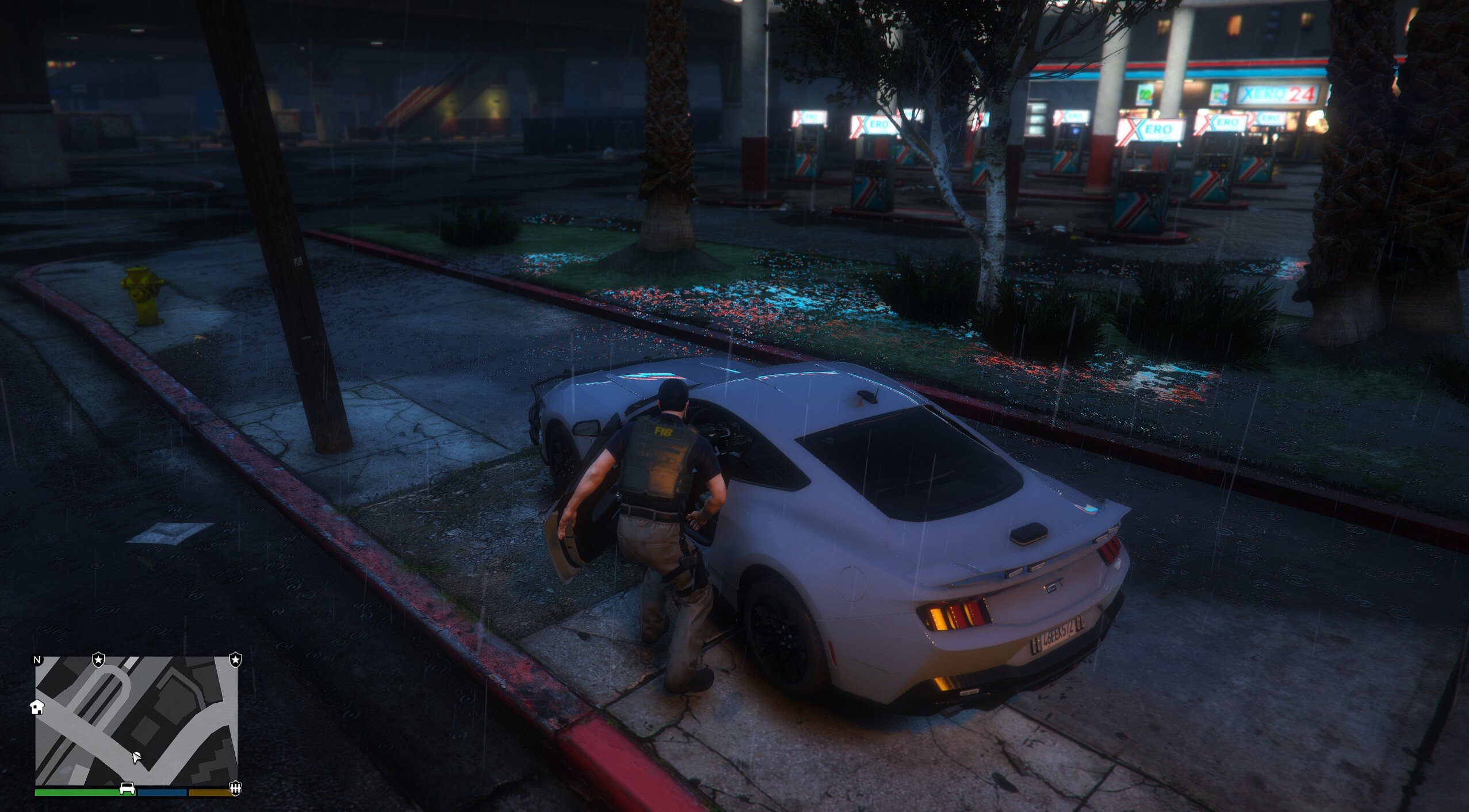
    GEORGIA STATE PATROL CHIRP LOCATION SIRENThis script brings in the chirp noise GSP police cars make when they are at a active scene with lights on and they are in park. This brings that in-game. Has the same sound effects. What it does-When you are going code 3 and stop your car and get out it will start making a audible chirp. Until you get back in What you are able to do right now-You can turn the chirp on and off with the keybind of ctrl+f9 if you just want sirens at that moment when you get out. Then click it again to turn it back on. In the config file you can change how loud the chirp is at certain distances. As well as change how long in between each chirp. (Default is 3 seconds) Contact- If you have any concerns or problems with the plugin leave a comment here or contact me via discord. Check out test video ---> HERE Installation-To install just take the plugins folder in the folder after you extract the .zip and drag the folder into your GTA main directory and it will auto go into your plugins folder or you can open the plugins folder and manully move the config,app and auto file manually TO MAKE THE PLUGIN WORK CORRECLTY YOU NEED TO HAVE THE .WAV FILE IN THE PLUGINS FOLDER IF NOT THE GAME WILL JUST USE THE DEFAULT SIREN NOISE Troubleshoot-If the chirp doesn't work in your DLC car make sure to go into the config file and make sure the PoliceVehiclesOnly is set to false. If set to true it will only work with in-game police cars. You can also change the code that chirp will work if you want to in the config file. Enjoy- I'll try to build more plugins and stay on top of this one if stuff breaks or needs to be changed

Account

Navigation

Search

Search

Configure browser push notifications

Chrome (Android)
  1. Tap the lock icon next to the address bar.
  2. Tap Permissions → Notifications.
  3. Adjust your preference.
Chrome (Desktop)
  1. Click the padlock icon in the address bar.
  2. Select Site settings.
  3. Find Notifications and adjust your preference.