Skip to content
View in the app

A better way to browse. Learn more.

LCPDFR.com

A full-screen app on your home screen with push notifications, badges and more.

To install this app on iOS and iPadOS
  1. Tap the Share icon in Safari
  2. Scroll the menu and tap Add to Home Screen.
  3. Tap Add in the top-right corner.
To install this app on Android
  1. Tap the 3-dot menu (⋮) in the top-right corner of the browser.
  2. Tap Add to Home screen or Install app.
  3. Confirm by tapping Install.

Legacy Menu Lite - Interactions • Backup • MDT • Dispatch 1.0

(1 review)

13 Screenshots

Legacy Menu Lite aims to be a comprehensive alternative to Stop The Ped and Policing Redefined

What is Legacy Menu Lite?

Legacy Menu Lite is a gameplay expansion for GTA V Legacy & Enhanced / LSPDFR designed to make patrols more immersive, realistic, and organized.

The project adds a complete in-game police management system with backup support, an interaction menu, scene control, evidence handling, partner management, pursuit tools, Legacy Computer integration, custom notifications, agency customization, and patrol utilities.

Main Features

Legacy Menu Lite expands normal LSPDFR gameplay with:
- Dispatch System
- General patrol interaction menu
- Ped and vehicle interaction tools
- Backup requests
- Convoy Mode
- Manual Traffic Stop Position
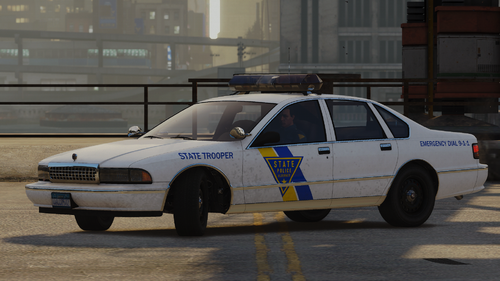
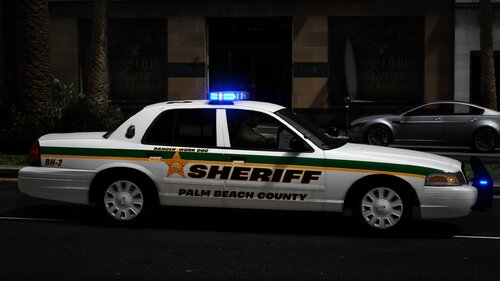
- Expanded Agencies
- Panic Button
- Partner system
- Garage system
- Wardrobe / outfit support for EUP & SUP
- Scene Command
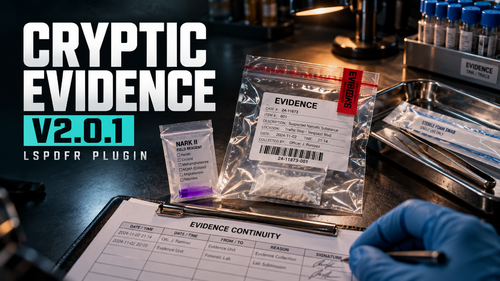
- Evidence and field tests
- K-9 support
- Fire Rescue / EMS / service units
- Prisoner transport
- Pursuit backup support
- Spike strips (highways)
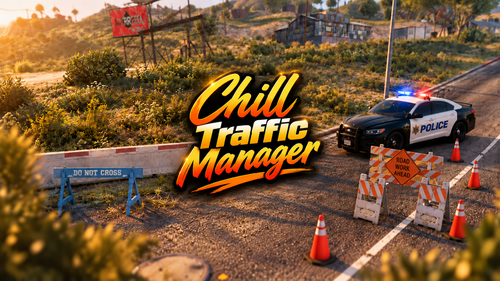
- Traffic blocks
- Air support
- Legacy Computer integration
- Custom Legacy notifications

The goal is to give players more control during patrols

Backup, Agencies and Custom Units

Legacy Menu Lite includes a broader default agency structure, organized around:

Local
State
Federal
Military (including air strike support)
Rescue & Medical Services

Each category can use its own vehicles, outfits, unit profiles, and response types.

This allows different departments to feel distinct, with their own identity, vehicles, and uniforms instead of a single generic police setup.

Legacy Menu Lite can provide pursuit backup, highway support, air units, spike strips (Currently for highways), traffic blocks, and scene control after the pursuit ends.

Legacy Menu Lite supports:

- Vanilla with expanded agencies
- EUP uniforms
- SUP uniforms
- Custom agency outfit profiles
- Custom vehicles
- Custom backup configurations

Scene Management and Unit Priority

Legacy Menu Lite includes a scene management system designed to keep large patrol situations organized, especially when multiple services are active at the same time.

The goal is to avoid random unit behavior and make each unit respect its role on the scene.

Legacy Menu Lite separates units by purpose, helping police, medical, fire, and service units maintain their intended roles on scene

Scene Command currently supports:

- Selecting active scene units
- Moving a selected unit
- Releasing a selected unit
- Refreshing scene status
- Showing the current scene reason

Evidence, Tests and Legacy Computer

Legacy Menu Lite includes an evidence system for more structured investigations.

Evidence features include:

- Patdown evidence
- Vehicle search evidence
- Weapons
- Ammunition
- Substances
- Cash
- Phones and wallets
- Field tests
- Weapon checks
- K-9 alerts

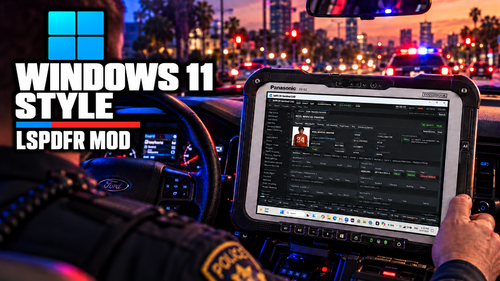
Legacy Menu also includes Legacy Computer, used for records, citations, charges, history, reports, court/case data, and data management.

Recommended Installation

For the best experience, a clean and stable setup is strongly recommended.

Recommended installation order:

1. Clean GTA V Legacy or Enhanced installation
2. RAGE Plugin Hook
3. LSPDFR or LSPDFR Enhanced
4. EUP & SUP, if used (by Alex Ashfold)
5. .NET Framework 4.8.1 required
6. (included) Common Data Framework 1.0.0.10 (by AstroBurgers and Rohit685) & (included) Rage Native UI 1.9.3 (by alexguirre)
7. Legacy Menu Lite

Legacy Menu Lite can work with customized games, but stability and performance depend heavily on the full mod setup.

A clean LSPDFR base with properly installed EUP/SUP content is recommended before adding Legacy Menu

SUPPORT LEGACY DEVELOPMENT

Legacy Menu Lite is provided completely free for the LSPDFR community. If you enjoy the project and would like to support its continued development, you can support me on Patreon.

Your support helps maintain Legacy Menu Lite, Legacy Callouts, and Legacy Radar, while also supporting the continued development of the current generation of the project

Legacy Menu v1.1, including Legacy AI and future Legacy systems.

Thank you to everyone who downloads, tests, reports bugs, shares feedback, or supports the project. Every contribution helps Legacy continue to grow.

Patreon: https://www.patreon.com/cw/GoofierCard60

Join the Legacy Server: https://discord.gg/ttt4gffMmb

FEEDBACK & SUGGESTIONS

Legacy Menu Lite is still at an early stage of its public development, even though the project has already gone through extensive testing. Because every LSPDFR setup can be different, player feedback is extremely valuable for identifying unexpected issues and improving existing systems

If you encounter any problems, notice unusual behavior, or have suggestions that could improve the experience, please share your feedback through the Legacy Discord or here in the comments.

Your reports and ideas directly help shape the future development of Legacy Menu.

Edited by GoofierCard60

What's New in Version 1.0

Released

Added the update checker


Short Description

Complete Patrol, Backup, Interaction, MDT and Dispatch System for LSPDFR

AI disclosure

The author has disclosed that AI tools were used in creating the following aspects of this file:

  • Description
  • Images
  • Mod and Mod Content (Substantial)

AI was used as a development tool to assist with coding tasks, repetitive work, graphical assets, audio assets(Eleven Labs), translation, and faster analysis of native reference documentation. I personally directed the project, designed its systems and features, handled debugging and validation, and carried out extensive in-game testing. Testing alone has required more than 2,000 hours.
User Feedback

Recommended Comments

BJ USA

Members

Ambitious. Looks really interesting!

GoofierCard60

Members Author

26 minutes ago, BJ USA said:

Ambitious. Looks really interesting!

Thank you so much, I really hope you like it💪

GoD5p33d666

Members

Trying this right now! Going to be a big setup with my custom eup though. Will this be compatible with any dispatch speech mods and npcai?

GoD5p33d666

Members

57 minutes ago, GoD5p33d666 said:

Trying this right now! Going to be a big setup with my custom eup though. Will this be compatible with any dispatch speech mods and npcai?

I do like it, going to get a lot of getting used to, really in depth too, only thing is when i call for backup they just sit in the car, and they also park in the middle of the road. Adn i couldnt book someone as it kept saying no one is linked when i was linking them, but other than that looks really smooth. hopefully will overpass all of PR and STP.

GoofierCard60

Members Author

(edited)

2 hours ago, GoD5p33d666 said:

Trying this right now! Going to be a big setup with my custom eup though. Will this be compatible with any dispatch speech mods and npcai?

Hi, currently the full paid version of the project v1.1 has Gemini integrated with NPCs, dispatch, and backup. It's a completely separate system, so there's no compatibility with other mods based on Policing Redefined or Stop The Ped.

Edited by GoofierCard60

GoofierCard60

Members Author

1 hour ago, GoD5p33d666 said:

Mi piace, ci vorrà un po' di tempo per abituarmi, è davvero molto approfondito, l'unico problema è che quando chiamo i rinforzi, restano seduti in macchina e parcheggiano in mezzo alla strada. Inoltre non sono riuscito a prenotare qualcuno perché continuava a dirmi che non c'era nessuno collegato quando provavo a collegarli, ma a parte questo sembra davvero fluido. Spero che supererà tutta Porto Rico e St. Paul.

Thank you so much for your feedback, I appreciate it. This version doesn't currently support custom backup behavior. To enable backups to leave the vehicle and follow-up, you'll need to add them to partner management and then assign them the follow task. This feature has already been automatically implemented in the full version of the project. I'll add that feature to this version as development progresses. it's definitely possible to improve how the backup arrives, I was evaluating some solutions for the next update, if you want to join the discord I occasionally give info on the development status there. As for the suspect's identity link, you will first have to request the ID or perform a patdown, after which you can create the arrest report, use the "use current stop" button if it is the ped you just asked for the documents or manually select the identity by clicking on the subject line, after which add the charge, then you can use observe and support to give more info and evidence to the court of what happened and have a more truthful outcome, after including the charges, arrest the suspect (if he is not already) and click on book then transport to request the transport directly. if you have any problems let me know💪🏼

JAMESHU

Members

Hello, when I use Legacy Backup, the bound key is X, but the menu will still open when I press left ctrl. What is the reason?

GoofierCard60

Members Author

6 hours ago, JAMESHU said:

Hello, when I use Legacy Backup, the bound key is X, but the menu will still open when I press left ctrl. What is the reason?

Hi, thanks for pointing that out. It’s a conflict between the keyboard and the controller, if you aren't using the controller, you can set these values to "None" and that should fix it:

OpenPoliceBackupMenuButton=RightThumb (change to "None" like this: OpenPoliceBackupMenuButton=None)

or apply a modifier:

OpenPoliceBackupMenuModifierButton=A (as in this case).

Starting with the next update, input reading will be filtered based on the input device currently in use.
Thanks for downloading Legacy Menu Lite, join the Discord for more info and guides on the features.
https://discord.gg/ttt4gffMmb

DaRealestOne

Members

im gonna try this out thanks

GoofierCard60

Members Author

2 hours ago, DaRealestOne said:

im gonna try this out thanks

Thanks to you for trying it out, let me know what you think💪

boski009

Members

How can I set it up so that my partner automatically gets into the car when I do?

GoofierCard60

Members Author

7 hours ago, boski009 said:

How can I set it up so that my partner automatically gets into the car when I do?

It should be enough to give him the follow task or you can set some keys to make him exit and enter the vehicle, in the future there will be a change to the partner behavior taken from the full version, thanks for choosing Legacy Menu💪🏼

boski009

Members

Unfortunately, the tracking task prevents him from doing that. When can we expect an update with this feature? It should have been there from the start.

GoofierCard60

Members Author

3 hours ago, boski009 said:

Unfortunately, the tracking task prevents him from doing that. When can we expect an update with this feature? It should have been there from the start.

This feature is included in the full version, the lite version will receive some of these features when updates for the full version are released. In any case, you can assign keys to trigger these actions: simply go to legacymenu.ini, locate the [PartnerController] section, and set the following:

EnterVehicleButton=DpadUP

EnterVehicleModifierButton=X

ExitVehicleButton=DpadDown

ExitVehicleModifierButton=X

To execute tasks more quickly, please note that, at least for the initial task, you must go to the unit task selector and choose the specific officer (or all officers) you want to perform these actions via key commands.
The update will arrive.

Officerjackobs

Members

looks very nice but I cant use it because PR plugin already installed and depended on other plugins

GoofierCard60

Members Author

47 minutes ago, Officerjackobs said:

Sembra molto bello, ma non posso usarlo perché il plugin PR è già installato e dipende da altri plugin.

Thank you💪🏼 obviously it’s a completely separate system, so it depends on your preferences. Plugins that rely on PR won't work, but I’ve included everything needed for patrols such as the MDT, dispatch, and so on. The full version also features Gemini integration. This ensures greater stability during sessions, as it is a complete system.

Officerjackobs

Members

(edited)

1 hour ago, GoofierCard60 said:

Thank you💪🏼 obviously it’s a completely separate system, so it depends on your preferences. Plugins that rely on PR won't work, but I’ve included everything needed for patrols such as the MDT, dispatch, and so on. The full version also features Gemini integration. This ensures greater stability during sessions, as it is a complete system.

That why I cant use it , I need PR for other plugins ...

Anyway , gr8 work , If in the future you will support PR plugin ill download it .

Edited by Officerjackobs

GoofierCard60

Members Author

8 hours ago, Officerjackobs said:

That why I cant use it , I need PR for other plugins ...

Anyway , gr8 work , If in the future you will support PR plugin ill download it .

Thank you💪🏼 let me know which plugins you mean, and I'll take a look

Officerjackobs

Members

19 hours ago, GoofierCard60 said:

Thank you💪🏼 let me know which plugins you mean, and I'll take a look

PedTalkAI for example

GoofierCard60

Members Author

3 hours ago, Officerjackobs said:

PedTalkAI for example

These features, specifically the Gemini integration and the talking NPCs, are already built into the full version of the Legacy Menu. Unlike those other plugins, it also includes dispatch, backup, and NPCs capable of speaking with full context. partners can even drive and conduct traffic stop checks. There is a video that shows everything. This feature will remain exclusive to full-version users, thanks for the feedback anyway! 💪🏼

Officerjackobs

Members

1 hour ago, GoofierCard60 said:

These features, specifically the Gemini integration and the talking NPCs, are already built into the full version of the Legacy Menu. Unlike those other plugins, it also includes dispatch, backup, and NPCs capable of speaking with full context. partners can even drive and conduct traffic stop checks. There is a video that shows everything. This feature will remain exclusive to full-version users, thanks for the feedback anyway! 💪🏼

oh , I understand , great job man .

voltofthevees

Members

going to try it out now

GoofierCard60

Members Author

11 hours ago, voltofthevees said:

going to try it out now

Thank you so much for trying the legacy menu let me know what you think! Updates are coming soon💪🏼

Create an account or sign in to comment

Account

Navigation

Search

Search

Configure browser push notifications

Chrome (Android)
  1. Tap the lock icon next to the address bar.
  2. Tap Permissions → Notifications.
  3. Adjust your preference.
Chrome (Desktop)
  1. Click the padlock icon in the address bar.
  2. Select Site settings.
  3. Find Notifications and adjust your preference.