Skip to content
View in the app

A better way to browse. Learn more.

LCPDFR.com

A full-screen app on your home screen with push notifications, badges and more.

To install this app on iOS and iPadOS
  1. Tap the Share icon in Safari
  2. Scroll the menu and tap Add to Home Screen.
  3. Tap Add in the top-right corner.
To install this app on Android
  1. Tap the 3-dot menu (⋮) in the top-right corner of the browser.
  2. Tap Add to Home screen or Install app.
  3. Confirm by tapping Install.
Due to overzealous filtering on Microsoft’s side, some emails to Outlook and Hotmail addresses may not be delivered. If you’re affected, please use a different email address or try again later.

Enhanced Rear Lighting 1.0.0

(0 reviews)

11 Screenshots

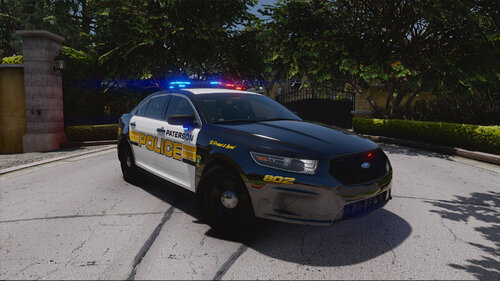
This is the visualsettings.dat configuration I use in my game. I increased the light intensity for the rear lights, turn signals, and brake lights. The emergency lighting bloom is based on Radiance V, combined with QuantV 3.0 and ReShade as the graphical baseline. The vehicles shown in the screenshots are made by C3. Feel free to edit and tweak the parameters in visualsettings.dat to your liking


Short Description

Brighter rear lights, brake lights, and turn signals

User Feedback

Recommended Comments

amirziq73

Members

(edited)

Dude love this, the only problem is I use Code3 cars too and all the blue and red lights are just bright white now. But I dont really mind it, good one

Edited by amirziq73

aska0

Members

(edited)

I think ur mod is interfearing with ELS. please fix. its a good mod tho

Could contain: outdoor, vehicle, sky, land vehicle, wheel, tire, car, grass, tree, parked, ground

Edited by aska0

mark 044

Members Author

Hey! Glad you like the mod. If the lights turn bright white or wash out, it's a visual mod compatibility issue with emissive bloom values.

Quick Fix:

Restore your original visualsettings.dat (or graphics mod backup).

Install Radiance V.

Manually increase the brake, tail, and turn signal values from my visualsettings.dat into your file instead of replacing it entirely.

BJ USA

Members

These are tough as the same visualdat can appear completely different on different builds.

Create an account or sign in to comment

Latest Mods

Account

Navigation

Search

Search

Configure browser push notifications

Chrome (Android)
  1. Tap the lock icon next to the address bar.
  2. Tap Permissions → Notifications.
  3. Adjust your preference.
Chrome (Desktop)
  1. Click the padlock icon in the address bar.
  2. Select Site settings.
  3. Find Notifications and adjust your preference.