
Skip to content
View in the app

A better way to browse. Learn more.

LCPDFR.com

A full-screen app on your home screen with push notifications, badges and more.

To install this app on iOS and iPadOS
  1. Tap the Share icon in Safari
  2. Scroll the menu and tap Add to Home Screen.
  3. Tap Add in the top-right corner.
To install this app on Android
  1. Tap the 3-dot menu (⋮) in the top-right corner of the browser.
  2. Tap Add to Home screen or Install app.
  3. Confirm by tapping Install.

GrammarPolice 1.8.3

(82 reviews)

4 Screenshots


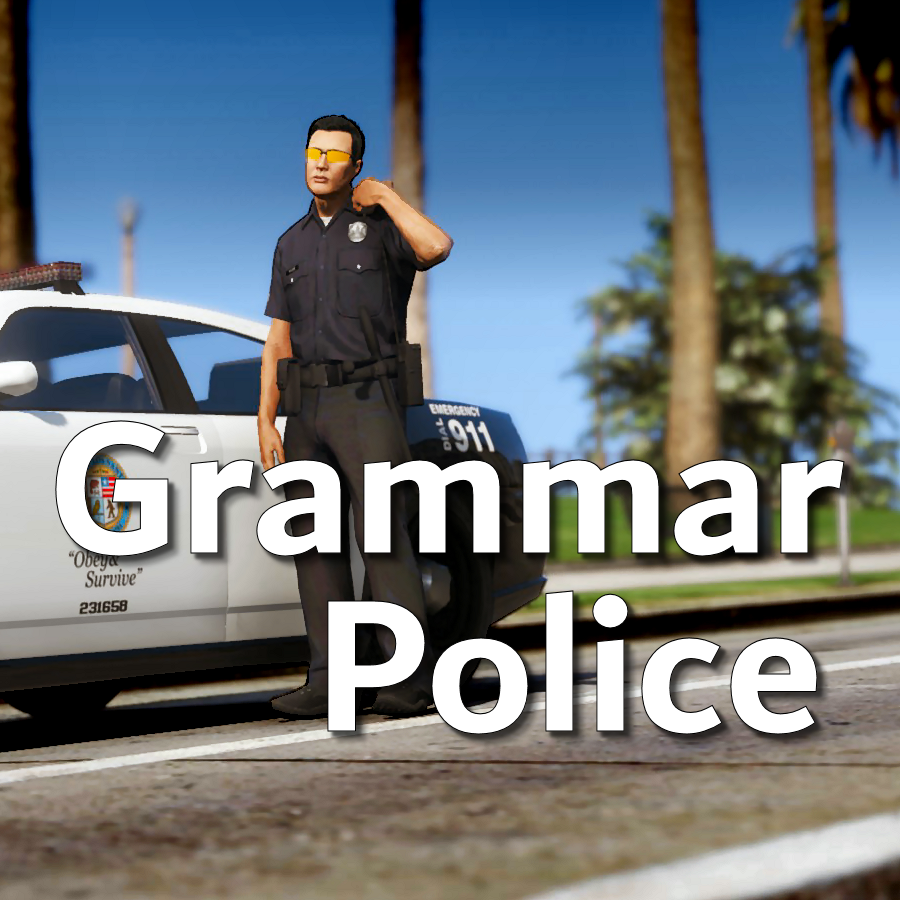
Welcome to Grammar Police!  This plugin began as a replacement for VocalDispatch but has grown into much more!


Speech Recognition

  • Issue commands to the dispatcher using your microphone
  • Includes a "hold to talk" feature that simulates a real radio
  • Supports StopThePed and UltimateBackup out of the box
  • Contains multiple sets of "10 codes" or customize yourself
  • Request backup, run plate checks, accept callouts and more!


Non-Verbal Interactions

  • Use an on-screen radio to interact with the dispatcher
  • Also includes a Officer Plugin Status style menu system
  • Both systems are fully customizable!


Language Support

  • English
  • French
  • German
  • Spanish


Technical Support


Tutorial Videos

Edited by opus49

What's New in Version 1.8.3

Released

Grammar Police 1.8

  • Restored player status display on PTT release (thanks OfficialFlipPlayz)
  • Restored the "say again" and generic response functionality
  • Restored emergency status on panic (thanks L’ère de l’a-paix)
  • Hardened radio check to prevent crash when there aren't any results
  • Adjusted timings of (non-chest) animations to look and sound more natural
  • Invalid callsigns no longer cause a failure but instead fallback to default
  • Moved speech engine handling to a separate thread to minimize UI freezes
  • Updated the radio check feature and added it to the settings menu
  • Fixed bug in felony backup request where it incorrectly saw no pullover
  • Detect Dynamic Traffic Stop from CalloutInterface and set status accordingly
  • Made configuration loading more resilient, no longer crashing on bad values
  • HoldToTalk now defaults to true and should benefit from engine worker thread
  • Made the delay between speech recognition and action execution configurable
  • Added config option for using the LSPDFR animation when using on screen radio
  • Added support for multiple handlers (e.g. UltimateBackup, PolicingRedefined)
  • Added command for cancelling backup without ending callouts, pullovers, etc
  • Fixed bug with INI where it wasn't allowing the hotkey modifier to be none
  • Added script generated HTML-based speech guides for all languages

    NOTE: THIS VERSION REQURES MICROSOFT SPEECH PLATFORM
    Microsoft has removed the interface for Windows Speech Recognition in recent versions of Windows 11.  Starting with this version of Grammar Police you will need to install Microsoft Speech Platform and the language pack you wish to use:


    Instructional video here:

    Microsoft Speech Platform: https://www.microsoft.com/en-us/download/details.aspx?id=27225
    Language Packs:  https://www.microsoft.com/en-us/download/details.aspx?id=27224
    Community Translations:   https://github.com/Immersive-Plugins-Team/GrammarPolice-Translations

Short Description

Interact with the dispatcher.

User Feedback

Recommended Comments

opus49

Insiders Author

38 minutes ago, Lufo53 said:

Hi, how can I accept calls using the grammar police menu (LCtrl + F3 by default)?

I don't believe there is such an option because it would be faster to just hit Y

BlueLine Vibes

Members

On 2/4/2022 at 6:11 PM, Lufo53 said:

Hi, how can I accept calls using the grammar police menu (LCtrl + F3 by default)?


I think universally it will be the Y key for accepting calls if your microphone is not working.  Otherwise you would just say "Responding code ..., or Enroute ..." for example.

On 2/4/2022 at 6:49 PM, opus49 said:

I don't believe there is such an option because it would be faster to just hit Y

Sorry didn't go to the next page in the comments to see Opus responding to this question lol

no29rules

Members

Ok I have a new issue that I can’t figure out. I’m on the new build of LSPDFR and have the latest update of grammar police but every time I try to respond to a callout it will automatically go code 4 on the call not letting me respond to the call not sure what to do 

opus49

Insiders Author

25 minutes ago, YNUMB said:

HELP! When I press alt there will only be a niose sound and I can't speek to dispatch.RagePluginHook.logRagePluginHook.logRagePluginHook.log

Internal error occurred in the recognition process.


You have a conflict on your PC. It's usually nahimic service, but any audio software can cause it.

YNUMB

Members

52 minutes ago, opus49 said:

Internal error occurred in the recognition process.


You have a conflict on your PC. It's usually nahimic service, but any audio software can cause it.

So how can I solve it?

Just now, YNUMB said:

So how can I solve it?

Allow no apps to use my microphone except GTA5?

10 minutes ago, YNUMB said:

So how can I solve it?

Allow no apps to use my microphone except GTA5?

I's solved! I turn nahimic off then GP worked nornally! Appreciate!

Is there a way i can configure this to better recognize my voice? It keeps having problems (probably because i have terrible english accent)

opus49

Insiders Author

(edited)

2 hours ago, RPKISaO said:

Is there a way i can configure this to better recognize my voice? It keeps having problems (probably because i have terrible english accent)

The two most important aspects are sound and phrasing. Even the world's best microphone won't work if it's too loud or too quiet. And the phrases need to be verbatim. There is a phrase guide in the documentation.


There is a setting in Windows for using non native accents. 

https://www.isunshare.com/windows-10/enable-recognize-non-native-accents-for-speech-language.html

Edited by opus49

steaynrw

Members

0-)

Lapd Code 3

Members

opus im sure this was asked already but what if we dont wanna use the radio feature and just keep things as is as i'm already used to GP as is before the update? is there a disable feature?

opus49

Insiders Author

(edited)

19 minutes ago, Lapd Code 3 said:

opus im sure this was asked already but what if we dont wanna use the radio feature and just keep things as is as i'm already used to GP as is before the update? is there a disable feature?

Sure, you can just set the keybind to None.

Edited by opus49

Lapd Code 3

Members

9 minutes ago, opus49 said:

Sure, you can just set the keybind to None.

cool thx

Rexosaurus Rex

Members

Hello,


I do not know if this is an issue caused by user error or by the update, but after updating GP it doesn't recognize my voice. I believe this could be a bug caused by the update because it worked perfectly before.


Regards,


Rex

RagePluginHook.log

opus49

Insiders Author

16 minutes ago, rexosaurusrex said:

Hello,


I do not know if this is an issue caused by user error or by the update, but after updating GP it doesn't recognize my voice. I believe this could be a bug caused by the update because it worked perfectly before.


Regards,


Rex

RagePluginHook.log 559.16 kB · 0 downloads

The speech recognition hasn't changed. Your log indicates no sound to the engine. This is a client side issue (muted mic, not using default input device, etc).

Deactivated Member

Deactivated

hey right after updating Gp i go into a normal traffic stop that led to a foot pursuit and then it crashes can you please look into this 

RagePluginHook.log

opus49

Insiders Author

13 minutes ago, Michael Scott said:

hey right after updating Gp i go into a normal traffic stop that led to a foot pursuit and then it crashes can you please look into this 

RagePluginHook.logFetching info...

Nothing to do with Grammar Police

CujoMatty

Members

(edited)

im having an issue since I updated that when I call a code 4 dispatch says "code 4 attention all units no additional support needed." and then says the exact same thing again. So basically every time I call a code 4 dispatch says its spiel twice and it is every time. It seems like everything I do is duplicated lol. If I call ems 2 come. If I call a firetruck 2 come. Only started after I updated grammar police.


Edited by CujoMatty

opus49

Insiders Author

3 hours ago, CujoMatty said:

im having an issue since I updated that when I call a code 4 dispatch says "code 4 attention all units no additional support needed." and then says the exact same thing again. So basically every time I call a code 4 dispatch says its spiel twice and it is every time. It seems like everything I do is duplicated lol. If I call ems 2 come. If I call a firetruck 2 come. Only started after I updated grammar police.


Open a ticket on discord.

Ricky001

Members

I'm not sure if it's only an issue with me, but the recently added Radio key doesn't seem to correspond to any of the *.ini files (whether custom or default)

I tried changing the default key C to something else, but no matter which file I edit, the radio only comes up with the C key. I even tried setting it to None just to see what happens, but it simply doesn't respond to this particular setting. Everything else is fine - being read from the custom.ini file when it's available, or the default otherwise. 

Can this please be looked into? Or guide me if I'm doing something wrong? 

opus49

Insiders Author

13 minutes ago, Ricky001 said:

I'm not sure if it's only an issue with me, but the recently added Radio key doesn't seem to correspond to any of the *.ini files (whether custom or default)

I tried changing the default key C to something else, but no matter which file I edit, the radio only comes up with the C key. I even tried setting it to None just to see what happens, but it simply doesn't respond to this particular setting. Everything else is fine - being read from the custom.ini file when it's available, or the default otherwise. 

Can this please be looked into? Or guide me if I'm doing something wrong? 


Just tested this and it worked fine.  Feel free to open a ticket via discord.

stylez

Members

(edited)

hi , is there a way i can change the on-screen radio hotkey (Default is C)? thanks

Edited by stylez

opus49

Insiders Author

4 minutes ago, stylez said:

hi , is there a way i can change the on-screen radio hotkey (Default is C)? thanks

Yes, in the INI

Blu's Designs

Members

(edited)

Does this mod work with stop the ped by BejoIjo? whenever i scan a plate using grammer police, it doesnt match up with stop the ped. for example: when u scan a plate with grammer police, itll say that the ped has expired insurance and a warrent, but stop the ped will say that the ped only has an suspended license. (edit: also doest this work with compute lite by Bejoljo?)

Edited by BluDaCop

opus49

Insiders Author

5 minutes ago, BluDaCop said:

Does this mod work with stop the ped by BejoIjo? whenever i scan a plate using grammer police, it doesnt match up with stop the ped. for example: when u scan a plate with grammer police, itll say that the ped has expired insurance and a warrent, but stop the ped will say that the ped only has an suspended license. (edit: also doest this work with compute lite by Bejoljo?)

That's an issue with BejoIjo's mods.

Deactivated Member

Deactivated

Love the new radio feature since i prefer having a menu than using my voice in singleplayer, so i finally switched from Immersive Dispatch to this. Only thing i think would be cool is if instead of the walkie talkie in hand animation, you can trigger the animation of your character speaking through the shoulder mic when you open the radio menu.

Create an account or sign in to comment

Latest Mods

Account

Navigation

Search

Search

Configure browser push notifications

Chrome (Android)
  1. Tap the lock icon next to the address bar.
  2. Tap Permissions → Notifications.
  3. Adjust your preference.
Chrome (Desktop)
  1. Click the padlock icon in the address bar.
  2. Select Site settings.
  3. Find Notifications and adjust your preference.














