





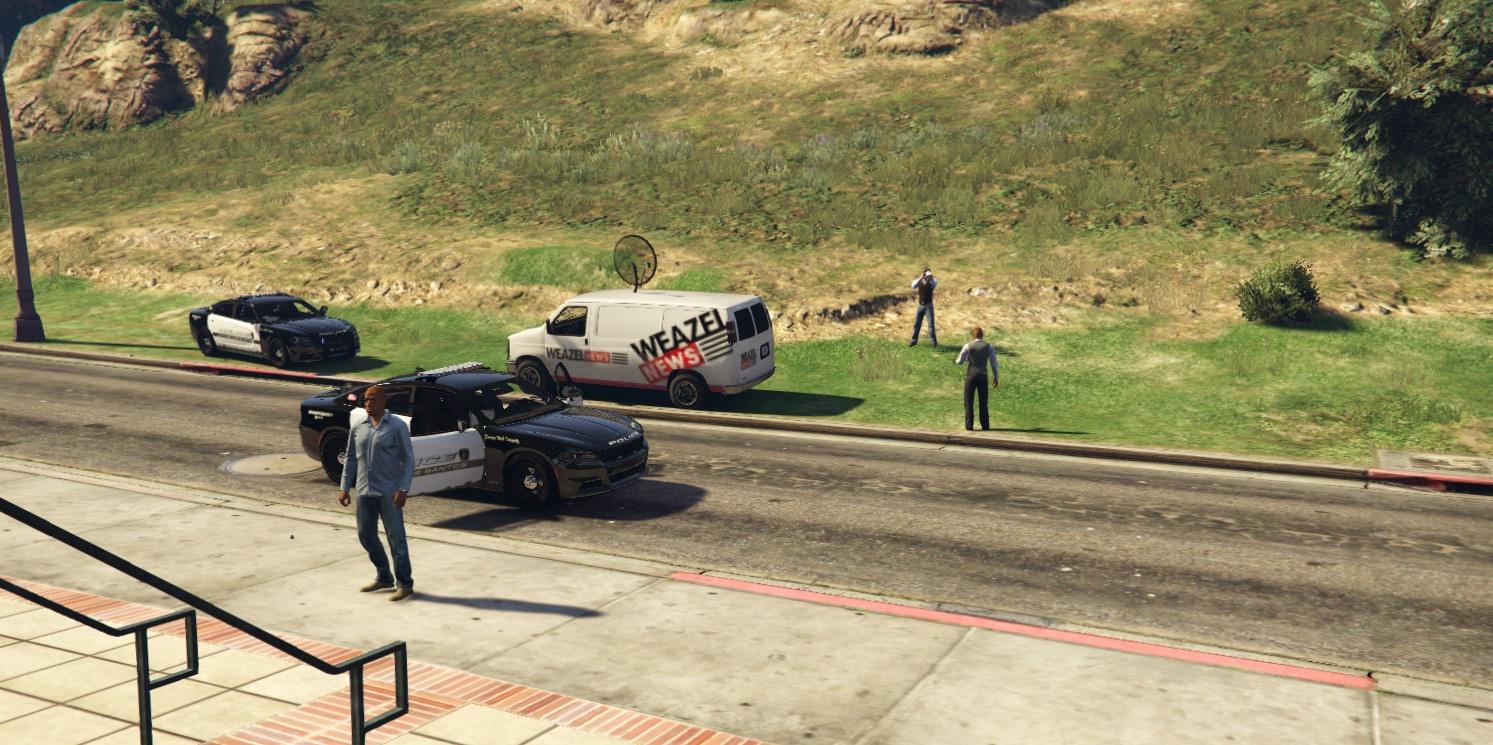


Add some variety to your LSPDFR experience with a handful of callouts designed in LSPDFR's "semi-realistic" style, with many different variants and outcomes — some of which might surprise you!
Support PeterUCallouts and get great rewards: https://www.patreon.com/peteru
Join the PeterUCallouts Discord: https://discord.gg/Q6ffcfH
Recommended Plugins for Integration
I highly recommend that you have these plugins installed for the full experience:
- LSPDFR+ by Albo1125 — http://www.lcpdfr.com/files/file/11930-lspdfr/
- Traffic Policer by Albo1125 — http://www.lcpdfr.com/files/file/8303-traffic-policer/
- Search Warrant by Darkmyre — https://www.darkmyre.net/files/file/9-search-warrant/
- Better EMS by PNWParksFan — http://www.lcpdfr.com/files/file/11647-better-ems/
- Computer+ by PieRGud — http://www.lcpdfr.com/files/file/11453-lspdfr-computer/
- Police Smart Radio by Albo1125 — http://www.lcpdfr.com/files/file/15354-police-smartradio-the-successor-to-police-radio/
- Street Name Addon to LSPDFR Police Radio by bjonesy05994 — https://www.lcpdfr.com/files/file/9029-street/
Possible Burglary (Silent Alarm Response)
The wealthy and paranoid residents of Los Santos and Blaine County often invest in silent burglar alarm systems from Gruppe Sechs or Bobcat Security. Instead of alerting the intruder and encouraging them to flee, these devices give you a better chance of catching the culprit. These systems, combined with their owners' uncomfortably close relationships with the LSPD and LSSD means you'll be first on scene when one of the silent alarms is triggered.
You are called out to a hand-picked residence or business across the state. Each property has multiple locations a suspect will appear at — at the front door, behind a gate, round the back checking out the back door, etc. — and there are different scenarios for how the suspect will behave. You don't get a suspect blip, so it's up to you to investigate the area to try and locate the suspect. Hopefully, you'll not spook them and can make a nice easy arrest, but how things go is up to your skill and luck!
Sneak around the back, try and get juuust close enough them to have them surrender, or try and identify the getaway vehicle, stake it out and try and catch them leaving the property suspiciously.
If you let the suspect drive away without them having noticed you, concerned neighbors might make a 911 call to report the last known location of the suspect's vehicle. It's then up to you to try and stop them before they get too far away.
Illegal Radio Broadcasting
Policing the airwaves is an important task. After all, who will ensure the government gets a healthy paycheck for licensing those radio waves that are all around us? That's where you step in. The police department have made significant investment in radio broadcasting detection equipment, and you'll be testing it out to track down and stop any unlicensed transmissions.
You will be called out to perform a traffic stop on a vehicle that is broadcasting some radio signals without the proper license. Hopefully, you'll be able to have a calm conversation (pressing Y to advance the on-screen subtitled conversation) and convince them to stop broadcasting, but sometimes they will not be so inclined.
This was my very first callout.
Racing in Parking Lot
Appears as “Vehicles Racing” in the LSPDFR notification window.
Some San Andreas residents can think of nothing better to do with their spare time than take their vehicles (or those that belong to others) and ‘race’ them… around their local parking lot. You will be dispatched to the location to address the threat to public safety these individuals pose.
- Featuring more than 50 locations around the map where vehicles will rev up, perform burnouts and race between set points in a relatively small area
- Can spawn up to 4 vehicles, giving you plenty of police work to do before the situation is fully resolved!
- A vehicle may have a front seat passenger, who also may flee or fight
- If multiple suspects flee, a single LSPDFR pursuit is launched for all the suspects, allowing you to call backup to pursue the other suspects while you focus on one
- If a vehicle’s occupants choose to flee, both driver and front passenger will be marked for the pursuit
- If a vehicle becomes too damaged (the AI driving is still GTA V!), the occupants will flee on foot
- Vehicles are sometimes stolen, configure likelihood in the .ini file for this callout
- Vehicles are sometimes uninsured (this feature requires Traffic Policer by Albo1125 to be installed and running), configure likelihood in the .ini file for this callout
- Configure the “chaos modifier” (in the .ini file for this callout) to determine how likely things are to get violent, allowing you to tailor the callout to suit your playing style
Assist Security Guard
You're not the only one out there on the front line dealing with a variety of situations. Private security guards are often some of the first to encounter trouble on 'their beat' — and occasionally they will need help from you.
-
Scenarios include:
- Intruder in restricted area — impaired individual
- Intruder in restricted area — misguided activist
- Bouncer — uncompliant individual
- Bouncer — shots fired
- Unwilling to pay entry
- Misguided plane enthusiast in Los Santos International Airport
- Misguided movie star enthusiast in Backlot City
- Inappropriate behaviour towards other hotel guests
- University — expelled student
- Suspected thief
- There are dozens of places around the map where the callout can spawn — each supporting some of the scenarios above, as appropriate for the location.
- You are able to ‘speak’ with the guard and the suspect (on-screen subtitles) to determine what actions you would like to take. There are multiple conversation variants and possible outcomes for each scenario to keep things fresh.
- Some scenarios feature integration with @Albo1125’s Traffic Policer and its Breathalyzer and Drugalyzer functions.
- Some scenarios feature integration with @Darkmyre’s Search Warrant.
Unauthorized Camping
Nosy neighbors and concerned citizens alike may call into the local Sherriff’s Department or Park Ranger station to report unauthorized campsites, or individuals behaving suspiciously in and around them. In these cases, you will be dispatched into the wilderness to determine what is going on, and see if anyone needs to be moved on. But not everyone’s reason for spending some time “off the grid” is the same, and mountain lions aren’t the only danger you might encounter.
Bicycle On Freeway
Whether the ‘eco’ you care about is ecology or economy, riding a bicycle has many advantages. Not every road is suitable for this kind of transport, though, and the car-loving residents of San Andreas will quickly lose patience if a bicycle gets in the way on a fast road! Respond to a call about a bicycle on a freeway, or other fast road — get traffic flowing normally again and keep the public safe!
Suspect Possibly Attempting to Board Flight
Los Santos International Airport is a bustling hive of activity and one of the primary ways for people and goods to come in and out of the state. Sometimes an individual of interest to police will be in the area. There might not be a warrant out for their arrest, but their presence at the airport offers an opportunity for further investigation. If there is a justification from preventing them traveling, you might be able to get another dangerous criminal off the streets of Los Santos.
Suspicious Activity near ATM
You’re called to an ATM after reports of “suspicious activity” nearby. The residents of San Andreas are vulnerable to all sorts of threats as they obtain their cash — your job may involve dealing with high-tech criminals, or those who are a bit more of a blunt instrument.
- Several scenarios, so the “suspicious activity” has enough variety.
- You can speak with on-scene witnesses and victims and ask various different questions to try and determine what has happened and gather any evidence to track down the criminal.
- You are sometimes given descriptions of the suspect and their vehicle. The detail available will depend on how reliable your witness is!
- The Department’s ALPR system can be used to track down the general location of a suspect vehicle from the description you’ve gathered from the scene.
- You can ask suspects various questions to determine their guilt. In some cases, you will have multiple ways of approaching a line of enquiry, and the decision you make will impact how the suspect chooses to behave. Sometimes, if you ask the right questions, the suspect will manage to incriminate themselves!
Landlord/Tenant Dispute
With sky high rents, onerous rental agreement terms and defiant tenants, it’s no wonder that tempers fray in the Los Santos rental market. You are called to the scene of a dispute between a landlord and a tenant and must utilise your diplomatic skills and knowledge of the relevant legal complexities to keep the peace and uphold the law.
Insecure Vehicle Load
Everyone knows that the roads of San Andreas are dangerous places to be — and that was true before some residents decided to drive around with a little too much cargo for their vehicle! You will be called to a report of a vehicle carrying a load in an unsafe manner. You receive some detail about the target vehicle, but then must track it down and perform a traffic stop. Take any action that is necessary to keep the roads safe(r) and issue traffic citations accordingly!
Credits
@JFavignano for getting me into this whole thing in the first place through his excellent LSPDFR video series
@Albo1125 for Police Scanner audio originally extracted for Assorted Callouts, Traffic Policer, Arrest Manager
@LukeD for Police Scanner audio originally extracted for CalloutsV
@goigle for Police Scanner audio originally extracted for Federal Callouts Alpha
This is very much a work in progress, as mentioned earlier, so I am keen for feedback, constructive criticism and ideas, but I can only do my best, and can't guarantee response times etc. We're all here to have fun, so please be patient, kind, inclusive and reasonable. Thanks. 
Hope you enjoy.
What's New in Version 5.1.7603.31513
Released
Due to time constraints, it is not possible to test with all versions of Rage Plugin Hook. However, based on the documented RPH changes, I can make an assessment as to how likely compatibility is with older versions.
|
v1.81 |
Tested |
-
Compatibility improvements with LSPDFR 0.4.8.
-
Improvements to the first run experience.
@Albo1125 for Police Scanner audio originally extracted for Assorted Callouts, Traffic Policer, Arrest Manager
@LukeD for Police Scanner audio originally extracted for CalloutsV
@goigle for Police Scanner audio originally extracted for Federal Callouts Alpha



![NickCallouts [1.0.0]](http://s3-screenshots.int-cdn.lcpdfrusercontent.com/resize/500/-/monthly_2026_08/nickcallouts.thumb.png.d48107f3a2ee842ba856502362042914.png)






![[ELS-HYBRID] [ADD-ON] 2022 Georgia State Patrol Charger](http://s3-screenshots.int-cdn.lcpdfrusercontent.com/monthly_2026_08/Screenshot_3458.thumb.png.f02442abb5a7117261267d1a818aa00b.png)

![[ELS][Addon] Los Santos County Sheriff's Department](http://s3-screenshots.int-cdn.lcpdfrusercontent.com/monthly_2026_08/PGTA52115079501.png.be571ddbe42a9ab8437eb2035f2fd5bc.thumb.png.4e47642158ad4c67138b7a707ad2bc05.png)



Recommended Comments
Create an account or sign in to comment