Skip to content
View in the app

A better way to browse. Learn more.

LCPDFR.com

A full-screen app on your home screen with push notifications, badges and more.

To install this app on iOS and iPadOS
  1. Tap the Share icon in Safari
  2. Scroll the menu and tap Add to Home Screen.
  3. Tap Add in the top-right corner.
To install this app on Android
  1. Tap the 3-dot menu (⋮) in the top-right corner of the browser.
  2. Tap Add to Home screen or Install app.
  3. Confirm by tapping Install.

California Highway Patrol CVPI 1.5

(29 reviews)

6 Screenshots

Information

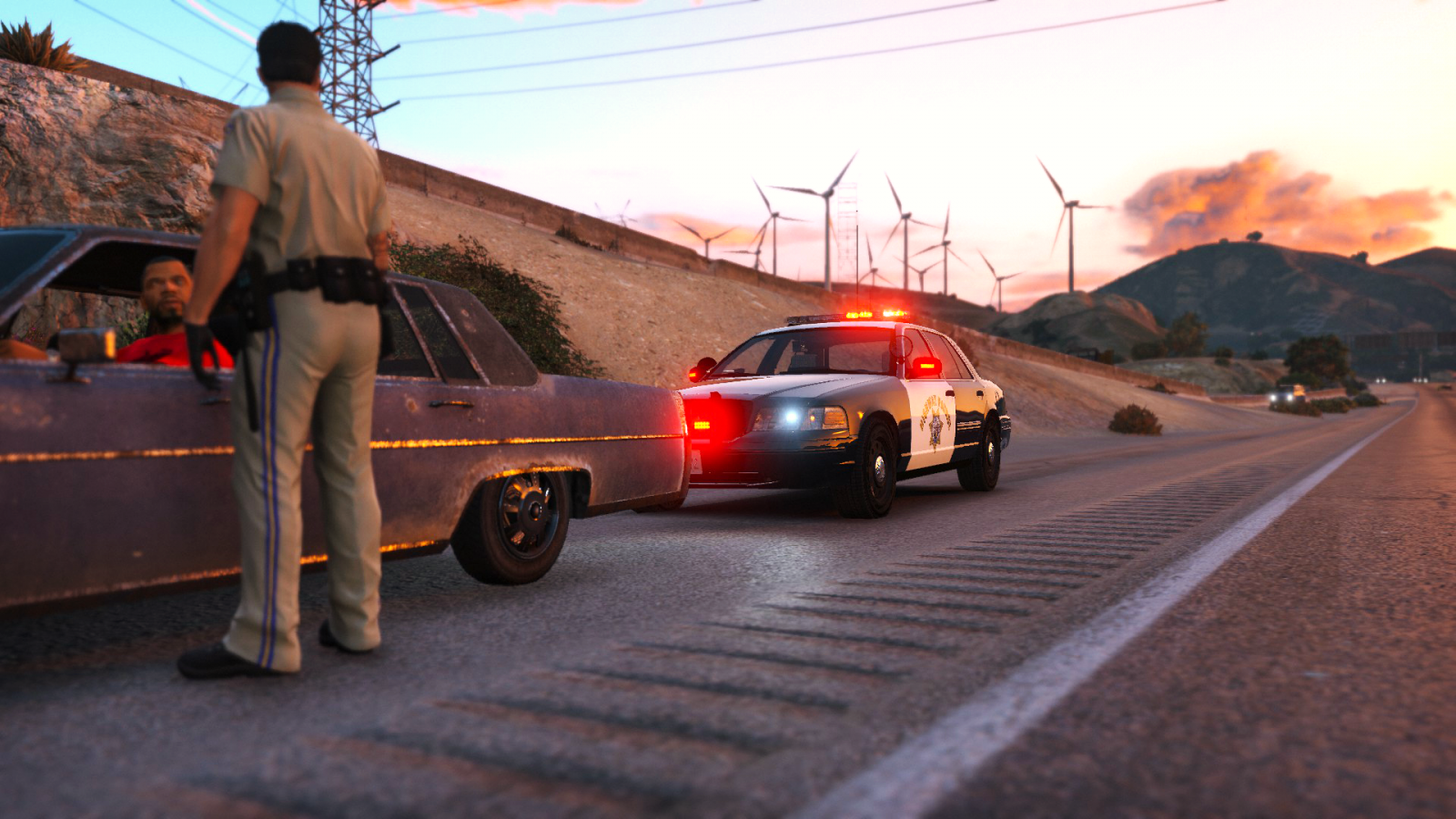
Introducing the California Highway Patrol CVPI. It is not an exact and has a lot of work to be an authentic replica. I have spent a good amount of time on this file so please leave feedback below. The car must be an addon vehicle for now until worked on further!

Any issues with the credits may be addressed my sending me a message and will be fixed :)

For any questions or concerns use the comments not the reviews!


Installation and Usage

Installation for these vehicles is very simple! No need to worry about a difficult process! Installation was made easy with a folder path! 

When you download the modification simply follow the path of each folder in OpenIV to successfully replace the vehicles. Make sure to install everything included! Those who don't will not be given support!


Planned Features

  • Make it a more authentic CHP CVPI


Miscellaneous

Please, PM me any bug or crash reports. I'll try my best to fix any unseen issues that might happen. Thanks.

What's New in Version 1.5

Released

• Fixed headlights

• Fixed missing polygons in doors

• Added a second flipped up spotlight

• Fixed transparent spotlight

• Added CHP texture

• Added an option for a SAHP texture 

• Misc edits and fixes

User Feedback

Recommended Comments

PNWParksFan

Insiders

May I have your permission to edit the textures to be SAHP? I can either upload them as a separate texture pack, or send them back to you and you could include them in the download. For those of us who prefer to play with lore agencies. 

Virzza

Members Author

@PNWParksFan The texture actually is a SAHP texture ;) I am going to add a actual CHP one sometime 

PNWParksFan

Insiders

3 minutes ago, Virzza said:

@PNWParksFan The texture actually is a SAHP texture ;) I am going to add a actual CHP one sometime 

Oh, sweet! Can't wait to get it installed :)

kcoynejr

Members

(edited)

Hey the path for the instructions don't match on my OpenIV. I don't have dlcpacks after the first x64. Any suggestions? 


edit: When I go update, x64 instead of update, update.rpf I think it would work?

Edited by kcoynejr

densup

Members

Car looks great, like, really great. Any possibility of steady burn red in the future?

accord137

Members

That would be awesome.  Looking forward to it!

kcoynejr

Members

Thank you. Lovin the lights on the mirrors!

PNWParksFan

Insiders

Should I be seeing a transparent spotlight? I did install the carvariations.meta and the vehicles.meta. Also, the headlights don't look quite right when turned on. Other than that, great model! Any chance you can make the takedown lights on the lightbar come on when you turn on the spotlight? 


2016-03-05_00024.jpg

2016-03-05_00025.jpg

3 minutes ago, PNWParksFan said:

-Snip-

Did you spawn with the ragehook console or the trainer?

PNWParksFan

Insiders

(edited)

2 minutes ago, MephistoPheles said:

Did you spawn with the ragehook console or the trainer?

RPH console

EDIT: Same thing happens when I spawn it with the trainer though. 

Edited by PNWParksFan

MrLucky8

Members

Yeah, having the same issue with the transparent light. Other than that, completely awesome!

Deactivated Member

Deactivated

Having an issue with rambar lights not flashing as well as the transparent spotlight, I'm assuming this is the same problem?

Virzza

Members Author

@forsakenbacon17 "The car must be an addon vehicle for now until worked on further!"

Deactivated Member

Deactivated

4 minutes ago, Virzza said:

@forsakenbacon17 "The car must be an addon vehicle for now until worked on further!"

I'm using it as an addon, along with it in the correct carvariations.meta and vehicles.meta. I did change the name from chpcvpi or whatever it was to hwaycar2 though, but I also changed it in the carvariations and vehicles.meta. Could this be the case?

Virzza

Members Author

@forsakenbacon17 You could try just using it as I provided it?...

Deactivated Member

Deactivated

Yeah I will try that. Apologies for wasting your time.

Virzza

Members Author

@forsakenbacon17 It wasn't wasting my time I just haven't tried your method and I only thought of trying to do it my way as an answer :)

fleming334

Members

Im loving this mod! Just one slight issue, the doors seem to be missing textures and not sure if anyone else ran into this issue, i changed the name of the interior to chpcvpi and it stayed the same, so i changed it back and still the same issue! Other than that no complaints from me! :tongue::thumbsup:

pic.png

accord137

Members

When this model is complete, would it be possible for this to take the place of the default "sheriff" slot?

Virzza

Members Author

@fleming334 I'll get that fixed. Sorry about that. 

@accord137 I wanted it to replace it upon release but hopefully 

fleming334

Members

(edited)

@Virzza No worries, Just thought it point it out! good luck with the up coming updates! looking forward to seeing this mod develop! :thumbsup:

Edited by fleming334

Schecter004

Members

Well, it's always great to have a nearly authentic replica in the game. If you fix the stated bugs it'll be the best CHP CVPI out there. Please fix the mmessive light texture that Lundy stated in his review. I didn't tried the car yet. But i hope the wheels or any other parts from the vehicle don't disappear from a close distance. In my opinion it's the biggest problem with released models in the past.

Create an account or sign in to comment

Account

Navigation

Search

Search

Configure browser push notifications

Chrome (Android)
  1. Tap the lock icon next to the address bar.
  2. Tap Permissions → Notifications.
  3. Adjust your preference.
Chrome (Desktop)
  1. Click the padlock icon in the address bar.
  2. Select Site settings.
  3. Find Notifications and adjust your preference.












