Skip to content
View in the app

A better way to browse. Learn more.

LCPDFR.com

A full-screen app on your home screen with push notifications, badges and more.

To install this app on iOS and iPadOS
  1. Tap the Share icon in Safari
  2. Scroll the menu and tap Add to Home Screen.
  3. Tap Add in the top-right corner.
To install this app on Android
  1. Tap the 3-dot menu (⋮) in the top-right corner of the browser.
  2. Tap Add to Home screen or Install app.
  3. Confirm by tapping Install.

Law Enforcement Jurisdiction Script 0.8.0.0 - RPH 0.41+

(19 reviews)

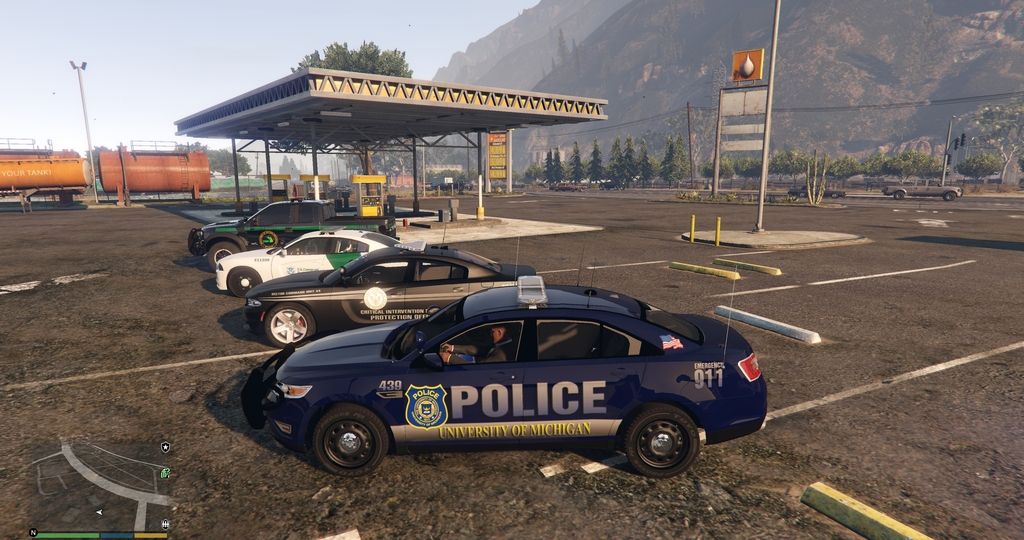
1 Screenshot

Introduction
Hello everyone, I’m pleased and very excited to introduce the “Law Enforcement Jurisdiction Script” or L.E.J.S. for short. The script was designed and outlined as a team project between Albo1125 and myself. This script was designed in-mind to give the end-user more control over the policing powers within GTA V. By allowing most, if not all, the functionality of governing which departments have jurisdictions over what parts of Los Santos. With this script you’ll have the power on setting up which areas of patrols… what particular vehicles are in use… what particular Law Enforcement Officers are in use... are they stationed or patrolling… what time of (day or night)… and much-much more.


Special Thanks
Thanks EVI for being the original beta tester and bouncing future ideas off us.
Thanks c13, BroCop and Dilapidated on assisting in the second wave of beta testing.
Thank you AlexGuirre for the Zones enum-related stuff and Dilapidated once again for the HELI_MISSION native use.

 
Police Jurisdiction
Police jurisdiction refers to the legal authority for police to enforce laws and the specific geographical area in which this authority exists. Police officers generally have jurisdiction to enforce the laws of a local geographic area or the entire state in which they serve. By contrast, federal officers, such as FBI agents, carry out the enforcement of federal laws throughout the entire country.


Jurisdictions and Policing Possibilities
Border and Customs Enforcement.
Wildlife and Game Enforcement.
City, State and Federal Buildings Patrols.
County Roads, Freeways, Highways and Byways Patrols.
Road Construction Assistance and Enforcement.
Railroads and Train Yards Patrols.
Subways and Trolleys Patrols.
Airport Policing and Security Enforcement.
Marina, Beach and Shipyard Patrols.
Coast Guard Patrols.
Public and Private Property Security Patrol.
Or any other area of Law Enforcement and Security that you can think of.
 
Summary
L.E.J.S. allows the end-user to customize their needs within the .INI file (example below), by giving the end-user certain key variables on achieving their goals. The script will be an ongoing project (add-ons, updates, tweaking, etc…) that will give the end-user even more control over time.


CREDITS & LICENCE
Law Enforcement Jurisdiction Script is coded by Albo1125 (aka The Great OZ).
Cee Montana (aka Nutt) is the owner of the Law Enforcement Jurisdiction Script.

You cannot upload or redistribute the Law Enforcement Jurisdiction Script without the explicit written permission of Cee Montana (Nutt).

 
Q&A Time

Q. Is there a tutorial on getting started?
A. Yes. Please see the awesome tutorial video by Albo in the video section. Also, the first time you execute the LEJS Editor - it will automatically link you with the tutorial video. Don’t worry, it’s only a onetime measure on cutting down on some of the learning curve questions. Lastly, the Editor may require the “run anyway” elevated permissions for the first time depending on your OS.

Q. How many Jurisdictions Patrol Profiles can I create within the .INI file?
A. Creating jurisdiction profiles are limitless. That being said, I would personally suggest on keeping each jurisdiction area or zone, vehicle count under twenty-five (25). Especially if you’re using non-vanilla vehicles and a large activation boundary. In other words: You can have hundreds and hundreds of patrol spots… just keep each jurisdiction or area under twenty-five (25) vehicles if possible.

Q. Can the user create jurisdictions and patrol points all across Los Santos?
A. Yes.

Q. Can the user create sea and air support jurisdictions points?
A. Yes. If you’re creating custom air-support and/or sea-support jurisdictions… you can gather coordinates by using a simple trainer or enhanced trainer “airbrake” feature during gameplay, then saving the coordinates data via RHA console command “SaveLEJSLocationInfo MyLocationName”.          

Q. How accurate are the Jurisdictions and patrolling setups?
A. The script is very accurate to what the .INI file is setup to do (by you). The x, y, z coordinates, heading coordinates and the area of patrol size, are very important key components on giving the user as much control and accuracy on creating believable jurisdictions patrols.

Q. What is the difference between selecting a “Custom” and “Zone” jurisdiction setup?
A. Custom setups gives the user more options (control) for specific needs and accuracy… while Zone setups gives the user immediate selections (over 90 zones) on getting patrols setup quickly - without the needed coordinates data.

Q. Can I create “Custom” and “Zone” setups within the same jurisdiction?
A. Yes.     

Q. Is there a default .INI (prebuilt) contained in the download?
A. Yes. A few patrol points on getting you started.

Q. Can I use custom and/or renamed patrol vehicles?
A. Yes.

Q. Can I use civilian cars?
A. Yes. If it has wheels, wings and it floats - you can use it.

Q. Do the LEJS Officers react to crimes?
A. Yes and No. Officers will react to Michael’s, Trevor’s and Franklin’s crimes - not surrounding crimes (gangbangers, fights, etc…). We’re working on the latter part… so stay tuned for updates.

Q. The Officers that are patrolling - do they roam away from their areas of assignments?
A. No. As long as the user sets the correct “area of patrol size” and/or other boundaries within the .INI file… the patrolling Officers will stay within their jurisdiction scope.

Q. Will Officers leave their Jurisdictions during a commission of crime?
A. Yes. But we’re looking into giving the user the option on “not allowing pursuits beyond the set jurisdiction scope”.

Q. How do I get the axis x, y, z, and heading coordinates for my particular custom patrol needs?
A. LEJS has a custom console command “SaveLEJSLocationInfo MyLocationName” which allows you to easily save your location information in the required format of LEJS's INI file.

Q. Will there be a thread on sharing locations and coordinates?
A. Sure will. I figured some end-users may-not want to go through the hassle of plugging in data. So there will be a thread where users can share their Jurisdiction setups and/or patrolling spots (with photos) – so that others can decide if its fits their needs.

Q. How stable is the script?
A. No major problems to report.

Q. How can I edit the .INI file?
A. The nice and simplistic .INI Editor of course! 

Q. Key features?
A. Most of the key features can be viewed from the .INI Editor. However, I believe the master viewing mode (F3 Key by default) is quite impressive. You can verify the areas of patrols that you created (per immediate surrounding area), and modify them later based on your observation. And if you set the blip feature (per car) within the .INI file, you’ll see the vehicles in real-time (especially the vehicles that are set to patrol) doing their job within the area of scope that you set.

Q. What are the red, green and yellow blips in the master viewing mode (F3)?
A. If enabled in the .INI file (per vehicle), the master viewing mode lets the user know which vehicles are stationed (red), which ones are patrolling (green) and which ones are zoned spawned (yellow).  

Q. How do I reload the script if it stops working completely?
A.  Bring up the Rage Plugin Console. First, if necessary, unload the plugin by typing UnloadPlugin “Law Enforcement Jurisdiction Script.dll” and pressing enter. You can then reload it by typing LoadPlugin “Law Enforcement Jurisdiction Script.dll” and pressing enter.

Q. Can I easily make changes to the INI file while in game?
A. Absolutely! When you’re in master viewing mode (F3), you can reload the values from the INI file by pressing F5 (default). You will see the changes you made are immediately reflected by the master viewing mode for easy editing and perfecting your jurisdictions.

FYI: 
* Guys/Gals please make sure to use the correct coordinates when creating custom zones. Especially if it has a negative (-) in front of it. Example: if the coordinate states -34.789 then it should be -34.789.
 

Tutorial Video:

 
Other Videos:


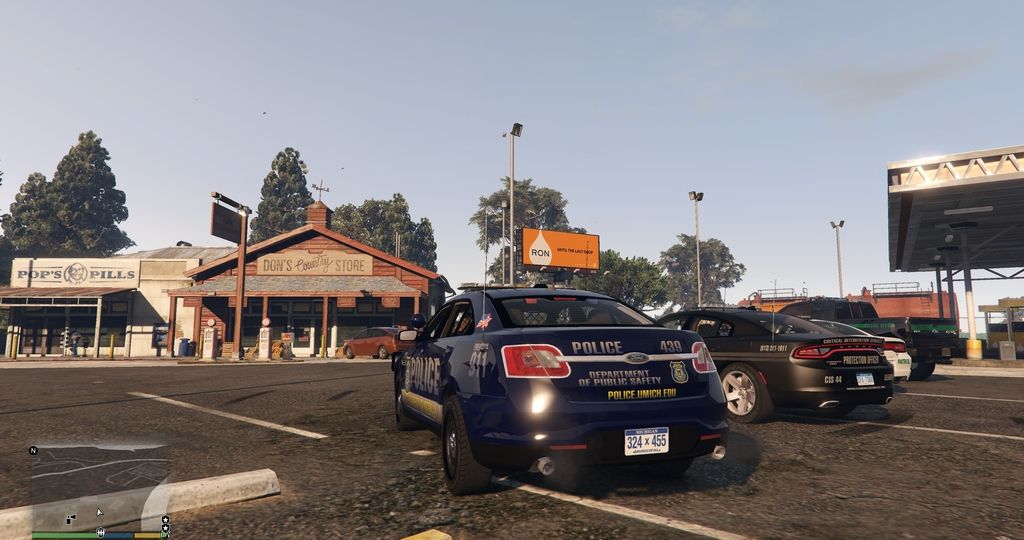
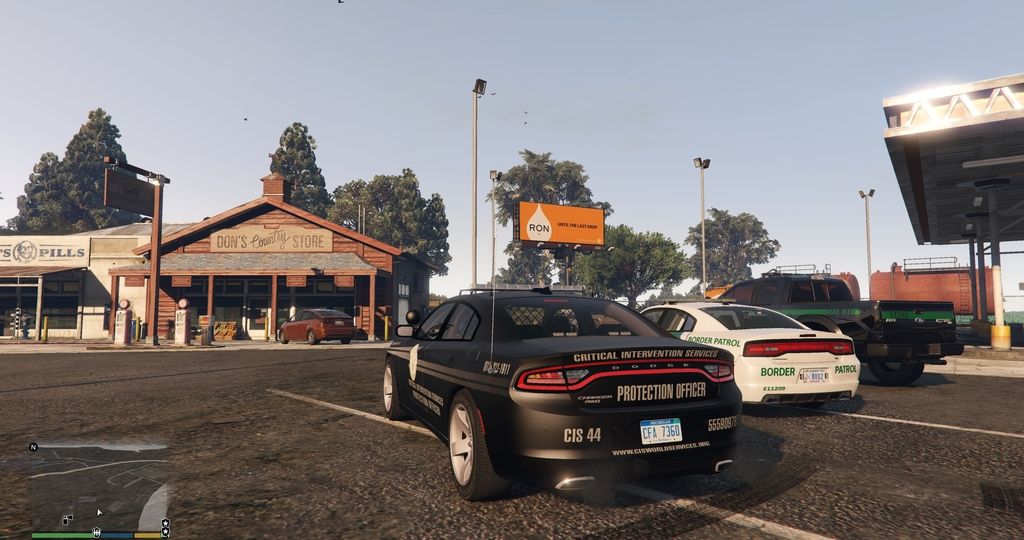
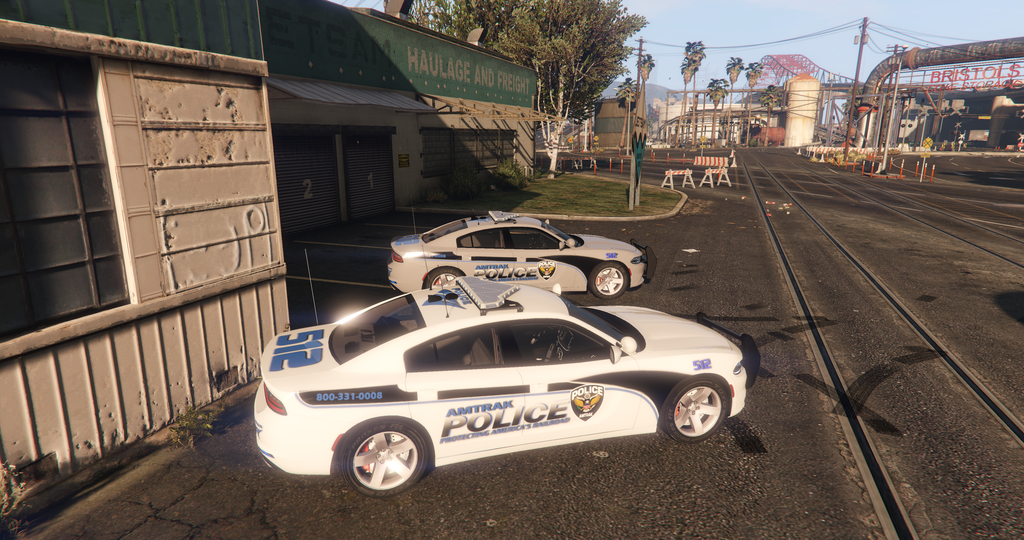
Optional LEJS Livery Starter Pack (Los Santos Included):
Spoiler

ATPD%204_zpsaa3uheix.png~originalGTA5%202016-01-25%2001-46-58-73_zpsastavGTA5%202016-01-25%2001-46-52-18_zpsxl55vGTA5%202016-01-25%2001-45-47-36_zpsgieoc


What's New in Version 0.8.0.0 - RPH 0.41+

Released

0.8.0.0:
Updated for GTAV 1.0.944.2 and RPH 0.49.
Still works with RPH 0.41 and higher.
Various adjustments made to improve performance and stability on the new RPH & GTA.
Some slight changes in how the plugin is loaded/unloaded.
Fixed a problem that prevented the console command from working.


0.7.0.0:
-Added 'Random' to ambient events.
-Added 'Ambient Event Chance' field.

-Tweaked pursuit ambient event slightly.


0.6.0.0:
-Reworked the processor architecture target to x64 only.
-Removed various debugging symbols.
-Reworked the pullover ambient event.
-Fixed an issue where the suspect entities were not appearing/disappearing properly.


0.5.1.0:
-Fixed issues with the pursuit ambient event.
-Pullover ambient event implemented into custom jurisdiction setups. (Zoned setups won't work with pullovers.)
-Improved suspect entity cleanup.
-Fixed errors thrown when setting zoned jurisdictions to pursuit.
-If SirenActive is true, siren is now also no longer silent during pursuits.


0.5.0.0:
-Multiple zone names per zoned jurisdiction.
-Added 'writing' ambient action.
-Option of just spawning a parked vehicle without the need for an officer.
-Added the 'ambient event' field for both zoned & custom jurisdictions.
-Added 'Pursuit', 'Pullover' and 'None' to the ambient event options.

-Officers responding to other crimes is still WIP.
-Various code & performance optimizations.


-INI EDITOR 1.5.0.0:
Redone Zone Names
Added field for ambient event.
Added writing option.
Altered some of the layout behind the scenes code.


Hello Everyone,

Quite a few new features were added to the latest LEJS file, since the 0.4.0.0 version. As you can see from the change log a few versions (0.5, 0.5.1 and 0.6) were not released do to quality testing and making sure the release candidate is in good working order.  

•    The newest release contains options for selecting multiple zones at the same time, when creating patrol points… without the need for creating repeated layouts on covering particular area(s). 
•    There are two new vehicle ambient features for patrolling cars. Patrol and Pursuit for Zoned created patrols and Patrol and Pullover for Custom created patrols. Both ambient events have options for Random and Chance on allowing a more realistic approach. More vehicle ambient features coming soon…
•    New writing ambient action for law enforcement peds.

User Feedback

Recommended Comments

Cyron43

Members

On 11/24/2017 at 7:01 AM, FHOG said:


your coordinates are wrong for some reason. Instead of commas they should be periods. they should look like this.


 X=-1610.652
Y=170.1925
Z=59.36016
Heading=206.0

Thank you so much! :)
This happened because I am in Germany. You know comma and period have their places switched over here. 

FHOG

Members

2 hours ago, Cyron43 said:

Thank you so much! :)
This happened because I am in Germany. You know comma and period have their places switched over here. 

That would explain it. Enjoy your new patrols!

Cyron43

Members

(edited)

On 11/25/2017 at 8:25 PM, FHOG said:

That would explain it. Enjoy your new patrols!

Yeah but now there's another problem. There's a police car spawning and a male officer who stands right beside the car but he doesn't move and doesn't react to anything. I have even knocked him over. He just stands up and is idle again. No additional female officer as defined in the settings, no idle animations and let alone going on patrol. :-/
BTW I corrected the heading value as well. So this can't be it.

Edited by Cyron43

FHOG

Members

14 hours ago, Cyron43 said:

Yeah but now there's another problem. There's a police car spawning and a male officer who stands right beside the car but he doesn't move and doesn't react to anything. I have even knocked him over. He just stands up and is idle again. No additional female officer as defined in the settings, no idle animations and let alone going on patrol. :-/
BTW I corrected the heading value as well. So this can't be it.


Any chance you could attach a screen shot of you ini editor with that patrol? I could probably find the issue by looking at that. Or at least the ini itself.

Cyron43

Members

(edited)

7 hours ago, FHOG said:


Any chance you could attach a screen shot of you ini editor with that patrol? I could probably find the issue by looking at that. Or at least the ini itself.

Thank you. :)
Here you go: https://pastebin.com/ywxVsgPP
The only thing changed from the default ini is the added Campus Patrol block at the end.

Edited by Cyron43

Kalleboston

Members

3 hours ago, Cyron43 said:

Thank you. :)
Here you go: https://pastebin.com/ywxVsgPP
The only thing changed from the default ini is the added Campus Patrol block at the end.

Thanks for the ini. Many great setups there. I'm saving the highway entries for later :) 

FHOG

Members

6 hours ago, Cyron43 said:

Thank you. :)
Here you go: https://pastebin.com/ywxVsgPP
The only thing changed from the default ini is the added Campus Patrol block at the end.


Looking at your ini and after some testing. The problem is the weapon description. in your ini you have it as stungun when it should be WEAPON_STUNGUN. In the L.E.J.S. folder you downloaded there should be a weapons link that has the correct names you should use for the weapons. The campus patrol I created is below so you can compare. 


[campus patrol]
X=-1611.932
Y=172.8744
Z=59.44714
Heading=207.27
Patrol Area Size=200
Peds Spawned in Vehicle=True
Patrolling=True
Ped Model 2=S_F_Y_Cop_01
Officer1 Weapon=WEAPON_STUNGUN
Officer1 Equip Weapon=True
Officer2 Weapon=WEAPON_STUNGUN
Officer2 Equip Weapon=True
Officer1 Ambient Action=Phone
Officer2 Ambient Action=Coffee
Vehicle Invincible=True
Keep Vehicle Clean=True
Keep To Spawn Street=True
Emergency Vehicle=POLICE
Ped Model 1=S_M_Y_Cop_01
Sirens Active=False
Vehicle Blip=True

Cyron43

Members

6 hours ago, Kalleboston said:

Thanks for the ini. Many great setups there. I'm saving the highway entries for later :) 

LOL that's the default ini (except for the campus patrol) which is part of the download!

3 hours ago, FHOG said:


Looking at your ini and after some testing. The problem is the weapon description. in your ini you have it as stungun when it should be WEAPON_STUNGUN. In the L.E.J.S. folder you downloaded there should be a weapons link that has the correct names you should use for the weapons. The campus patrol I created is below so you can compare. 


[campus patrol]
X=-1611.932
Y=172.8744
Z=59.44714
Heading=207.27
Patrol Area Size=200
Peds Spawned in Vehicle=True
Patrolling=True
Ped Model 2=S_F_Y_Cop_01
Officer1 Weapon=WEAPON_STUNGUN
Officer1 Equip Weapon=True
Officer2 Weapon=WEAPON_STUNGUN
Officer2 Equip Weapon=True
Officer1 Ambient Action=Phone
Officer2 Ambient Action=Coffee
Vehicle Invincible=True
Keep Vehicle Clean=True
Keep To Spawn Street=True
Emergency Vehicle=POLICE
Ped Model 1=S_M_Y_Cop_01
Sirens Active=False
Vehicle Blip=True

Doh! Thanks again. I owe you one. :)

Kalleboston

Members

2 hours ago, Cyron43 said:

LOL that's the default ini (except for the campus patrol) which is part of the download!

Doh! Thanks again. I owe you one. :)

Well I trashed all the default entries last summer. I wouldn’t have found it if I hadn’t seen them here :D

Cyron43

Members

(edited)

On 11/28/2017 at 9:39 PM, FHOG said:


Looking at your ini and after some testing. The problem is the weapon description. in your ini you have it as stungun when it should be WEAPON_STUNGUN. In the L.E.J.S. folder you downloaded there should be a weapons link that has the correct names you should use for the weapons. The campus patrol I created is below so you can compare. 


[campus patrol]
X=-1611.932
Y=172.8744
Z=59.44714
Heading=207.27
Patrol Area Size=200
Peds Spawned in Vehicle=True
Patrolling=True
Ped Model 2=S_F_Y_Cop_01
Officer1 Weapon=WEAPON_STUNGUN
Officer1 Equip Weapon=True
Officer2 Weapon=WEAPON_STUNGUN
Officer2 Equip Weapon=True
Officer1 Ambient Action=Phone
Officer2 Ambient Action=Coffee
Vehicle Invincible=True
Keep Vehicle Clean=True
Keep To Spawn Street=True
Emergency Vehicle=POLICE
Ped Model 1=S_M_Y_Cop_01
Sirens Active=False
Vehicle Blip=True

I was finally able to fix it by just re-arranging the lines according to the default sets. The cops are patrolling now and I have even seen them giving a motorcyclist a ticket. However, they don't react to any other incident. I caused some mayhem on the campus by having all the peds getting involved in a shoot-out (by a mod) but the campus patrol just drove by, totally ignoring it. Oh and there's another issue which seems to be a bug in the DrivingStyle bitmask. If not set properly to either 0x400C01AB (normal) or 0x400C013F (rushed) or 0x400C023C (AvoidTrafficExtremely) the cop car stops behind every parked car there is on the way.
Here is my Campus patrol:
[Campus Patrol]
Emergency Vehicle=police
Spawn Chance=100
Vehicle Invincible=True
Keep Vehicle Clean=True
Keep To Spawn Street=True
Ped Model 1=s_m_y_cop_01
Peds Spawned in Vehicle=True
Sirens Active=False
Patrolling=True
Patrol Area Size=200
Vehicle Blip=True
X=-1610.652
Y=170.1925
Z=59.36016
Heading=206.0
Ped Model 2=s_f_y_cop_01
Officer1 Weapon=WEAPON_STUNGUN
Officer1 Equip Weapon=True
Officer2 Weapon=WEAPON_STUNGUN
Officer2 Equip Weapon=True
Officer1 Ambient Action=Smoking
Officer2 Ambient Action=Phone
Ambient Event Chance=25
Ambient Event=Pullover

Edited by Cyron43

FHOG

Members

10 hours ago, Cyron43 said:

I was finally able to fix it by just re-arranging the lines according to the default sets. The cops are patrolling now and I have even seen them giving a motorcyclist a ticket. However, they don't react to any other incident. I caused some mayhem on the campus by having all the peds getting involved in a shoot-out (by a mod) but the campus patrol just drove by, totally ignoring it. Oh and there's another issue which seems to be a bug in the DrivingStyle bitmask. If not set properly to either 0x400C01AB (normal) or 0x400C013F (rushed) or 0x400C023C (AvoidTrafficExtremely) the cop car stops behind every parked car there is on the way.
Here is my Campus patrol:
[Campus Patrol]
Emergency Vehicle=police
Spawn Chance=100
Vehicle Invincible=True
Keep Vehicle Clean=True
Keep To Spawn Street=True
Ped Model 1=s_m_y_cop_01
Peds Spawned in Vehicle=True
Sirens Active=False
Patrolling=True
Patrol Area Size=200
Vehicle Blip=True
X=-1610.652
Y=170.1925
Z=59.36016
Heading=206.0
Ped Model 2=s_f_y_cop_01
Officer1 Weapon=WEAPON_STUNGUN
Officer1 Equip Weapon=True
Officer2 Weapon=WEAPON_STUNGUN
Officer2 Equip Weapon=True
Officer1 Ambient Action=Smoking
Officer2 Ambient Action=Phone
Ambient Event Chance=25
Ambient Event=Pullover

I'm not sure about the driving style issue. The modders made this script mainly for ambient patrols.  I know they will join you if you are in a pursuit near by, but other than that I don't think will do much else.

Recoil

Members

Hey, I got a problem with the script, all jurisdictions work just fine where they are supposed to be (all zoned jurisdictions), but whenever I pass around this area near Marlowe Drive and Baytree Canyon Road the script activates every single jurisdiction for whatever reason. Help would be greatly appreciated.

image.thumb.png.90c4b5727af502a2b3e00419f64e0f7f.png

toontotalwar

Members

My car is appearing in a numeric code as such: Emergency Vehicle=0xc4b53c5b, instead of its actual name POLICE6?


Can I just type the name of the vehicle in Emergency Vehicle box?


Thanks

fpj0119

Members

Hi, i installed several custom jurisdictions, everything looks normal but the cars are not appearing. 

What can i do? THX


PhillBellic

Members

Heh. This Mod looks awesome!


Basically like @Sam's 'Area Livery Mod', but on Steroids!

How well does it co-operate with RDE?

CaptConfuzed

Members

Hey,

Does anyone still use LEJS?  Do you know if we can use EUP peds with it?  🤔

Thanks

RetroRanger91

Members

I love this, I've been wanting something like this for a long time! Will you be looking into adding support for EUP peds in the future? I would love to utilize the specialty units on some of the patrols. Awesome job!

mattwwin

Members

is there a limit on officers? Say theres 20 on patrol. If 10 die, do you remain at 10 officers until the next day or time you log on?

Nkbs

Members

So far i have my doubts if it works with the actual Version of the game by this day.


Outside of that, i honestly find it amazing~ it gives more life to the empty streets, besides you don't always have a 2nd unit (at least a 2nd one, besides you of course) around X area when you need automatic support for pursuits.

Not only that, but also when you are on foot or around X area, you won't find other officers around that can help if anything happens unless you call them, and then you need to wait their arrival and else...

The idea is great, last time i checked the Q/A there was some work to do, about it...

So, if there has been any updated almost ready or else.. or i don't know if this is the final? i would love to use it 🙂

jdakid17

Members

I know this doesn't get used much anymore... But how do you get the coordinates for where you want the cars to spawn?

Create an account or sign in to comment

Latest Mods

Account

Navigation

Search

Search

Configure browser push notifications

Chrome (Android)
  1. Tap the lock icon next to the address bar.
  2. Tap Permissions → Notifications.
  3. Adjust your preference.
Chrome (Desktop)
  1. Click the padlock icon in the address bar.
  2. Select Site settings.
  3. Find Notifications and adjust your preference.