




.gif.cad5827afd98a9aa7bd9a0bd5eb6be2d.gif.fd6604ff50e18a03eb41c4c6c3918219.gif)


Original mod author Mr:KobraX Special thanks to him for letting me share the converted version.
This pack allows you to select animation styles within categories between movement, stealth movement & cover.
The previews are included inside each category to help you choose.
Small preview for Rifle - Movement
.gif.b1fdaae68c27d2d554a374d9abf0d90d.gif.4d1373d657ed89b1fcdfe1fb2571a7ef.gif "Timeline3-ezgif.com-optimize(4).gif.b1fdaae68c27d2d554a374d9abf0d90d.gif")
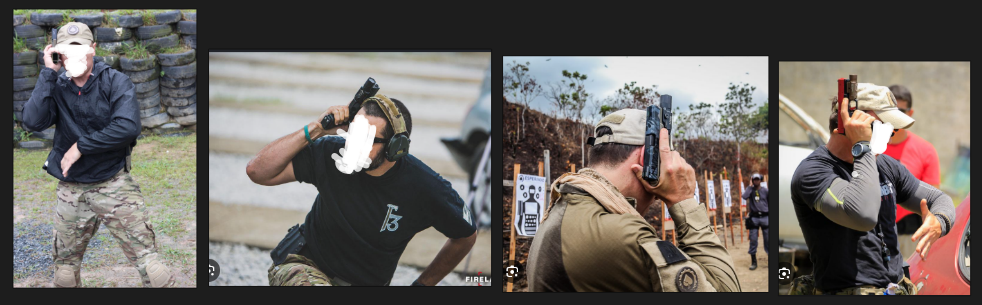
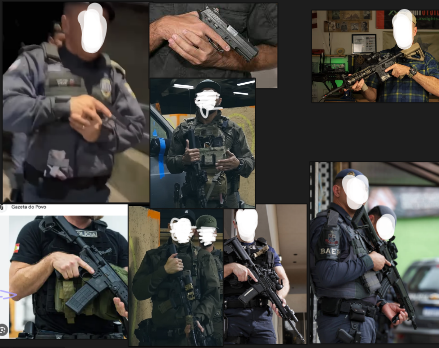
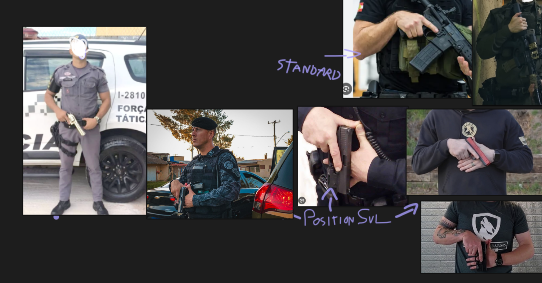
Making Off/Reference | This section taken by original mod page.
Edited by T0NIC
Short Description
With this mod, you'll be able to change your weapon handling visually and can be more tacticool!
Original mod author: Mr.Kobrax (His LCPDFR profile: https://www.lcpdfr.com/profile/428404-mrkobrax/)

.thumb.png.fc8bcf4c49efb0f46604702b368d2431.png)

![[FiveM Ready] Ko's Tactical Weapon Reanimations 1.1.0](http://s3-screenshots.int-cdn.lcpdfrusercontent.com/monthly_2026_07/thumb.png.b283ec2bda81273e772accb09e4fee78.thumb.png.5420bd422737991c0354bba03593a37c.png)





![國道警車 National Highway Police Car(BMW 530d)[Add-on|ELS|Rotating Lightbar]](http://s3-screenshots.int-cdn.lcpdfrusercontent.com/resize/500/-/monthly_2026_07/271590_20260622024235_1.thumb.png.3ff86895855bc073f6be361549132cb7.png)

Recommended Comments
Create an account or sign in to comment