




ineseri
Friends of LSPDFR
-
Joined
Everything posted by ineseri
-
Topic cleaned up. Please stay on topic.
-
Asking for the game files to be shared is classed as piracy, and isn't allowed. If you have it on Steam you can verify your game cache.
-
Your topic has been moved to GTA V Support, this is not LSPDFR related. Please post in the correct location in the future.
-
Your topic has been moved to GTA V Support, this is not LSPDFR related. Please post in the correct location in the future.
-
Xlive.dll disables the multiplayer portion of the game. You need to use Dsound.dll. I am not sure what you mean with download "IV:MP". Multiplayer is built into the game and you do not need to download it.
-
And why is that? It looks pretty good to me, considering the budget.
-
Are you using xlive.dll as your asi loader?
-
Do you have a legal copy of the game?
-
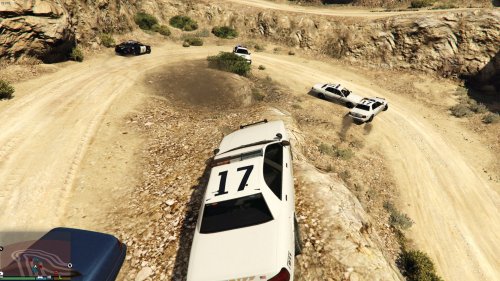 It would probably be possible. I'd have to experiment though, and knowing me, I'll break everything.
 -
Be sure you have no process of GTA running in the background. If all else fails, disable UAC, run CMD as admin, launch the program from CMD.
-
You can download the modification here: http://www.lcpdfr.com/files/file/7792-lspd-first-response/
-
You'd have to ask the developers of that mod.
-
I wouldn't get your hopes up :P But we'll see.
-
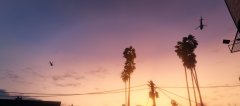
From the album: ineseri's GTA V Pics
-
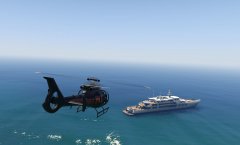
From the album: ineseri's GTA V Pics
-
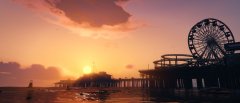
From the album: ineseri's GTA V Pics
-
From the album: ineseri's GTA V Pics
-
Nope, but that could probably be arranged. For now, it's just police vehicles.
-
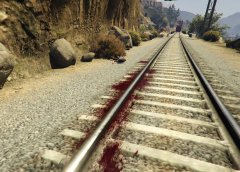
From the album: ineseri's GTA V Pics
She just ran into the train after a pursuit -
Ever felt like the LSPD drives a little bit too rough, that their cars look ugly and banged up when backup arrives on scene or when in a pursuit? Then this little RPH plugin is for you. Does what it says on the tin. It makes any car that is marked as a police vehicle invincible and unable to take visible damage (except for the glass on Windows and Lightbars, visible bulletholes and scratchmarks.). Its intended usage is together with LSPDFR (but it does not require LSPDFR) to make sure that all police vehicles look up to shape. Review the readme for a more in-depth "how-to", but just for basics; This is not a API plugin for LSPDFR. It's a RPH pluginIt is installed the same way any other RPH plugin is installed: By putting it in the \plugins folder. This is my first ever C# creation for GTA V, and as such, it's really basic. Still, I could not have done this without the help of LukeD and Sam. Thanks! Source code is included to encourage development, and help others with their development.
-
This topic has been closed by LCPDFR.com staff as it is a support topic concerning an unsupported version of LCPDFR. We do not support old versions of LCPDFR, and recommend you use and download the latest version (http://www.lcpdfr.com/files/file/4607-lcpd-first-response/) If you feel that this topic has been closed in error, please report this post.
-
Same was done for Jack Webb (Sgt. Joe Friday, Dragnet (another great show)). He was given a full police funeral with honours. His 714 badge number was retired by the LAPD after Jack Webb's death. /end actor trivia.
-
This topic has been closed, as it has been previously answered on LCPDFR.com - We require all members to thoroughly investigate whatever question they might have before posting. You can find the search function here: http://www.lcpdfr.com/search/ If you feel this topic has been closed in error, please report this post.
-
Your topic has been moved to GTA V Support, this is not LSPDFR related. Please post in the correct location in the future.
-
You shouldn't need to uninstall other version of the .NET Framwork, as its name would imply it contains framworks for other programs to work. Uninstalling versions of it might cause other programs to fail.


