


Creators: Due to background reprocessing of files, approvals and file security checks may be delayed. Thanks for your patience.


ineseri
Friends of LSPDFR
-
Joined
Everything posted by ineseri
-
This topic has been closed by LCPDFR.com staff because it is a website, clan, or group ad. Our site isn't an advertising service - please do not use it as one. If you want to share your website, group, or clan, please keep that limited to your profile and signature. If you feel that this topic has been closed in error, please report this post.
-
There's really no need to delete your account. Simply do not login again. If you really want to delete your account, feel free to message me with a more valid reason and I will tell you more about account deletion.
-
That it is :)
-
SNT will allow you to achieve this I believe, it should be documented in the readme file.
-
If you feel this topic has been closed in error, please report this post.
-
-
Most roads here in Sweden have electronic signs on the highway warning for queues. Not that it matters, as there is usually just one route to get wherever one wants to go :) Our police vehicles do not have these signs, only vehicles from the department of transportation does.
-
If you've a local PC store near you, ask them - You'll get a pretty good response there. Also, this is a very common question: You should find an answer on our forums by using the search button.
-
Yes, update your game as the message tells you.
-
Easiest way is to look around in the forums - The very section you posted in has a big topic for mods to use with LSPDFR.
-
You're better off researching GTA V in VR, as that is what it is.
-
This section is for website support. Please post in LSPDFR Support and follow all instructions before posting.Is there actually something wrong? Your logs are just... logs. Nothing else.
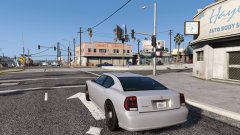 Was more because he'll make his game crash. Known to destroy things.
Fitting license plate.If you run anything but patch 1.0.7.0, your scripts or mods won't work.That was a bit unnecessary, wasn't it? Please stay on topic.Whilst this is a bit off-topic, the RPH isn't directly developed by us (G17 Media). We're the developers of LSPDFR, which by the sound of it, isn't what is giving you that error message.Depends on who you ask really. I prefer the vanilla vehicles, or the vanilla-friendly ones that come with RDE.I've moved this topic for you as you posted in LCPDFR Discussion originally. The RPH logs won't really help if it is RDE causing issues for you. I'd recommend removing RDE and see if that makes the game playable. If it does, consider not using RDE or remove some parts of RDE.You're quite welcome.You simply have to restore the backups you made prior to installing this mod and just overwrite the modded files with the backup files. There is no uninstaller, as you didn't really "install" something per-say.No. Have you added any additional plugins which may cause this behaviour? Any other mods?No one can help you unless you provide more details and information. Look through here to start with; http://www.lcpdfr.com/forums/forum/20-support-requests/
Was more because he'll make his game crash. Known to destroy things.
Fitting license plate.If you run anything but patch 1.0.7.0, your scripts or mods won't work.That was a bit unnecessary, wasn't it? Please stay on topic.Whilst this is a bit off-topic, the RPH isn't directly developed by us (G17 Media). We're the developers of LSPDFR, which by the sound of it, isn't what is giving you that error message.Depends on who you ask really. I prefer the vanilla vehicles, or the vanilla-friendly ones that come with RDE.I've moved this topic for you as you posted in LCPDFR Discussion originally. The RPH logs won't really help if it is RDE causing issues for you. I'd recommend removing RDE and see if that makes the game playable. If it does, consider not using RDE or remove some parts of RDE.You're quite welcome.You simply have to restore the backups you made prior to installing this mod and just overwrite the modded files with the backup files. There is no uninstaller, as you didn't really "install" something per-say.No. Have you added any additional plugins which may cause this behaviour? Any other mods?No one can help you unless you provide more details and information. Look through here to start with; http://www.lcpdfr.com/forums/forum/20-support-requests/


