




ineseri
Friends of LSPDFR
-
Joined
Everything posted by ineseri
-
That's something you'll have to ask about in his thread.
-
We have a huge database with downloads, right here: https://www.lcpdfr.com/files/ The button looks like this, in the menu above:
-
Hello and welcome - Most mods come with a readme, have you read that? There is also a search button, which can be used to find what you're looking for.
-
Here's a video, from the Microsoft point of view:
-
I wish I went to school :( LOL WHO AM I KIDDING. The person below me slaves for the capitalist machine every weekday.
-
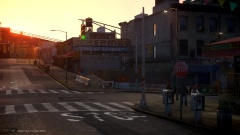 Ofc the light take precedence when functional, but when it's out you have to adhere to the sign :P
 -
They've confirmed it. Mojang is sold to Microsoft. https://mojang.com/2014/09/yes-were-being-bought-by-microsoft/ Thoughts? I'm honestly not surprised, there was money to get from that company and Notch understood that. Can't say I defend it, but It's completely understandable.
-
MODERATOR NOTICE Moving to GTA V Media as the Gaming section is a Misc. Gaming section.
-
Traffic light. If the traffic light is out, you adhere to the stop sign. It's pretty normal to use this kind of setup.
-
If the traffic light is out of order, you obey the stop sign if I remember correctly.
-
Hello there -- welcome to LCPDFR.com and thanks for trying out LCPDFR. You failed to read the instructions before posting in this forum. So we'll remind you of them. Please do the following: Make sure you aren't using a crack - We don't support cracks Update GTA IV to 1.0.7.0 (the latest version of the game, or 1.1.2.0 for EFLC) - This sometimes fixes a wide variety of issues Make sure that you run the game as an administrator. Make sure that your GTA IV root folder (and every subdirectory) is not set to "read-only" Ensure that ScriptHook.dll, ScriptHookDotNet.asi and Dsound.dll OR Xlive.dll are in the GTA IV ROOT folder Ensure that there is a folder titled 'LCPDFR' in the ROOT GTA IV folder. Check that all the above files exist, if they do not, reinstall LCPDFR with the MANUAL installation. Ensure that you are using up to date versions of every LCPDFR dependency and LCPDFR itself. Install these: .Net Framework 4.5, Microsoft Visual C++ Redist 2012 If your problem has been solved after following these basic instructions, hit 'Mark Solved' next to this post. If not, please now reply to this thread, and make sure that you do the following: Give a clear, detailed description of the problem. Explain any circumstances surrounding the problem. State what solutions you have tried. Post ALL relevant logs (LCPDFR.log, Scripthook.log, ScriptHookDotNet.log, AdvancedHook.log). Include as much information as possible. Post your system specifications. Post what other mods you are using. This includes car and script mods. Please note that failure to follow these instructions may cause this thread to be closed.
-
Hello :) Please do the following: Make sure you aren't using a crack - We don't support cracks Update GTA IV to 1.0.7.0 (the latest version of the game, or 1.1.2.0 for EFLC) - This sometimes fixes a wide variety of issues Make sure that you run the game as an administrator. Make sure that your GTA IV root folder (and every subdirectory) is not set to "read-only" Ensure that ScriptHook.dll, ScriptHookDotNet.asi and Dsound.dll OR Xlive.dll are in the GTA IV ROOT folder Ensure that there is a folder titled 'LCPDFR' in the ROOT GTA IV folder. Check that all the above files exist, if they do not, reinstall LCPDFR with the MANUAL installation. Ensure that you are using up to date versions of every LCPDFR dependency and LCPDFR itself. Install these: .Net Framework 4.5, Microsoft Visual C++ Redist 2012 If your problem has been solved after following these basic instructions, hit 'Mark Solved' next to this post. If not, please now reply to this thread, and make sure that you do the following: Give a clear, detailed description of the problem. Explain any circumstances surrounding the problem. State what solutions you have tried. Post ALL relevant logs (LCPDFR.log, Scripthook.log, ScriptHookDotNet.log, AdvancedHook.log). Include as much information as possible. Post your system specifications. Post what other mods you are using. This includes car and script mods.
-
You already have a topic in French, in the French section where it belongs. The main forums are english only. Nothing to see here! This topic has been closed by LCPDFR.com staff. If you feel that this topic has been closed in error, please report this post.
-
Nothing to see here! This topic has been closed by LCPDFR.com staff as it has been posted in the wrong forum section. This forum is not for LCPDFR support requests. Please post your topic in the LCPDFR Support Forum instead, following the clearly presented instructions there. If you feel that this topic has been closed in error, please report this post.
-
This isn't a Support Request for LCPDFR which is what the LCPDFR Support Requests section is for. Nothing to see here! This topic has been closed by LCPDFR.com staff. If you feel that this topic has been closed in error, please report this post.
-
I'd say try removing all mods, except LCPDFR and go from there.
-
Does it work without mods? LCPDFR is not supported with any third-party modifications. The Vdh police helper packs was made for LCPDFR 0.95RC2, which is now obsolete and will cause crashes in LCPDFR 1.0. Can you try without these mods? Also, which link are you talking about?
-
Does it work without mods? LCPDFR is not supported with any third-party modifications.
-
Please review the post and respond accordingly, please :)
-
Hello there -- welcome to LCPDFR.com and thanks for trying out LCPDFR. You failed to read the instructions before posting in this forum. So we'll remind you of them. Please do the following: Make sure you aren't using a crack - We don't support cracks Update GTA IV to 1.0.7.0 (the latest version of the game, or 1.1.2.0 for EFLC) - This sometimes fixes a wide variety of issues Make sure that you run the game as an administrator. Make sure that your GTA IV root folder (and every subdirectory) is not set to "read-only" Ensure that ScriptHook.dll, ScriptHookDotNet.asi and Dsound.dll OR Xlive.dll are in the GTA IV ROOT folder Ensure that there is a folder titled 'LCPDFR' in the ROOT GTA IV folder. Check that all the above files exist, if they do not, reinstall LCPDFR with the MANUAL installation. Ensure that you are using up to date versions of every LCPDFR dependency and LCPDFR itself. Install these: .Net Framework 4.5, Microsoft Visual C++ Redist 2012 If your problem has been solved after following these basic instructions, hit 'Mark Solved' next to this post. If not, please now reply to this thread, and make sure that you do the following: Give a clear, detailed description of the problem. Explain any circumstances surrounding the problem. State what solutions you have tried. Post ALL relevant logs (LCPDFR.log, Scripthook.log, ScriptHookDotNet.log, AdvancedHook.log). Include as much information as possible. Post your system specifications. Post what other mods you are using. This includes car and script mods. Please note that failure to follow these instructions may cause this thread to be closed.
-
MODERATOR NOTICE Thread moved to GTA IV Development Suggestions and Requests. Please read the "Showroom Style Forums" announcement before posting in the showroom forums: https://www.lcpdfr.com/forum-792/announcement-11-showroom-style-forums/
-
Yes, in your signature and on your profile.
-
Indeed, it's not a big deal and it seems like most members here appreciated the gesture. I thought it occured a little too often, but I simply stopped LCPDFR and enjoyed GTA IV instead. There's no need to cop an attitude :)
-
You don't have to use the mod, nor did you pay for it. Give it a rest for a day, that is all you need to do.
-
I thought we won this shit :(

