




ineseri
Friends of LSPDFR
-
Joined
Everything posted by ineseri
-
Damn straight. The person below me just got home from work.
-
Some might find this interesting and funny: The "No" campaign does seem a bit... dull to be honest.
-
False. Probably something with an investigative angle, either police department or the Swedish IRS (loool mad?) The person below me loves ghost (because he is a melting pot of alcohol friendship).
-
His ending speech felt a little... I don't know, too sincere. He knows that he betrayed what he stood for. All about the money :P
-
It will surely be interesting to see what happens, whatever the outcome.
-
Nope, if you did you would not be getting that error message :/ Can I see a screenshot of your GTA IV directory?
-
What do you mean? You need to right click both of the executables and set "Run as administrator" under "Compability".
-
By setting the permissions on both GTAIV and launchGTAIV?
-
And you are running the game as administrator?
-
What do you mean nothing works?
-
But... did you even look at the video? Or Reibus reply? It's clearly outlined which siren it is.
-
Nothing to see here! This topic has been closed by LCPDFR.com staff as it has been posted in the wrong forum section. This forum is not for general support requests. Please post your topic in the relevant support forum instead, following the clearly presented instructions there. GTA IV Support Forum LCPDFR Support Forum Website Support & Suggestions Support Forum If you feel that this topic has been closed in error, please report this post.
-
MODERATOR NOTICE Please read the forum descriptions before posting. Moving topic to GTA IV Development Suggestions & Requests. The LCPDFR Suggestions Forum is for making suggestions regarding the LCPD First Response Mod itself.
-
False! The person below me wants to believe.
-
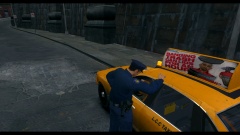 Atleast an ad from Fort Carson Radio :D
 -
MODERATOR NOTICE Moving to GTA IV Player, Ped & Other Modifications Showroom. The General & Miscellaneous Discussion section is a general purpose forum for all forms of miscellaneous discussion not catered for by any subject-specific forum.
-
True, The person below me is out of their head.
-
Lol no. The person below me is out of touch.
-
Hello there -- welcome to LCPDFR.com and thanks for trying out LCPDFR. You failed to read the instructions before posting in this forum. So we'll remind you of them. Please do the following: Make sure you aren't using a crack - We don't support cracks Update GTA IV to 1.0.7.0 (the latest version of the game, or 1.1.2.0 for EFLC) - This sometimes fixes a wide variety of issues Make sure that you run the game as an administrator. Make sure that your GTA IV root folder (and every subdirectory) is not set to "read-only" Ensure that ScriptHook.dll, ScriptHookDotNet.asi and Dsound.dll OR Xlive.dll are in the GTA IV ROOT folder Ensure that there is a folder titled 'LCPDFR' in the ROOT GTA IV folder. Check that all the above files exist, if they do not, reinstall LCPDFR with the MANUAL installation. Ensure that you are using up to date versions of every LCPDFR dependency and LCPDFR itself. Install these: .Net Framework 4.5, Microsoft Visual C++ Redist 2012 If your problem has been solved after following these basic instructions, hit 'Mark Solved' next to this post. If not, please now reply to this thread, and make sure that you do the following: Give a clear, detailed description of the problem. Explain any circumstances surrounding the problem. State what solutions you have tried. Post ALL relevant logs (LCPDFR.log, Scripthook.log, ScriptHookDotNet.log, AdvancedHook.log). Include as much information as possible. Post your system specifications. Post what other mods you are using. This includes car and script mods. Please note that failure to follow these instructions may cause this thread to be closed.
-
There should be an option to completely wipe the Windows MBR. I am sure someone can help out further, as I am at work. It should be possible to overwrite it though.
-
You should be able to just install GRUB, and so overwrite the MBR record. After that it should be a piece of cake. GRUB has a lot more options than the Windows boot loader too, so that is a good choice.
-
We're still members, but with extended privileges. And I hate that avatar :( The person below me has consumed more than 4 cups of coffee today (I have).
-
Nothing to see here! This topic has been closed by LCPDFR.com staff as it has been posted in the wrong forum section. This forum is not for LCPDFR support requests. Please post your topic in the LCPDFR Support Forum instead, following the clearly presented instructions there. If you feel that this topic has been closed in error, please report this post.
-
False. The person below me has more than 1000 posts on LCPDFR.com
-
What exactly isn't working?


