


Piarulli246
Members
-
Joined
-
Last visited
Everything posted by Piarulli246
-
Oh that's weird lol but I'm glad you fixed it!
-
No one made a 2008 ford explorer yet but someone was working on it and I know someone released a trailblazer so you have to look around for them. I'm not home at the moment so I can't provide a link but search up GTA IV police trailblazer on google an it should pop up.
-
I am also using Icehancer 2.1 but I don't get that problem. I know you get static when you change to extra sunny 2 in the weather. That's all I know.
-
You should not have both of them installed. They might make your game weird.
-
Scripts: Well start out with LCPDFR of course. ELS v7: '?do=embed' frameborder='0' data-embedContent>> -The best lighting setup ever! Braveheart's Policing Script: '?do=embed' frameborder='0' data-embedContent>> -This gives you a variety of call outs and many other great features. vdH Police Helper: '?do=embed' frameborder='0' data-embedContent>> -This gives you a bunch of features to help you be a better Officer with road blocks, call outs, road barriers/cones, and etc. Taxi Fixes: '?do=embed' frameborder='0' data-embedContent>> or http://www.gta4-mods.com/script/trafficload-f9780 -This fixes the bug with all the taxis driving around. Also there are many more great mods out there but those are the ones that you need to use. Other mods: Great graphics: http://www.gtainside.com/en/download.php?do=comments&cat=386&id=44120 -Makes my game look sexy! Weapons: http://www.gtainside.com/en/download.php?do=cat&id=346 -Gives you the more realistic look in your game. Vehicles: http://www.lcpdfr.com/files/category/16-vehicle-models/ -Great vehicles to give your game a realistic look. Textures: http://www.lcpdfr.com/files/category/17-vehicle-textures/ You can use the city that you like the most. There are so many choices when it comes to Grand Theft Auto thanks to all the people that make it a great experience. Glad you decided to come back to this great community.
-
Okay thanks!
-
That's what I needed to know also. You have a link to that video?
-
Always make a backup of your game after you do a fresh install. With doing that you don't have also download something you can just copy it from the backup.
-
Try to export it again and see if you get any errors. If you get an error, it is most likely that something has the same name as the other. Also a very big key is importing EVERY texture of equipment or lighting you used into Open IV. Try that and see what happens.
-
-
Looks really to simple. Didn't look like you put so much effort into the lighting and looks like you just threw it up in less then an hour. It would be nice if you put some more effort into lighting but its a good start.
- 10 comments
- 16 reviews
-
Even though I'm not a huge fan of the wraparounds, I think it looks great!
-
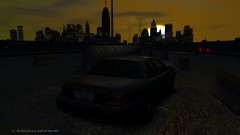
From the album: Grand theft Auto
-
-
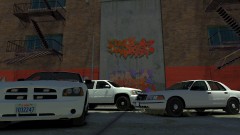
From the album: Grand theft Auto
My 3 models I made. -
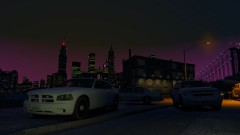
From the album: Grand theft Auto
My models. -
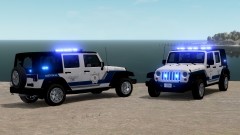 Make bigger tires.
 -
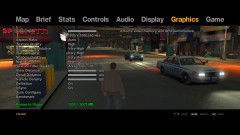 Yes it exists but I will never give it up. It's mine! Lol. I don't use those setting really anymore but there still all on high for my Icehancer.
 -
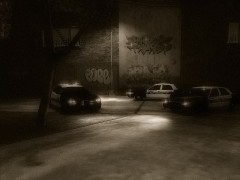 Ugh my Charger is so sexy!
 -
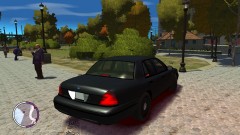 Sorta. He has less lights though.
 -
Eh. I'll think about it.
-
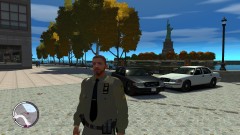
From the album: Grand theft Auto
-
From the album: Grand theft Auto
Simple back with strobes in taillights and reverse lights. -
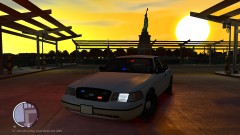
From the album: Grand theft Auto
My 2nd model made to match the Unmarked Chevy Tahoe I posted pictures of before. -
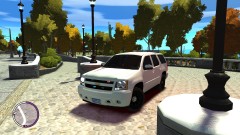 What would be good?


