


Piarulli246
Members
-
Joined
-
Last visited
Everything posted by Piarulli246
-
Email sent! Can't wait!
-
-
That was not funny-_-
-
-
In the picture it looks fine to me. I don't see any problem. Have you tried another car maybe? Those lights can be weird
-
-
Yep that is why.
-
You have to be doing something wrong then.
-
I don't know then that is very weird. What doesn't work?
-
Well your graphics card isn't that powerful so try this: http://www.gta4-mods.com/misc/liberty-enhancer-2-f17710 That is more for the low end PC's.
-
HAHAHA I cried!
-
-
Well tell me your PC specs and I'll be happy to help.
-
I can't wait!
-
For some reason my car was handling weird when I put that in my car? PM me if you know why.
- 26 comments
- 27 reviews
-
-
-
That is very weird. I am using the same Icehancer and my PoliceHelper works perfectly. That never happened to me before ever.
-
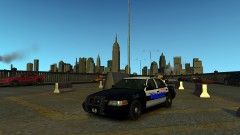 Thanks a lot guys!
 -
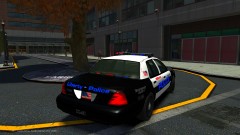
From the album: Grand theft Auto
My model and skin. -
From the album: Grand theft Auto
My model and skin. -
I don't know why people are telling you to get the second one. I would get the third one because it has the most dedicated memory at 1gb and the second only has 2080mb. I rather have more dedicated memory so you can make your game look nice. My opinion but I think its right. I would also look into some real gaming laptops like an Asus because those are meant to play games. Good luck!!
-
-
-
For all the textures you used for that light, did you import them into OpenIV?


