




Bxbugs123
Members
-
Joined
Everything posted by Bxbugs123
-
I am not sure how you would going to that but you can try adding this to the flags in the vehicles.meta file "FLAG_EXTRAS_ALL"
-
Those are the default colors of police4 use a trainer to change the color. The one i use https://www.gta5-mods.com/scripts/simple-trainer-for-gtav
-
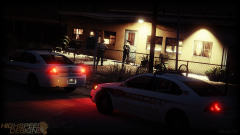 Look at my avatar.
 -
From the album: Bxbugs123's V Images
© HighSpeed Designs (2015)
-
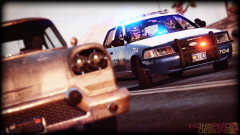 What type of dog.
 -
From the album: Bxbugs123's V Images
© HIghSpeed Designs (2015)
-
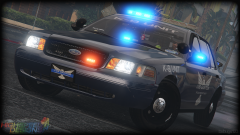 It will be changeable.
 -
From the album: Bxbugs123's V Images
© HighSpeed Designs (2015)
-
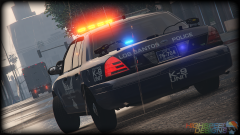
From the album: Bxbugs123's V Images
© HighSpeed Designs (2015)
-
.thumb.jpg.bb1e8ecec8228dbd477e7dcb330fb034.jpg) I do not understand why it's not working for you, it seems to work for some & not for others it's working for me.
I do not understand why it's not working for you, it seems to work for some & not for others it's working for me.- 97 comments
- 62 reviews
-
-

- 1
-
-
It's working in GTA V you can't see it in OpenIV, uninstall the vehicle see if your game is still crashing be sure the meta file is proper you didn't forget something.
- 97 comments
- 62 reviews
-
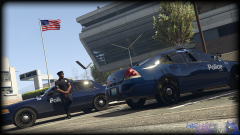
From the album: Bxbugs123's V Images
© HighSpeed Designs (2015)
-
If you mean the lights in the rear window they are meant to be like that because when you tint the window they become red. You need to add your texture to fbi+hi.ytd & fbi.ytd or you can delete the impa14_sign's from fbi+hi.ytd & just use the fbi.ytd. I did this because for people that want to use 4096x4096 textures i made a 4096x4096 template but it was 40mb so i didn't put it in the download. This is done by the handling file, you can edit the vehicles.meta & change the line for police4's handling to "FBI" should fix this problem. I had it this way along time ago for my IV version of the impala but people were saying that the newer versions of the impala do not have this anymore, i will look in to it & update accordingly. You can replace the vehicle files in x64e or add them to patchday3, the reason why you can add them to patchday3 is so you don't need to backup your fbi files so you can just delete the patchday3 fbi & it will then just use the files in x64e. If you do not understand what i mean just replace them in x64e. Use this mod for that effect, http://www.lcpdfr.com/files/file/7715-improved-spotlight-and-led-lighting-version-5-released/
- 97 comments
- 62 reviews
-
-
- 1
-
-
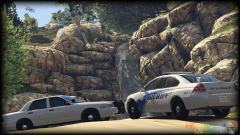
From the album: Bxbugs123's V Images
© HighSpeed Designs (2015)
-
A picture of what is happening please?
-
-
-
You didn't install the model & texture files properly go back & double check that all the files are proper. For people replacing the "fbi" in x64e be sure there are no fbi files in the newer patchday dlc's as if there is one file off it will do this. For the people adding the files be sure to add "fbi" ytd & yft files to the latest patchday dlc vehicles.rpf file(if those files are already in the latest patchday be sure to replace). For people having problems or questions about the vehicles.meta file you don't need to install if you don't want to but you will have 2 bugs 1: the extras will fall off when vehicle hits something, 2: the liveries will not change. The reason why i added the flags.txt is for the people that are already using a custom vehicles.meta file so they can just add in the line without messing up the meta file for other vehicles but if you do not have any other vehicles in your game that require a custom vehicles.meta file that just replace the vehicles.meta file in the latest patchday dlc if you need any other help with this vehicle or any other mods i have released PM me.
- 97 comments
- 62 reviews
-
This work is licensed under a Creative Commons Attribution-NonCommercial-NoDerivatives 4.0 International License. By downloading this file you agree to the TERMS OF USE AND DISTRIBUTION, If you can not abide by those terms then do not download this file.
- 97 comments
- 62 reviews
-
-
- 23
-
-
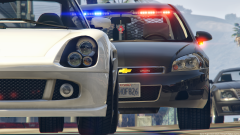 May want to look around a bit.
 -
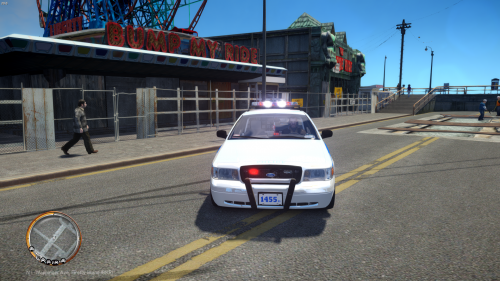 http://gtapolicemods.com/downloads.php?do=file&id=2697
 -
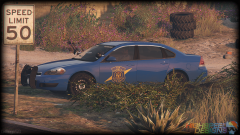 Yes they all will. This vehicle will not require ELS.
 -
-
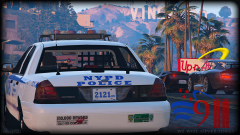
From the album: Bxbugs123's V Images
© HighSpeed Designs (2015)
-
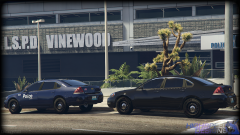 Need ideas for a lightbar, can anyone help ?

.thumb.jpg.bb1e8ecec8228dbd477e7dcb330fb034.jpg)
