




Bxbugs123
Members
-
Joined
Everything posted by Bxbugs123
-
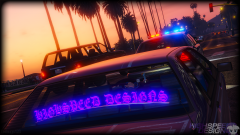
From the album: Bxbugs123's V Images
© HighSpeed Designs
-
Here are the fact's. ELS V is being made by Lt.Caine with help, support & testing from Me(Bxbugs123 & PoliceWag) no one else is testing it at this time. The CVPI is this video is by Me(Bxbugs123) DoctorGTA doesn't have ELS he will never be a tester of Lt.Caine's ELS, anyway he's banned from lcpdfr. He is just using the defaults with coronas removed to simulate that he has ELS to fool people. EDIT: (6/21/2016) Prophet & GravelRoadCop are now apart of the testing team.
-
 i TOLD YOU DOWNLOAD AT LINK HAVE GOOD DAY I CALL HELP 911. btw how did you get ELS working ?
 -
 Damn boi.
 -
idk I download from here http://orig02.deviantart.net/f806/f/2015/287/e/1/lscsd_by_bxbugs-d9d2qib.png
-
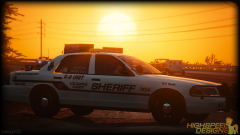
From the album: Bxbugs123's V Images
© HighSpeed Designs (2015)
-
.thumb.png.e88f1892e13ddb98db35e668d465c34b.png) Turn your post fx on high & use “Improved Spotlight and LED lighting” by GravelRoadCop aka DrunkPolice
Turn your post fx on high & use “Improved Spotlight and LED lighting” by GravelRoadCop aka DrunkPolice- 182 comments
- 44 reviews
-
-

- 1
-
-
Be sure to install the vehicles.meta file & carvariations.meta properly if using police3 or police2 slots, using police4 slot shouldn't need any use of those extra files. As for the lightbar removal i changed that in the latest update. Well there are police2 files somewhere overriding your patchday3 best bet would be is to add those files to the latest patchday's vehicle.rpf file so it overrides everything.
- 182 comments
- 44 reviews
-
-
- 1
-
-
For the people having the rambar fall off be sure your using the vehicles.meta file included, be sure to replace the vehicle.meta in the latest patchday dlc.
- 182 comments
- 44 reviews
-
PoliceWag will probably be next.
-
Try using this mod should help make it work. http://www.lcpdfr.com/files/file/7715-improved-spotlight-and-led-lighting-version-6-released/ The model wasn't finished, had to release it ahead of time due to some people who can't seem to play nice. It was planned to be released on the 11th, everything will be fixed in the next update. It does say in the carvariations readme "GTA V/update/x64/dlcpacks/mpchristmas2/dlc.rpf/common/data"
- 182 comments
- 44 reviews
-
-
- 1
-
-
If you installed it over Police3 you need to add the car carvariations.meta read the readme for that.
- 182 comments
- 44 reviews
-
Patchday4 has police3 also delete the police3 files out of patchday4 or replace them.
- 182 comments
- 44 reviews
-
-
- 1
-
-
You need to turn post fx on high or above in your graphic settings. umm thats odd because i looked in my carvariation.meta & it has the extra <item>.
- 182 comments
- 44 reviews
-
-
- 1
-
-
Fixed the liveries problem download update, as for the extra "<item>" it's meant to be like that.
- 182 comments
- 44 reviews
-
-
- 1
-
-
-
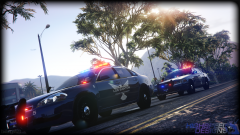
From the album: Bxbugs123's V Images
© HighSpeed Designs (2015)
-
This work is licensed under a Creative Commons Attribution-NonCommercial-NoDerivatives 4.0 International License. By downloading this file you agree to the TERMS OF USE AND DISTRIBUTION, If you can not abide by those terms then do not download this file.
- 182 comments
- 44 reviews
-
-
- 34
-
-
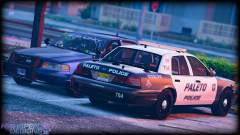
From the album: Bxbugs123's V Images
© HighSpeed Designs (2015)
-
-
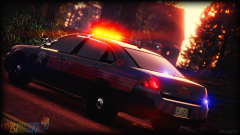
From the album: Bxbugs123's V Images
© HighSpeed Designs (2015)
-
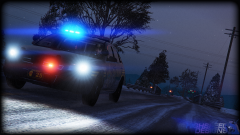
From the album: Bxbugs123's V Images
© HighSpeed Designs (2015)
-
The L1's & L2's for the police equipment.
-
Add in
-
You need L1, & L2's, look at a default vehicle in zmodeler to see what i am talking about.

.thumb.png.e88f1892e13ddb98db35e668d465c34b.png)
.thumb.jpg.bb1e8ecec8228dbd477e7dcb330fb034.jpg)
