


Sentinel55
Members
-
Joined
-
Last visited
Everything posted by Sentinel55
-
-
-
-
Das hier ist eine umfangreiche Liste, die meisten Tastenbefehle funktionieren auch nach wie vor. Du wirst keine andere Deutsche Liste finden.
-
Diese Liste bezieht sich auf eine ältere Version von LCPDFR bei der man Einsätze noch anders annehmen konnte. Frag mich aber nicht wie. Der neue Hotkey um einen Einsatz anzunehmen ist " Y ".
-
Gar nicht. Wofür brauchst du die alte Version?
-
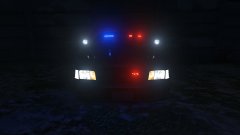 Of course.
 -
From the album: Work in Progress V
WIP -
Wenn du sicher bist das alles korrekt installiert wurde kannst du nur warten. LSPDFR Callouts werden durch Plugins nicht aus dem Weg geschafft.
-
-

From the album: Work in Progress V
WIP -
Hast du im patchday4 oder im patchday5 Verzeichnis eine Datei namens police2.y..?
-
Wenn du im Spiel bist und den Wagen spawnst, welches Fahrzeug steht dann vor dir?
-
Die Lösung ist ganz einfach, du machst was falsch. Genau da gehört police2 nämlich hin.
-
Hi, erstmal vorab, ein Plugin benötigt keine .ini um korrekt zu funktionieren. Du musst eigentlich nichts weiter tun als die beiden Ordner in dein Gta V Installations Verzeichnis zu kopieren. Probier es einfach nochmal.
-
-
Hi, das funktioniert mit der Shift/Umschalt Taste.
-
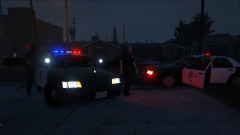 Yes. Thanks! It's a mix between your Arjent and a sketchup model.
 -
From the album: Work in Progress V
WIP -
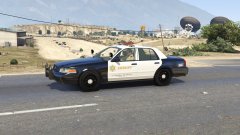 Within the next year.
 -
You might want to take a look at the file again.
-
I know, but I highly doubt you'll find another one.
-
Hi, du kannst entweder einen Mod herunterladen der den Wagen repariert, oder du benutzt die RageHook Konsole. F4 drücken, " repair " eingeben und fertig. Dafür gibt es auch spezielle Modifikationen. Wenn du nicht noch mehr Mods installieren möchtest, bleibt dir allerdings nichts anderes übrig als zum Revier zurückzukehren.
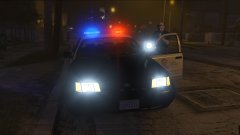 Seriously?



