


Sentinel55
Members
-
Joined
-
Last visited
Everything posted by Sentinel55
-
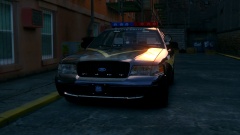
From the album: Work In Progress IV
Canceled!!! -
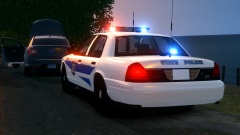
From the album: Work In Progress IV
-
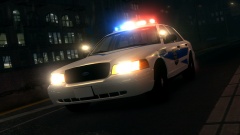
From the album: Work In Progress IV
WIP -
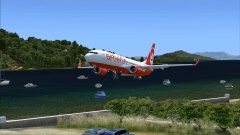
From the album: Flight Simulator X
-
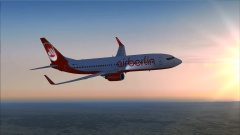 FSX is an awesome game! I highly recommend it!
 -
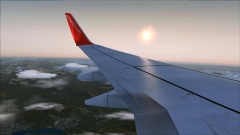 Yes. But I can't remember which one.
 -
From the album: Flight Simulator X
I love this game! -
From the album: Flight Simulator X
I love this game! -
LCPDFR unterstützt nur eine legal erworbene Gta iv Version. Fahr in einen Laden gib 20€ aus und versuche es dann nochmal. Laut deinem Log Check gibt es übrigens keinen Fehler.
-
What are you talking about? That's an awesome combination! Don't worry, I know what you mean. Putting a Liberty on a Crown Vic and call it a car mod is ridiculous. @WarStrikeWolf: Improve your skills before you release a car. Never ever release the first car you've worked with. Believe me. My first car mod was rubbish! If you need my help sometimes feel free to pm me. ~ Sentinel
-
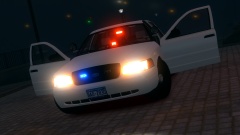
From the album: Work In Progress IV
This vehicle features a randomly spawning DROT Beacon light on the dashboard. -
This is awesome! I love it! This is probably the best skin pack ever! Thanks a lot man!
- 22 comments
- 4 reviews
-
-

- 3
-
-
Feel free to PM me, I think I can help you.
-
Die wichtigste Datei ist die d3d9.dll. Wenn du die löscht funktioniert die ENB nicht mehr.
-
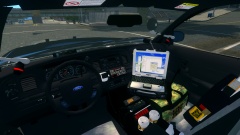
From the album: Work In Progress IV
Spoiler Canceled!!! -
Welcome to lcpdfr.com! First off all, you're posting in the german section. This forum is mainly designed for german people who can't speak english, or just don't want to do it. You should start a topic in the support section instead. To answer your question, you can ignore the warning. Don't worry. You should be able to turn your anti-virus program off. If you don't know how to do it, just google it. If you still have any problems or questions, feel free to PM me, or start a new topic in the right section.
-
Move the blue siren dummy boxes down. That's all you have to do.I can't find another download link. I just attached it. I hope it works now.You're welcome!If you want to do it yourself you'll need 3ds Max, a ripping programm and the correct plugin. I'm using Ninja Ripper. http://www.mediafire.com/download/t4we3f5fjlrqjyk/ninjaripper.rar Youcan find the plugin here: http://www.mediafire.com/download/898g6h45zme2r7n/ninja_ripper_1.3.ms Just in case you don't know how to do it. Here's a tutorial: http://cgig.ru/en/2012/10/ho-to-use-ninja-ripper/ You could also just say which car you want to convert and I'll send you a PM as soon as possible. I'm just trying to make it a bit easier for you. ;) If you still want to do it yourself I can understand that.I can't help you with your first problem, sorry. But I hope I can you help anyway. The most of the DSF cars are available here: http://gta.com.ua/forum2/lofiversion/index.php/t4069.html But I guess you knew that already. If you want to have cars that aren't available for download it's probably easier to ask a person who know how to rip models.Since you're better at SA modding I think this is the easiest way to explain it. In Gta San Andreas you need two files for a car. The .txd and the .dff files. The .txd is the texture file. The .dff is the car. It's the same thing in Gta iv. The .wtd is the texture file. The .wft file is the car. The ini files are responsible for the lighting pattern ingame. Put the files into your ELS folder. To make them actually work you have to edit the _SLOTCONTROL.ini. For example: Change this: [ POLICE ] Status = on File = default_config to this: [ POLICE ] Status = on File = policeHappy Birthday!

