




Pavy
Members
-
Joined
Everything posted by Pavy
-
hey, clicking on the pictures open them up in a real tiny resolution, I believe you put them incorrectly.
-
Example:
-
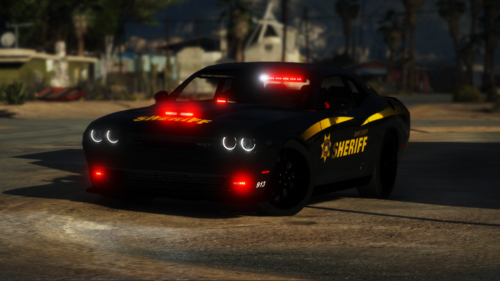 I saw steve drive around in this car, as you have in your description area, but then I noticed something off with the car. What the fudge is this? It's on both sides. I literally can't drive this lol. It gives me OCD. It is very noticeable. What is this graphical glitch too??
- 40 comments
- 5 reviews
-
-

- 1
-
-
No, there never will be. Scripting/plugins is completely different from pc to ps4. It isn't the same language. Also EVEN if you could get a version of lspdfr out for ps4 by some miracle, the game is capped at 30fps with drops constantly in certain situations. Lspdfr in general turns your fps into half on pc, usually from 60-70fps to 30-40fps for users. So it will never be playable on a ps4.
-
I believe that is only when you are in a pursuit, You can press your pull over key to keep shouting different lines at the suspect in order for them to surrender. Idk if that's lspdfr or a different plugin because I have way too many.
-
-
 1 Star. Here's why For obvious reasons the plugin seems broken in its current state since it just released and by broken I mean the fps. It's bad enough going on duty drops your fps from 60-70fps to 30-40 fps for lspdfr, but with this mod it halves it again to 10-20fps with the plugin, EVEN with the authors instructions to disable playback on NPC. It's a good idea but its busted. Theres a mod out there "moreradiochatter" that does the exact same thing as this but no fps drop at all but it does have LESS audio files which you can add more by yourself. Another alternative to this would be just to download any mp3 radio chatter from your local Police department and let gta 5 use it as a "custom music". So while in your car you will always here radio chatter and still have that same effect where if you leave the door open you can hear it, and it even does you one better, you can still hear it with a realistic effect when the door is closed. With this plugin you can't hear the chatter when the door is closed at all. Sounds confusing but reread it and it makes perfect sense. One last thing, when adjusting the audio volume ingame for the radio chatter, who's bright idea was it to make a screeching sound effect when adjusting volume? Are you serious? Edit 1: Testing new update 1.0.6794.35713 will edit with updated review soon Edit 2: Author says fps is fixed but no change. I downloaded the whole package and not the update to make sure. I still disabled npc setting. I can confirm I have 20-25fps with this plugin. Without, I get a straight 40fps. Also Author please remove the sound effect when adjusting the ingame volume. You ALREADY have an indicator its changing why do we need a audio indicator that's worse than chalk on a board. Edit 3: For version 1.0.6795.427 The fps issue has been fixed there is no 10fps loss anymore. Changed rating to 5 stars. The radio chatter out the vehicle is a great update as well. The audio sound effect for adjusting the volume is now removed thank you. A must have plugin.
- 637 comments
- 51 reviews
-
-
- 5
-
-
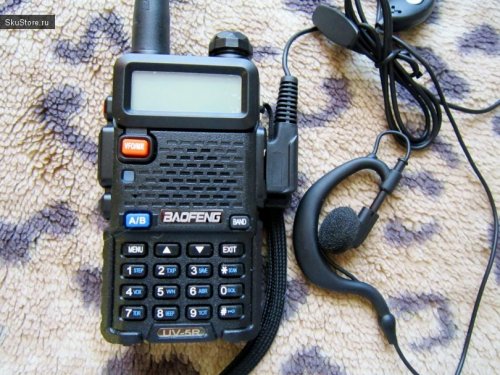 It would be better if you didn't drive around for 5 minutes and pull up the radio a few times having us search for it. You can just pop it up manually you know?< It's a neat skin but it's extremely pink and shows 1 police action per page? Not like the standard 4 or 5 actions per page?
- 6 comments
- 1 review
-
-
How did you get the event happen 4 times in 3 minutes when your other events have a frequency of 500+? Lower them. The ini doesn't show what the max is but I would assume for myself its 300. Maybe passing it interferes in a way. I'm not sure contact albo
-
Update your gameconfig from gta5mods to the latest, is there an advancedhookv.dll in your main gta folder?
-
Search for where your social club files are saved and delete it. or just do a complete fresh install. Uninstall gta 5 and make sure nothing is inside the folder.
-
It's traffic policer
-
He said "UPDATE: I got no support in the other GTA V support forum so I am posting here now I deleted the game and spent 7 hours redownloading this game and it still won't let me play story mode so Im lost" He DID NOT delete his game because he uninstalled GTA 5 and the mods folder was left behind so he did not do a clean install which what was implied from the authors words. He didn't say he installed mods on it so installing a game normally and it crashing, is a result from something wrong with the computer. Possibly a graphics card problem or cpu. Therefore my answer was most certainly appropriate. Also the answer to the authors problem, is simple. Update your ragehook, scripthook, and game config to the latest versions and copy over your new update rpf into the modded slot. As your supposed to do with each and every title update.
-
so your saying gta 5 crashes and you have no mods installed on it? Sounds like something is wrong with your computer.
-
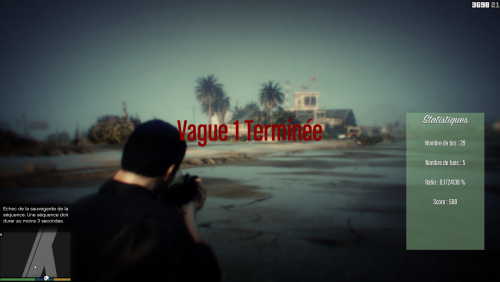 This belongs on gta5mods not lspdfr.
 -
 Should change the title for courtesy because its basically click bait until people read the description and get disappointed.
 -
Have you tried this mod out? I don't think there can be a better pat down animation accomplished. Goodbye T0y. Cya around buddy. Thank you for all your work, sorry for the toxic people that exist.
-
That's weird it can't be from the nypd pack. He used to have all models at 4k and that always caused texture loss so walters reduced every car to 2k and you can basically never get texture loss again. It has to be your other vehicles or lower your traffic settings
-
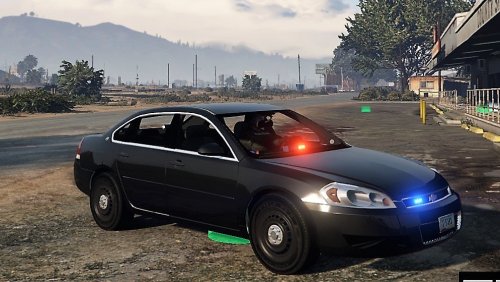 Title of model "2016 NYPD IMPALA 1.0.0 I did download the vehicle. How is it a shit review, when its actually a REVIEW of the vehicle and its inaccuracies.
- 13 comments
- 4 reviews
-
These bullet points were made when the author claimed this was an NYPD 2016 Impala but changed his words to NYPD style impala This is not a 2016 Impala (Wtf?) No Authentic NYPD Antenna on the trunk. Rear lighting is too Orange. Front grill lights aren't supposed to be blue and red, only both red. You have the front lights on the dashboard. What? They are almost never there. They belong on the top to the right of the windshield. They also need to be red/white not red/blue The headlights aren't flashing at all. They are supposed too. The rear taillights are flashing but that is incorrect. The Tail indicators flash white only not the taillights. This deserves 0 stars if I could give it, You did NO Research whatsoever. Edit: Love how this review is getting negative attention when its a legitimate review. The title says NYPD IMPALA 2016. Everything I said is completely accurate and have yet to see anyone prove me wrong. Change the title to NYPD Based impala, but if you do that, How is it NYPD Based when there's nothing NYPD about it? Edit 2: Author finally changed to Nypd Style vehicle. But I still don't see what's NYPD about it. Nothing. If it's nypd style why is your youtube video titled NYPD Impala?
- 13 comments
- 4 reviews
-
-
- 1
-
-
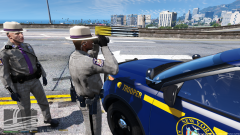 Great pictures
 -
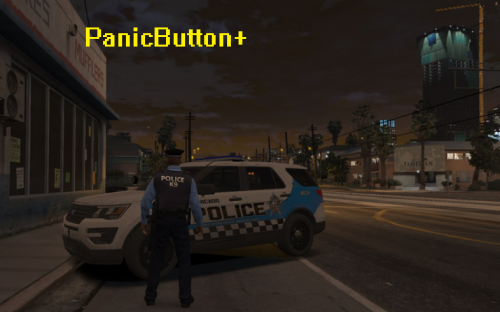 Can we get a preview of the sound, rather than download and waste our time if we don't like it.....
- 2 comments
- 1 review
-
add my discord Pavy#5903
-
Any updates buddy?


