Creators: Due to background reprocessing of files, approvals and file security checks may be delayed. Thanks for your patience.


Pavy
Members
-
Joined
Everything posted by Pavy
-
Exactly like this.
-
 Can't download the new version 0.3a Getting this error message http://prntscr.com/7yz5ul Tried on 3 different browsers.
- 1,915 comments
- 242 reviews
-
-
Great mod, but misleading title -_-. Would be great if you can take suspect to any police station, but this gets the job done for now. Easy and quick. Edit: Fantastic mod with the prisoner transport and really nice its integrated with the API of lspdfr now. Edit 2: Freaking amazing mod. 10/10
- 1,915 comments
- 242 reviews
-
-

- 1
-
-
No this will definitely not run GTA 5. Here is a video of that computer running battlefield 4 and even overclocked. https://www.youtube.com/watch?v=5aFM7u8padE You honestly need to spend more. If You want low settings good performance you will need to spend around $600-800, max settings high performance around $1,400+ ballpark figures. Newegg is definitely the place to buy computers. I suggest just buying parts and building it yourself it will be much cheaper than a pre-built one
-
-
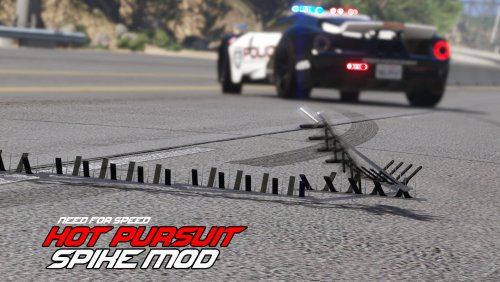 This mod is nice and works as said but, it needs to have configurable key bindings otherwise its useless for us laptop users. It requires press "+" and "-" on numpad. Edit: The mod has now configurable keys for the keyboard but with the new controller support is where it fails. Controller support isn't configurable, you made the same mistake twice. It is binded to Right And Down. So each time you press Right it is difficult to toggle your headlights. Also if you are using a trainer menu, when you scroll through it(while outside a car), your script is being spammed over and over and its really annoying. As well as Asking ped for their information, spikes are deployed right under your feet.
- 33 comments
- 7 reviews
-
-
- 1
-
-
 Pursuit Ready Mod is a handling mod to add realism and effectiveness to the Crown Victoria "Vapid" police model. Functionality Tired of the sluggish and unrealistic acceleration of the Crown Victoria "Vapid" cruiser in-game? This mod appends the stock handling of the Crown Victoria to add a higher degree of realism and effectiveness in pursuits. Modifications to the handling data reflects real world data. Affected Values Increased torque, acceleration (CVPI will reach a higher top speed)Reduced gear count to 4 (to reflect real world data)Reduced braking powerAdded a bit of stability control force to simulate stiff suspensionAdded weight -- proportionately heavier than the Charger (should make PIT more realistic)
 -
There is, its already turned down all the way though. population density etc.
-
When there are peds/vehicles active in the game and my sliders are all the way down in the game settings for it, I get frame rate jumping constantly from 20-45 and really annoying fps stuttering. I use a trainer and deactivate all peds and all vehicles in game, instant boost to 60+fps literally and no fps stuttering at all. Is there a way to limit the number of vehicles on the road and peds in the street
-
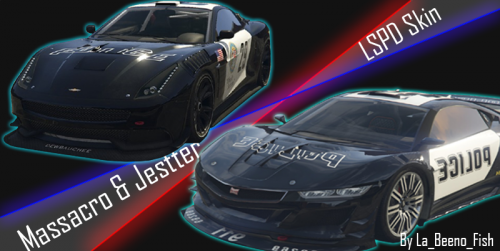 You can force radio using a trainer on a police car and you can also tune up the police cars with max upgrades to be fast as well
- 8 comments
- 1 review
-
-
-
-
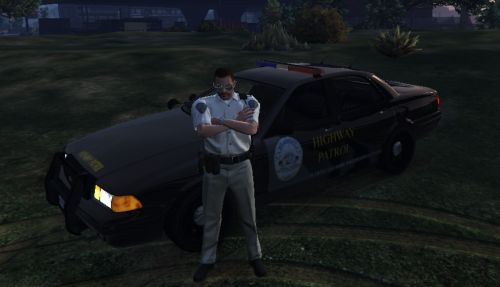 Grand Theft Auto V/mods/update/x64/dlcpacks/patchday4ngdlc.rpf/x64/levels/gta5/vehicles.rpf This isn't a real path. There is no MODS folder first of all. There is this C:\Program Files (x86)\Steam\steamapps\common\Grand Theft Auto V\update\x64\dlcpacks\patchday4ng\dlc.rpf\x64\levels\gta5\vehicles.rpf\ But no Police.ytd Adding police.ytd does nothing ingame. Still same car Screenshot http://prntscr.com/7oysai This is how the car looks with the file added into that location. http://prntscr.com/7oyuc3
- 55 comments
- 4 reviews
-
-
- 1
-
-
Can you give me some examples? and omg I love your videos! *_*
-
In this video at 2:30 or 3:05 for example
-
There needs to be a script for this. It is one of the most common things police officers do is assisting a fellow police officer in a traffic stop. I really wish someone made a script for this! There are some pretty crazy callouts out there but no routine traffic stop, come on >:(
-
I was playing lcpdfr and while recording I saw a police A.I. do a traffic stop. Its in this video @8:29 I'm guessing this is an event from lcpdfr, but I rarely see this ever. Is there a way to increase the Rate? Is there a script out there that you can go and assist an officer in a traffic stop? Or somehow relating to traffic stops. I don't need a script where an officer requests assistance for chases or gun battles. Just specifically the traffic stop as seen in the video. P.s. I don't know if this is in the right forum section. :P
-
So apparently I can play the 0.95 version without crashing literally just played for 2 hours. Loaded up many times and not crashed once even with 20 scripts in my folder. ugh! T_T The problem is, the traffic stops are much difficult and arresting a person is hard. It just says get behind the suspect but that doesn't arrest anyone >.<
-
Does the crashing happen without any of the mods/vehicles? A vanilla version of the game(No mods)?
-
-
Yes I have car mods, and I meet the requirements. I can actually play the game perfectly normal without lcpdfr being ON. For hours, but when its on it crashes.
-
Removed all scripts in the scripts folder besides the LCPDFR Loader.net.dll file Still hasn't really improved
-
did a fresh install, added all the things I needed but still the same results. Gta 4 '> Scripts '>