


Fhsig13
Members
-
Joined
-
Last visited
-
-
SOLVED: Turns out I missed a compatibility update for LML and installing it fixed my crash issue.
-
Hello all, I was on vacation when the game updated, so I am a little late to the party to say the least. That said, my game is now throwing the "exited unexpectedly" error seemingly without reason. I have updated my game, LSPDFR, RPH, SHV, SHVDN, update.rpf, gameconfig.xml, and my dlclist.xml, so I don't understand why my game won't work. I also do not have any add-on clothing items in my EUP files that I know of (if anyone is willing to go through my EUP folders and double-check, please let me know and I'll upload the files for you). If anyone has any idea as to what might be stopping my game from working, please shout it out, cause I am at my wits end. UPDATE: Further experimenting has revealed that something with LML is incompatible with the newest title update, so bonus points to anyone who knows what that incompatibility is and how to get around it.
-
-
@LennyyNo, when I remove that mod everything reverts to normal, and I can drive that stretch of highway repeatedly without the game crashing. I should add that I've had this particular vehicle installed for quite some time (we're talking a year+) without issue, and these crashes only started within the last week, despite that fact that I haven't altered the files at all/have reinstalled the original files to undo any inadvertent changes.
-
@Lennyy No, I don't have them set to spawn anywhere. None of the data files trigger a corruption warning when opened in Open IV. The crash only occurs when I drive down a certain section of highway, adjacent to the Braddock Tunnel, which is the really bizarre part of all this.
-
@Lennyy I have completed testing all of my LML vehicle mods, and have located the culprit. By chance would you be able to please take a gander at the files and see if you can find anything out of place? I will attempt to retrieve the original download off my old laptop in the meantime, as the model is no longer available for download. Please note that the vehicle model files themselves (the yfts and ytds) are too large to upload here, so I am going to assume that they are not corrupt as I can't alter them as they are locked by their creator, so they are obviously all original internally. EDIT: Reinstalling the original vehicle files from my old laptop seems to have stopped the game from crashing when I patrol Braddock Pass/Tunnel, however I will keep testing to confirm. EDIT 2: The crash recurred. Hopefully your review of the files will locate the issue. I'll just avoid that one part of the map for the time being. install.xml carcols.meta carvariations.meta dlctext.meta handling.meta vehicles.meta
-
@LennyySure thing. I'll give that a go and see what happens.
-
@Lennyy I have only installed add-on vehicles via LML, all of which have been installed for some time without issue. I rechecked the files on each one and found no errors either. It's a really bizarre set of circumstances, I know, especially considering that the crashes only occur when I patrol one specific area of the map, and nowhere else.
-
Good day, I am wondering anyone here experienced issues with GTA V crashing only when you enter/remain in a certain area on the map? I am currently dealing with this issue (it occurs when I attempt to patrol the section of freeway at the Braddock pass tunnel), and my logs show no errors with my plugins, etc. I also tried deactivating my mods folder (and later remade it), but the issue persisted. The only thing that seems to stop the crashes is deactivating LML, however reinstalling it proved fruitless as well. Is there anything else that could be the culprit?
-
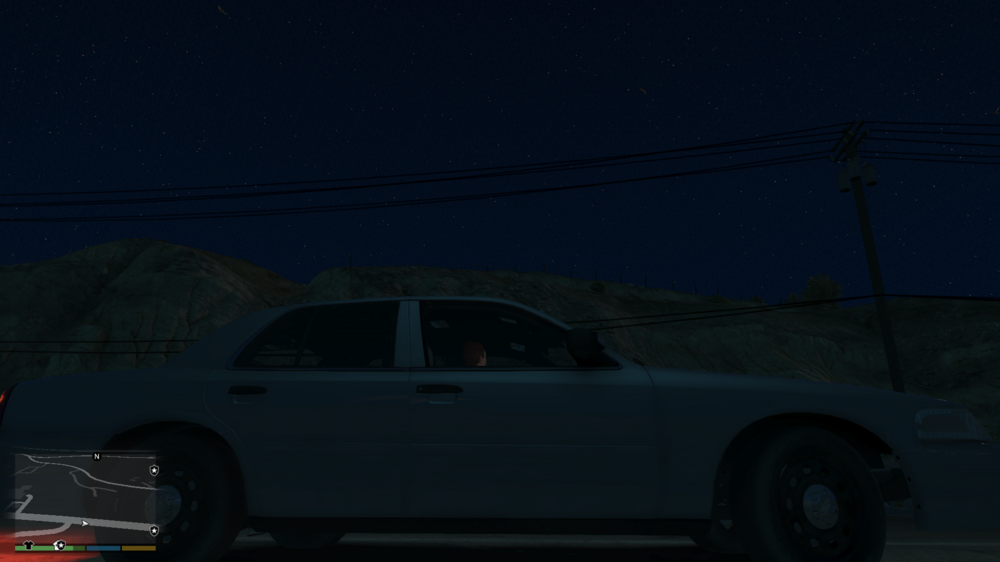
Hello, I'm wondering if perhaps someone here might be able to shed some light on why my game's night sky has started appearing pixelated as in the screenshot below, and possibly how to fix it? I use standard QuantV as my graphics mod of choice. This phenomena isn't visible when the time is set to daylight hours, and has a slight reddish tinge to it as well. Any help is greatly appreciated is it is quite immersion-breaking. Thanks in advance.
-
Never mind, I seem to have solved my own issues here. The original crash seems to have been fixed by restarting my PC, and the second was due to my forgetting that LML will cause the latest versions of GTA V to crash if the game is launched via RPH. Launching the game itself first, the launching RPH while on the splash screen before selecting "Single Player" was always the fix for that, I just failed to remember it at the time. D'oh!
-
My game has randomly started crashing right after LSPDFR starts to load, but there's a catch: I haven't changed ANYTHING in my game files. My went from working normally to crashing on startup, without explanation. I know this sounds impossible, so I'll attach my RPH log below, in hopes that it'll prove that I'm not making this up. Additionally, I was able to glean from Event Viewer that kernalbase.dll and ntdll.dll are the faulting modules, not sure if that helps. I really don't know if the latest update has a part to play in this either, or if the lack of updated gameconfigs is responsible, so I'm hoping someone here can help before I end up bald from frustration. RagePluginHook.log UPDATE: My game now won't launch at all. As soon as RPH hooks the game, it crashes to desktop.
-
-
Hello all, I'm hoping that perhaps someone with more experience can shed some light on what this causing this repeated CTD. The game will run for varying amounts of time before crashing, with different error codes each time. I have included the log that Event Viewer generates each time (in a spoiler), along with my RPH log (attached file). Any help is appreciated. EDIT: After some testing, I think this crash may be related to BattlEye. I will conduct further testing to confirm this. RagePluginHook.log
-
 Thanks! I really appreciate your feedback and thanks as well for pointing out that mistake. I thought that I'd removed all of the death penalty stuff (for exactly the reason you mentioned), but clearly I missed one. I will fix that and update the pack. EDIT: I double-checked all of the charges files and cannot seem to find the death penalty listed anywhere, so I'm not sure why that's happening.
- 16 comments
- 2 reviews
-
Does anyone by chance know where in the game's files I could find the textures for these pennant streamers? They are the last American flags in my game that I would like to swap out for Canadian.
.thumb.png.430d7b6c2885da9d942a30276a4a4686.png)


.png.e5c729d2d5665c68d87442ae52166800.png)