


NickieB
Members
-
Joined
-
Last visited
Everything posted by NickieB
-
yes you will
-
RELEASED LINK - Release video in download page Car Preview:
-
I dont play MP but I've read this is what happens, someone can correct me if I'm wrong. I think it sort of works in multiplayer but only you can see the cars that spawn. So if everyone is using the TrafficSpawner script then each person would only see those cars on their computer. So your really not solving your problem since only you can see the cars. What I would advise you to do is use the default cars or only use one or two modded police cars in NOOSE and FBI slots. Thats really the best fix for MP. Vehicle density is a setting in the "graphics" menu. The higher the number the more cars that are on the road. But if you have the taxi bug then turning this up will only result in a ton of taxi's.
-
I'm defiantly going to get the DVD when it comes out. The swearing didn't bother me either since like some of you have said it adds to the realism. In the beginning I wasn't to sure if I was going to like it because of the way it was shot. He was moving the camera around so much especially during the fight and I was afraid the whole movie would be like that. Shaky camera all the time. But shortly after that it got better and didn't bother me anymore
-
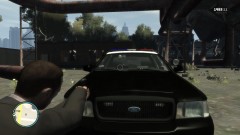
From the album: New Release
Car is in the final testing stage right now. Once I hear back from my testers I'll make the final touches and release it. (1-3 days) -
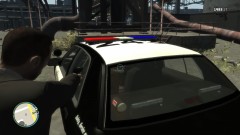
From the album: New Release
Car is in the final testing stage right now. Once I hear back from my testers I'll make the final touches and release it. (1-3 days) -
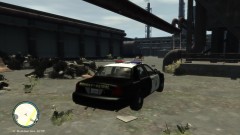
From the album: New Release
Car is in the final testing stage right now. Once I hear back from my testers I'll make the final touches and release it. (1-3 days) -
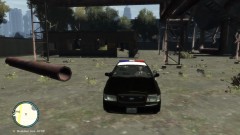
From the album: New Release
Car is in the final testing stage right now. Once I hear back from my testers I'll make the final touches and release it. (1-3 days) -
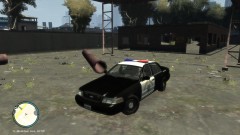
From the album: New Release
Car is in the final testing stage right now. Once I hear back from my testers I'll make the final touches and release it. (1-3 days) Initially there will be a version with the spotlight up and down since that seems like something people request a lot. Rambar Version to come -
Vehicle Density? Have you tried using the default cars and seeing if that helps the problem?
-
Thanks, it came out Friday (the 21st), Its about 2 hours long but go and see it if you get the chance. I think they say F**K more than scarface but it doesn't bother me lol
-
I just wanted to recommend to everyone that you go and see this movie. Yesterday was my birthday and we went and saw it. It was a great movie, I've never cried during a movie but I was damn close to some tears during this movie. I don't want to say to much because I don't want to spoil it but go and see it. You won't be disappointed. Anyone else seen it yet? Thoughts?
-
Make sure the all the parts you want to show up in game are in the hierarchy of the car
-
Yea it needs some work. And its not a good idea to say that the skin is lame in the title... The color is to bright and neon like, it needs to be more subtle and desaturated. Try to use real license plates too, not just plain text with plates the same color as the car. Good try for your first skin, keep trying!
- 5 comments
- 4 reviews
-
-

- 3
-
-
Wow, talk about vehicle density and the taxi glitch. 6:21 of nothing but responding? lol. I've never seen the skin though either
-
-
He said player model and walls are disappearing so its likely not entirely the alt+p problem. That may fix the distortedness of it but I don't think it will help the walls/player disappearing. You can give it a try wadkins but I have a feeling its like Iconography said, your computer can't handle it. Try turning your settings down a little and see if the problem still persists. Press P after you've launched LCPDFR and see if that fixes the distorted probelm
-
Nutt and I talked awhile ago about doing this car or something very similar. Never made it past the drawing board though
-
Give people some time to respond. I have no idea if thats good enough or not but just have patience.
-
Use the vertex tool to select the XT6, when you select it it should have red squares on the corners and then use the Quadr tool (SHFT+G) then right click and hold to select the part you want to delete. "Selected Mode" ON and hit delete on the keyboard.
-
Oh thats all he has to send you? I'll see what I can do....
-
There is no such video/tutorial that I know of. Simply because it would be hours long if your talking about making a whole police vehicle with lots of the parts released. Its possible to learn on your own, I did it. Just play around with zmodeler and see what everything does. Importing everything is easy - Just add the textures to the materials editor and import the parts/car. Everything after that is whats hard and takes a lot of time. The Move tool(ALT+M) is your friend, along with Rotate(ALT+R) and Scale.
-
Snippro is right, there is way to much lag. You need to turn your settings down. Hes right when he says it needs to be something new and exciting. Not to many people are going to watch if your just showcasing cars. There are to many people that do that and patroling and there are to many doing it. The original guys who started are the only ones who have large fan bases and viewers.Everyone else who starts now its just another patrol video or people driving around LC. Good luck to you though
-
I don't play multiplayer so I don't know specifically what cars work best for multiplayer. In my opinion the default cars would work best for multiplayer. Since I think everyone needs to have the same cars installed for optimal gameplay in MP. It depends on the car, if it has a lot of parts on it its going to have more polys.You can't really go wrong with whatever car you choose, there is enough variety you have to be able to find something. Its your choice what cars you want to use but like I said, multiplayer is the most stable with no car mods and no ELS. You'll have to talk to people who play MP for more info than that.
-
Most of the vehicles that have been released are normal to high poly. Only recently did we get the low-poly diver SF models. It will say in the title or for sure in the credits if its the driver sf model. If you see that, then its a low-poly model. If you don't and the credits say that the model is from LtCaine or BxBugs then the model is normal/high poly

