




Cyan
Management Team
-
Joined
Everything posted by Cyan
-
-
This error does not impact gameplay.
-
Do you currently login to this account via Twitter or via username and password? If it's via username and password, you can disassociate your Twitter account here: http://www.lcpdfr.com/settings/ (click Twitter on the left bar, then disassociate Twitter) If it's via Twitter, you'll have to set a password on your account first if you never did. The easiest way to do that is to reset your password, and follow the steps in the e-mail to set your password, then following the above instruction to disassociate your Twitter account.
-
It's the annoying situation that this is now even being blamed for Brexit. Nobody even made this assessment after or even close to the time, only in the past few weeks. Seems a little like the "boogyman" - I'm not seeing any evidence for it at all.
-
The BBCode quote tags have always served me well, but I'm glad the button will find a use.
-
It wasn't, I added it earlier this week but forgot to reply to this topic. That being said, it is a little useless imo.
-
That sounds great! Good luck on your training and your exams!
-
 I think it would even be better with no texture
 -
Can you describe what you've done. We can't help unless we know what you have done already.
-
Don't worry, they will return soon.
-
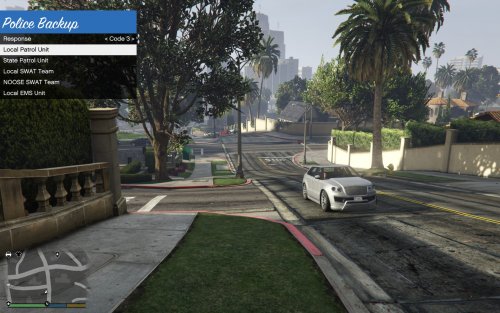 I've moved this to Visual & Data File as it looks like this is a change to the backup.xml file, and isn't a script itself.
 -
I hate to stomp on anyone's parade, but you probably won't be running LCPDFR on Patch 8 anytime soon. Here's all the problems preventing it: The original maintainers for both the IV Scripthook and IV Scripthook .NET projects have disappeared. Alexander Blade cannot update the Scripthook, as the source code was never released. Even if he modifies the offsets by modifying the binary itself, this would be against the terms that the Scripthook was distributed under, and wouldn't be able to be used or distributed legally. NTAuthority, the brains behind FiveM (and ultimately FiveReborn) posted here about it. There are other hooks that could be used, but none of these will be compatible with existing mods. All existing mods would have to be recompiled by the original author to work with a new scripthook. Even if the scripthook was updated, LCPDFR and ELS use a special hook, providing additional features, called AdvancedHook. Based on how all of our resources are firmly dedicated to GTA V and other projects, I wouldn't count on this being updated. LCPDFR is EOL (End of Life). We won't be supplying an update as it works with 1.0.7.0 quite fine. If Rockstar ended up blocking the 1.0.7.0 update somehow, then this situation might change.
-
If you read the error, it's actually telling you the problem. Could not load file or assembly 'AdvancedHook.dll' or one of its dependencies.
-
 His stuff seems to work fine for everyone else. Perhaps it isn't subpar programming at fault, but the inability to install it correctly?
- 3,646 comments
- 306 reviews
-
-
There a lot of projects which promise so much and yet deliver so little. We like to switch that around a little, we don't like promising things to you all which we aren't completely sure we can deliiver. We much prefer to drop a new version or news once we have something exciting which we are certain we can deliver.
-
I haven't had time to look at the update, but you might just need the GTAIV.exe from the Patch 7 update for all script related modifications to work properly again, it's worth a try.
-
No, there will be a lot more involved than updating them to match a version number string. Memory addresses will have changed, and the structure of the application will have. I wouldn't count on an LCPDFR/AdvancedHook update in the near to mid future, even if ScriptHook/SHDN manage to update -- all of our resources are firmly committed to GTA V and other projects. You'll have to revert to a backed up version, prior to the update.
-
Usually registration problems are an issue with our security checks failing. We can't really provide any advice other than to try and use a different computer or network. An account isn't necessary to download anything on the site.
-
Have a read of the manuals and post in the right place next time.
-
This topic has been moved to the appropriate forum. Please post in the correct location in the future.
-
I'll lock this topic until we have more news to share.
-
What are you trying to do?
-
This topic has been moved to the appropriate forum. Please post in the correct location in the future.
-
You were told what your root folder was. It's the Grand Theft Auto V folder. You haven't explained to anyone what you're trying to do at all. You haven't seemed to read any instructions. All of these things impede anyone from helping you.


