




Illusionyary
Members
-
Joined
-
Last visited
Everything posted by Illusionyary
-
Select the object you want to scale, click either the X, Y or Z axis to scale it it different ways or hold down Shift while scaling to keep the current dimensions (scale both height and width at the same time).
-
MARS Skybolt: Code 3 Defender (Australian layout):
-
Wrong section. You also already have a topic about this here: '?do=embed' frameborder='0' data-embedContent>> Nothing to see here! This topic has been closed by LCPDFR.com staff. If you feel that this topic has been closed in error, please report this post.
-
The other file was removed, there is this however: '?do=embed' frameborder='0' data-embedContent>>
-
-
It enables ELS to be used on that specific model.
-
Then turn it on.
-
Is the vehicle status turned to "on" in the slot control file?
-
-
I have boxes and boxes full of Matchbox cars. I haven't touched them in about 6 years but I'd never get rid of them. My father still has Matchbox cars from when he was a kid and that was back in the '70's haha.
-
Standard Metropolitan Police units aren't equipped with fire-arms. This video is highly inaccurate.
-
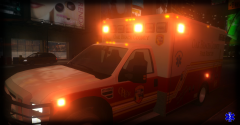 Why does the texture look so blurry?
 -
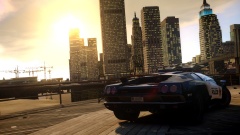 If only it didn't have that stupid NFS lightbar...
 -
The textures won't be misaligned but they'll look awful up close (in terms of quality).
-
A few things I'd like to suggest. Please note, this is my opinion and mine only. 1. Don't record if you can barely run the game. Anything under 20 FPS is unbearable to watch. 2. Buy/use a free recording software that doesn't display a logo all over the screen. It's really irritating. 3. Use a graphic enhancer of some sort, even if it's just a time cycle. If it lowers your FPS too much, revert back to point 1. 4. Swap out the default siren. 5. Add commentary if possible, not many people are going to watch a 15 minute video with only in-game audio.
-
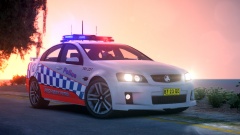 Ah, the VF Commodore. I prefer the HSVs but the VF is still nice.
 -
From the album: Illusions
NSWPOL HWP Traffic Unit 227 -
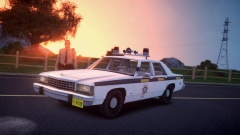
From the album: Illusions
Yes, I am quite aware officers of that time period were not equipped with tasers. Nothing I can do about it. -
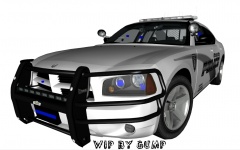 http://gtapolicemods.com/downloads.php?do=file&id=2704
 -
MODERATOR NOTICE Moved to GTA IV Support Requests. The LCPDFR Support section is for support regarding the LCPDFR modification only. Using a commandline should fix your incorrect graphics reading, as for the infinite loop I'm not sure. I know a lot of people have issues running the game on Windows 8 however.
-
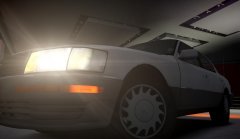 You should release it publicly. Maybe not here because I know civilian cars don't "sell" as well, but definitely on GTA4Mods. I'm sure a lot of people would use it.
 -
This is what I meant when I posted that, sorry for the confusion.
-
You'll have to delete the directory and copy over your backups, unfortunately. You could always place anything you want to keep on your desktop to copy over to the new directory.
-
I'm amazed you worked how to use FL Studio. I sat there for a solid five minutes staring at it before realizing I had no clue what the heck I was doing.
-
MODERATOR NOTICE Moved to GTA IV Discussion. The LCPDFR Support section is for support regarding the LCPDFR Modification only. For the most part, you can't. High poly vehicle models can result in more crashes though.


