




Illusionyary
Members
-
Joined
-
Last visited
Everything posted by Illusionyary
-
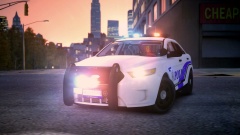
From the album: Illusions
-
More information please. What have you tried? What other mods do you have installed?
-
MODERATOR NOTICE Moved to GTA IV Support Requests, as this is more likely an issue with ELS than LCPDFR. Are you activating the light stages before toggling the siren?
-
Use the manual installation.
-
MODERATOR NOTICE Moved to Development Support and Questions as this has nothing to do with the LCPDFR modification.
-
The soundtrack is definitely one of the main selling points of Psycho-Pass. Anything with Egoist and Supercell in it is great.
-
MODERATOR NOTICE I've hidden several abusive/off topic reviews, if you have a problem with one another, take it to a PM. Any further abusive/off topic reviews will result in sanctions placed against accounts.
- 6 comments
- 2 reviews
-
MODERATOR NOTICE Merged your other thread into this one, as there is no need to create a new one.
-
I make all the textures I use myself but my favourites are these two. https://www.youtube.com/watch?v=RhI3C90UPrY https://www.youtube.com/watch?v=jrukjnQ1tT8 I never released this one.
-
I live in one of the most isolated cities in the world, and yeah, it's pretty safe here. Worst thing I fear is spiders.
-
Police, because it's the only department we have here (we have a sheriff department, but they serve court papers, that's it).
-
The only social media site I use is Facebook but even then I only use it to like pages for upcoming TV shows and movies so I am notified when they start airing. As for phones, I haven't had credit on mine for over a year and it's only there to call triple zero in case of an emergency.
-
-
-
In my region, I swear that just about every police vehicle is unmarked. I've seen more unmarked vehicles than I have marked ones. Australia is very different then the US regarding laws, though. I can't stand people who stop authoritative figures and shove laws in their face like they own the place. As Mathieu Young said in the YouTube comments:
-
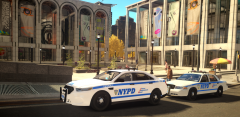 Several 2013 model PI's have been released for IV too, just not NYPD themed.
 -
Yes he shouldn't of bypassed the tape, but I'm not sure this really warrants a forum topic as I can't see much of a discussion coming of this.
-
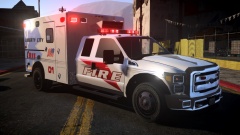 I was actually going to say something about that. Give it a go.
 -
Extra police officers and security services were called in and around our parliament buildings here in Western Australia after news broke of this attack. In atrocities like this, it's important to remember the victims and not the perpetrators. Rest in peace Corporal Nathan Cirillo. You will not be forgotten.
-
https://www.lcpdfr.com/page/tutorials/index.action/_/vehicle-modification-tutorial/how-to-import-skins-onto-a-vehicle-r28
-
Are you using ELS enabled vehicle models, and are they set to "on" within the configuration file located inside the ELS folder? Also, please do not bump threads. I've hidden your other post.
-
ELS-H was an option included in older versions of ELS, it's completely irrelevant in version 8. Instead of enabling halogen mode (ELS-H), change the primary light mode to "ROTA" in the vehicles ELS configuration file.
-
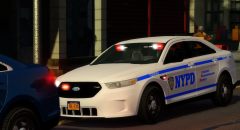 Of course it will get stolen at one point or another. There's nothing you can do but accept that and move on. You've got a great model that a lot of people are interested in downloading, but you choose to deprive them of that model just because a few fucktards will rip it. I understand that modeling isn't easy and takes a hell of lot of time and effort, so the last thing you want is some ripper claiming it as theirs but you've just got to think past that. There's a lot of genuine members who would be chuffed to bits to have a car like this in their game, you've got to think of them rather than the select few ripping it. The positives simply outweigh the negatives, in my opinion.
 -
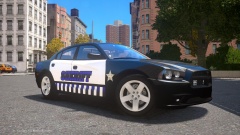 Is that supposed to be purple or blue?
 -
The spotlight is a bit of a giveaway, but meh.


