




Illusionyary
Members
-
Joined
-
Last visited
Everything posted by Illusionyary
-
Use an OpenIV mods folder. http://openiv.com/?p=1132 This topic has been moved to the appropriate forum. Please post in the correct location in the future.
-
It'll take you like 10 minutes tops to reinstall all your plugins, much less time than it would faffing around with some software trying to recover your deleted items.
-
Epic song.
-
.png.1c32e8f79e931f79520cbbde79eacf06.png) No.
No. -
Would look better in all white... and on a Ford Crown Victoria. :D
-
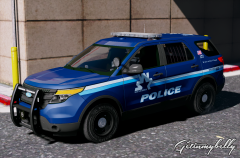 Yeah I think it's the star shape thing you've got there, just looks like something you'd see on an ambulance lol.
 -
Looks more like an Ambulance design.
-
 That pixelation is caused by the mipmap level. Set it to 1 and you won't see the difference between 4K or 8K at all, at-least not at a 1080p level.
- 17 comments
- 4 reviews
-
-

- 1
-
-
8K generally crashes OpenIV and is pretty pointless anyway. 4K looks exactly the same in terms of quality provided you set the mipmap level to 1.
- 17 comments
- 4 reviews
-
-
- 1
-
-
There aren't really any predefined conditions to getting a mod featured as it's all up to moderator decision. If you put out some very high quality or unusual work (take Lund's 1996 CVPI for example - first of its kind for GTA IV/V) it'll likely be featured.
-
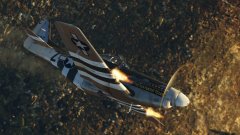
From the album: War Thunder
-
Export the "dds.exe" file into your C:\Program Files\GIMP 2\lib\gimp\2.0\plug-ins folder. It should load it on startup and work instantly.
-
That's where you're wrong, GIMP does in-fact support DDS, you just need this plugin. http://registry.gimp.org/node/70
-
Context and backstory always make a scene much more powerful than the scene itself on its own, especially when you've became attached to the characters and their stories, however this is one of my favourite scenes from Clannad ~After Story~ Episode 18. There's some spoilers obviously, but I tried to keep them down to minimum by picking this scene over some of the more spoiler heavy ones. I know nobody will watch it because it's an anime but whatever. I don't watch "normal" TV series and Clannad is seriously one of the best shows I've ever had the pleasure of watching. It's a roller-coaster of emotions, one moment you're laughing and the next you're bawling your eyes out.
-
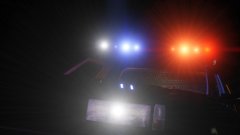 I'm Illusionyary.
 -
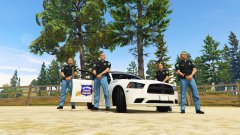 SASP Clone Division
 -
As Blackjack said, this is how Rockstar setup the game. It's fucking stupid. Luckily all you need to do is use a modification that alters the dispatch.meta file to fix it, like this one. https://www.gta5-mods.com/misc/the-sixth-star
-
Change the models ELS textures to be blue in an image editing program and then change the ELS config file to only have blue environmentals.
-
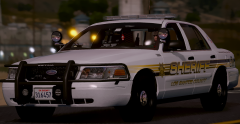 Oooh. Pretty.
 -
So quite a few lol, I don't really know anything about any of those so... does the game work without SirenMastery? If it does then you know it's SirenMastery that's causing it.
-
What other mods are you using? I've never had any issues with SirenMastery, but I've got the first version before it was updated.
-
Hmm... that was the only obvious thing I could see wrong with the xml file. Are you sure it's SirenMastery? Maybe you should contact Albo.
-
There shouldn't be a <SirenControl> line, it should be <SirenMastery> instead. Try this. <?xml version="1.0" encoding="utf-8"?> <SirenMastery> <VehicleSirenSetup> <VehicleModel>Police</VehicleModel> <VehicleModel>Police2</VehicleModel> <VehicleModel>Police3</VehicleModel> <VehicleModel>Police4</VehicleModel> <Sirens> <Siren1 SirenType="Primary">Main</Siren1> <Siren2 SirenType="Secondary">POLICEMAIN2</Siren2> <Siren3 SirenType="Secondary">RamHiLo1</Siren3> <Siren4 SirenType="Secondary">RamHiLo2</Siren4> <Siren5 SirenType="Secondary">RamHiLo3</Siren5> <Siren6 SirenType="Secondary">RamHiLo4</Siren6> <Siren7 SirenType="Secondary">RamHiLo5</Siren7> <Siren10 SirenType="Horn">horn</Siren10> </Sirens> </VehicleSirenSetup> </SirenMastery>
-
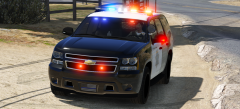 tmw you park in the same place.
 -

.png.1c32e8f79e931f79520cbbde79eacf06.png)
