




Illusionyary
Members
-
Joined
-
Last visited
Everything posted by Illusionyary
-
What ineseri said. http://www.lcpdfr.com/downloads/dev-resources/vehicle-parts/
-
The LAPD only use the Arjent and the MX7000 (on older vehicles, pre-2006). None of the LAPD vehicles use the Valor to my knowledge, however the LAXPD do use the Valor.
-
Eh, it's never bothered me.
-
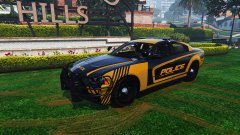 It's very... orange...
 -
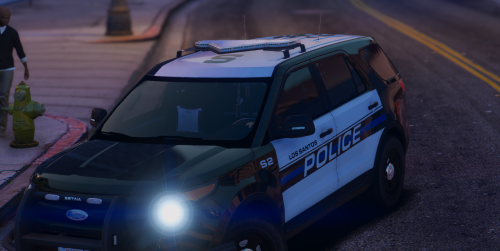 @Slendis If you mean Mill Creek, WA then... *cough* *cough* Shameless self advertising out of the way, these look pretty good, nice work.
- 9 comments
- 3 reviews
-
Because Ford Crown Victoria's are pretty.
-
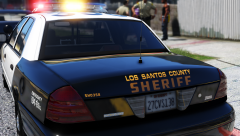 As far as I am aware they don't use an actual typeface, but stenciled decals. I ended up tracing it for my liveries.
 -
It looks perfectly accurate to me. Keep in mind this is the 2011 Caprice, not the newer 2013 model. There are some styling differences between the two.
-
I suppose that could work, although it'd strain your neck having to look up and down all the time... unless you keep adjusting your chair lol. Ah I see. I prefer the fluidity of being able to swipe my mouse across to my second screen at any moment, instead of hitting some buttons and changing the workspace. I'm sure it's great for games though, well, when you're not multitasking... like I practically almost always am haha.
-
I've always liked the look of those stretched monitors but given how much I multitask between my two screens I can't imagine it being too practical for someone like me.
-
That's what the Caprice looks like from the rear.
-
Unless the model is unlocked, no. That being said however, there's a few Range Rover police models out there already. None like that exactly, although the ones for V look better in my opinion. https://www.gta5-mods.com/vehicles/2010-range-rover-sport-chinese-police https://www.gta5-mods.com/vehicles/2014-police-range-rover-vogue https://www.gta5-mods.com/paintjobs/range-rover-polizia
-
To LCPDFR? The gallery supports the following formats: gif, jpeg, jpe, jpg, png, flv, f4v, wmv, mpg, mpeg, mp4, mkv, m4a, m4v, 3gp, mov, avi, webm, ogg and ogv. If you're wanting to take screenshots from Steam and upload them to LCPDFR.com, you need to click on "View Screenshot Library" then "Show on Disk" (on Steam), which will bring up a folder, from here just drag and drop the screenshots you'd like to upload into the gallery upload box as seen below.
-
This topic has been moved to the appropriate forum. Please post in the correct location in the future.
-
Could be related to any graphical mods you have installed, iCEnhancer did this all the time in GTA IV, although for the default vehicles.
-
I didn't even know it existed, I just bought this one from a electronics retailer as I didn't actually have a mouse mat prior (I was using a hardcover book as a mouse mat, worked well actually).
-
Yeah I had to flip it after I removed sections of my desk to have my desk actually fit in my room. It's quite fortunate that I managed to fit my mousepad, keyboard and joystick all in a line though lol. Weird that you've done the same thing.
-
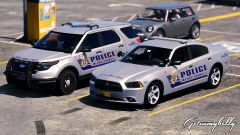 Yeah, it's the same only more square, making it even more ugly! :DDD
 -
It's got the same rear end as your 2012 though! :D
-
Enjoy your Dodge Dart.
-
I need a bigger desk... my monitors barely fit.
-
This is the only nice one. The 2012s are okay but not as good and the 2015 is just plain ugly.
-
No.
-
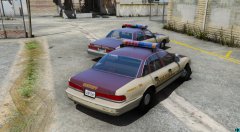
From the album: GTA V Illusions
-
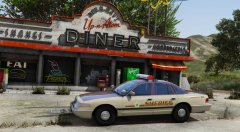 Completely agree. The colour scheme is fantastic too. I love me some two tones.


