




Illusionyary
Members
-
Joined
-
Last visited
Everything posted by Illusionyary
-
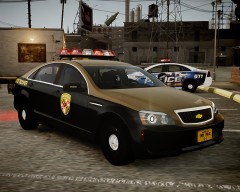 Suddenly a wild modern car appears in strike's gallery! Even though you have a Dodge Charger in here too, but whatever. :)
 -
 LOL ^^
 -
 "Yo dawg I heard you liked texture loss"
 -
 Badass screenshot!
 -
I call it the Right Alt key. As for changing it, open up the ELS.ini and swap the 17 with the 18 (The Function and Combo Keys) and vice versa. That should work, if it doesn't I'm out of ideas.
-
It's certainly an interesting idea, but I highly doubt it will ever happen. As previously mentioned, modders have spent a very long time to get GTA where it is today and starting all over on a completely different game title just doesn't seem worth it to me.
-
I often patrol with my LCSD cars. However, I will be swapping them out for the WAPOL (Western Australia Police) cars once the new ones are released.
-
iOS 7? I'm fine with my Galaxy S2 thanks. Since all I use it for is calling people and listening to music. I never understood the whole phone craze, and I don't think I ever will.
-
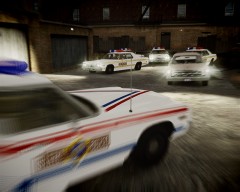 Wow! Nice work, they look amazing!
 -
In my opinion you're better off downloading weapons you like and making your own "pack", as it allows for more customization. But since you asked for a weapon pack, and weapon sounds try this one out.
-
Hahaha I couldn't resist! Just for the record, I like her eyes. Not her ass, but that's nice too. xD @00Stevo Oh so do I...
-
I haven't tried it out yet but from the video it looks awesome! It'll be very useful for highway driving and the fact it works at low speed is even better!
- 29 comments
- 20 reviews
-
Upload it to their forums, someone will answer you on there I'm pretty sure.
-
I'm not quite sure what those fonts are, sorry. Have you tried using "WhatTheFont" to identify it? I'm sure someone on there knows what it is.
-
Just a heads up, PoliceCarWebsite doesn't allow embedding so we can't see the picture. Can you link it instead?
-
Don't judge me. Yep, more anime and if my avatar wasn't enough...
-
It's not a movie but Third Watch has some really nice car chases, combine that with the classic tune and you've got one epic video! http://www.youtube.com/watch?v=sXwlcG5aiIE A pursuit between a Ford Crown Victoria and Chevrolet Caprice http://www.youtube.com/watch?v=Fj-fD6-cqbk I don't know if you can classify this as a "car chase" but it does show off the classic NYPD Caprice
-
I'm pretty sure this only affects users who have monetized game-play videos who aren't partnered with say Machinima (Yes, I know Machinima is crap now. First thing I thought of.) or other partnering companies. Because even though it's your video, you don't own the game itself therefore you're making money off someone else's content.
-
 I thought this was a real picture when I saw the thumbnail :o
 -
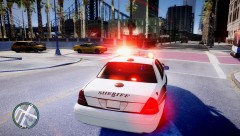 ENBs coming a long well, it looks good. Just for the record I don't want to beta-test, I just thought I'd comment on the progress. :)
 -
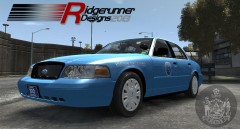 Me: YES! ANOTHER SEXY BEAST IS IN THE WORKS! Everybody else: Ugh! Another CVPI... Lol, looks nice. Good luck on it.
 -
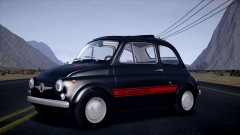 Nice, my mum has a modern Fiat 500 Abarth, the thing growls at you when you put your foot down. Awesome!
 -
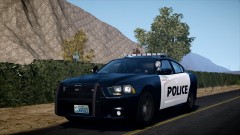 I'll go on a limb and say it's the Route 66 map Carrythxd's been teasing us with.
 -
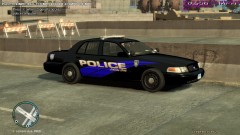 He meant the CPU usage text.
 -
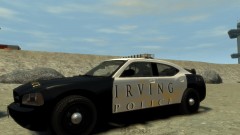 It's pretty damn good for a first timer.


