



Schecter004
Members
-
Joined
-
Last visited
Everything posted by Schecter004
-
Maybe a stolen bycicle. Or property damage. Like a stabbed tyre or scratched door. Local residents complain about loud music or disturbance of the peace. Or you have a dope house where you have to arrest the suspects and collect the evidence. Or a special callout for the narcotics unit where you have to rush into a dope house to surprise the suspects. A shot dog.
-
Now i get it. HW is short for homework. I' m glad i haven't to do this anymore. One more question. Any chance to have true coronas instead of hidden coronas on the vehicles? Because with true coronas, the lights are much more visible from a distance.
-
What do you mean with drowning in HW? Will you release the updates on the CVPI'S soon?
-
Hey Swift. What do you think? How long will it take to complete the development? I always wanted to have a FHP fleet. Can't wait for the release
-
Correct. Some slicks are used for traffic. But pay attention to the rear lights. If it's the typical amber/blue setup, than it's Gang. If it looks like that: .....than it's traffic......
-
Yes. For me the FHP has the best light setup in the world. And #2 is the CHP.
-
Well, the brother of my boss is with the LAPD SWAT for over 20 years now. That's where i have my information from. And nothing what i said was meant to be hostile.
-
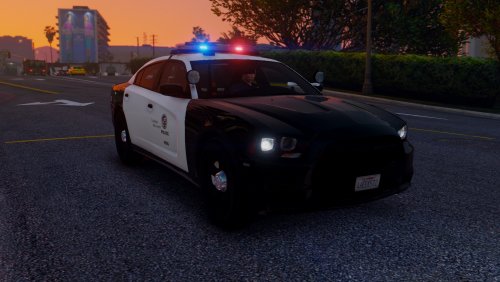 Ah, too bad. So, it has no environmental lightning. This looks odd in my opinion. The hurk made his whole CHP fleet with coronas. And it looks awesome.
- 56 comments
- 22 reviews
-
-
That's not correct. Only some slicktop's are for traffic or even detective's. Most of them are for Gang Units. Supervisors use normal patrol cars with lightbar such as Explorer's or Interceptors. And they are one officer patrol units.
-
Did anyone noticed the new generation of Gang Unit squad cars of the LAPD?
-
-
Thanks for the feedback. Why don't you use other mods?
-
Hello, i've got a question. What do you think of RDE? Is it worth to install it? I'm thinking about to install it, but i'm a little bit scared it messes all up. What do you think? Is it a must have? Does it increase the gameplay fun of LSPDFR? Are there any complications with performance or other mods? Is it easier to replace vehicles? Maybe you can answer my questions Greetings
-
Awesome! Put your shit in here. Because it's NMSP, buddy!
-
Irgendetwas mit komplett roten Lichtern wäre zur Abwechslung mal gut. So, North Dakota state Patrol, zum Beispiel.
-
 I really don't understand the installation! I've never had a scripts folder. Only a plugin's folder. Where to put the .dll file? Is it possible to make it clear in a readme instead of putting only the file in the download section?
- 168 comments
- 29 reviews
-
-
.thumb.jpg.30de2cdd6bdce371d029c527c67ad196.jpg) Still no update on the rear deck? Bugs, you don't realize the world peace depends on it. Hurry up, safe the peace.
Still no update on the rear deck? Bugs, you don't realize the world peace depends on it. Hurry up, safe the peace.- 101 comments
- 33 reviews
-
-
-
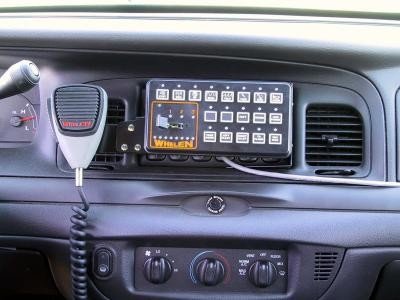 No. It's called Import Open Formats. Well, you know, i always follow the instructions carefully.
- 14 comments
- 7 reviews
-
-

- 1
-
-
Now it worked. I have to select IMPORT open formats. Not only open formats. You forgot to write IMPORT!
- 14 comments
- 7 reviews
-
 Well, i want to change the coronas for SHERIFF & SHERIFF 2 to all red. Is it possible to change it for only these two vehicles?
- 81 comments
- 16 reviews
-

.thumb.jpg.30de2cdd6bdce371d029c527c67ad196.jpg)
.thumb.jpg.a4a34b706ab065eb1cdc7c8e75034ea3.jpg)
