



Schecter004
Members
-
Joined
-
Last visited
Everything posted by Schecter004
-
-
-
.thumb.png.04a1687a445e54a18a959b7926b87d7b.png) Hey, O! Tell me, does your pack has proper LOD's 1, 2, 3 & 4? Because it's an absolutely no- go for me, if it hasn't. I only want to know, before i download and install.
Hey, O! Tell me, does your pack has proper LOD's 1, 2, 3 & 4? Because it's an absolutely no- go for me, if it hasn't. I only want to know, before i download and install.- 217 comments
- 38 reviews
-
-
?
-
Well, you know. I recently googled: Santa Monica CVPI and came across a pic of a white SM Community Service CVPI with all red lightbar. I think it's a cool add-on. You really did a great job with this pack. It's awesome!
-
Thanks for reply. But what does this mean? Am i not able to change the components on ELS vehicles?
-
Hi, after the installation of ELS, the vehicle components menue in the Trainer doesn't work correct, anymore. For example i'm not able to spawn the push bumper on BxBugs slicktop CVPI. Anyone else with this problem?
-
-
-
.thumb.jpg.94df306786a4ca95f36e26b8d1d2302a.jpg) Well, it's sad that you didn't notice it but but the lights don't work properly. When i watch the video i see a blue light, three amber lights and a red light running from right to left on the rear of the lightbar. That's not how a TA works. And the red grill light also flashes like a TA.
Well, it's sad that you didn't notice it but but the lights don't work properly. When i watch the video i see a blue light, three amber lights and a red light running from right to left on the rear of the lightbar. That's not how a TA works. And the red grill light also flashes like a TA.- 5 comments
- 2 reviews
-
-
 Why i'm not able to change the Extra's with the Trainer? What did i wrong? I can't change them. When i choose 1 for example, only some lights on the vehicle blib and that's it.
- 427 comments
- 75 reviews
-
Hey, thanks for sharing your great work with the community! I'm always excited when i see you released some new stuff. Because I know it's high quality work.
- 427 comments
- 75 reviews
-
Moin, moin, keine Ahnung warum, aber ELS V läßt das Spiel bei mir abstürzen. Irgendjemand ne Ahnung, woran es liegen könnte?
-
Well, it crashes on startup. I don't know why.
-
Well, it's an Albo- mod. Expect something perfect.
-
Well, maybe someone is interested in German police forces. This is a documentation about the PD where i'm from. It's in German.
-
What de hell is a FiveReborn server?
-
I had no school since 1998!
-
Yeah! I saw this in the pics. Pretty thick shit, buddy!
-
Yes! The light setup is pretty awesome. Never seen a model with only a passenger visor bar on LCPDFR.
-
-
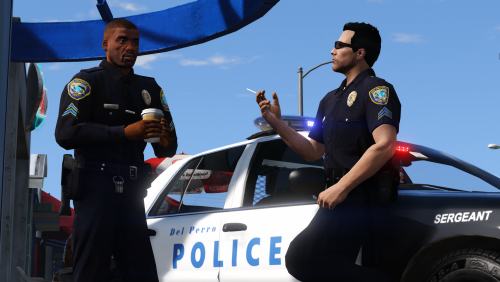 Sure i've used the wardrobe function. That's not what i was talking about. I only wanted to know how to INSTALL, not to use, the Port Officer! I didn't want to install the whole uniform pack. Only the Port parts. Because I like the other uniforms from EUP just like they are. But i guess i've to install everything. Is there a way for an easy install? Because you can't import a yellow file to Open IV.
- 37 comments
- 8 reviews
-
Well, buddy. Your list is pretty useless! Slot 36 of what? What does -36 means? What does T2 for example means? Is it possible to make an understandable description how to install?
- 37 comments
- 8 reviews

.thumb.png.04a1687a445e54a18a959b7926b87d7b.png)

.thumb.jpg.94df306786a4ca95f36e26b8d1d2302a.jpg)

