


Murphy909
Members
-
Joined
-
Last visited
Everything posted by Murphy909
-
Recently I got round to updating my GTA and picked up playing LSPDFR from where I left off last time. With the exception of spending a lot of time updating plugins. One particular plugin allowed you to go straight to the garage by warping through the main Police Station by pressing 'T' by the garage doors next to the briefing room. I no longer have this and I have spent quite some time trying to remember which mod this featured in, having downloaded and tried out most up to date plugins. I am now getting frustrated by not being able to figure out this tiny insignificant issue, but the more I can solve it the worse its annoying me (Much like trying to remember a celebrities name when you have competently forgotten. So fishing for help, can anyone remind me what plugin featured the ability to warp to the Police Station Garage from inside the Police station when standing by the Garage doors and you are prompted by a green 'Press T'. Please help, going mad.
-
 Ok so I tested with only Code 3 running callout wise with the exception of LSPDFRs built in callouts. I had the unknown trouble callout, but when I arrived, there wasnt even a body, normally I would at least find a body. Then with no prompting or doing anything really, I got a second unknown trouble, which left the search area still visible on the map from the first call. I have attached the relevant notes on a pad document that shows both callouts in succession. Hope it makes sense to you, as I havent a clue. RageHook.meta
- 423 comments
- 73 reviews
-
I'm running on RPH 34, and LSPDFR 0.3 build 573. CD retail rather then steam. I also use Law Enforcement Improvements aka Olanovs detectives and Police back on the beats. Do you think that the modified data may effect the ped spawn? I'll do a test later see If I can force unknown trouble and if I get the callout, I'll grab the ragehook notes, see if that gives us a clue.
- 423 comments
- 73 reviews
-
I've just been testing callouts to see which ones are working and which to avoid. Likewise to some of the other reports posted above, I have had trouble with 'Unknown Trouble' revolving around the dead body. In one play setting, I received the callout twice, but each time, I received no prompts no matter how you deal with the body. Ctrl+Y does not work to end the call and the yellow search blip remains even when the next callout is broadcast. Pre 0.3 I had no problem with the callout and would get the detective prompt. Its an awesome callout, but it does seem bugged currently, but only the 'Unknown Trouble' callout with the dead body. Everything else is perfect.
- 423 comments
- 73 reviews
-
-

- 1
-
-
Hi, I updated to 6.0b hotfix, everything works fine except for when I use longsleeve LSPD on freemode male. As instructed I set the 'under coat' to 24 or 25 but both cause a crash with Cop Holster: [20/01/2016 19:37:17.243] Cop Holster: [20/01/2016 19:37:17.243] Cop Holster: ============================== [20/01/2016 19:37:17.243] Cop Holster: UNHANDLED EXCEPTION DURING GAME THREAD TICK [20/01/2016 19:37:17.243] Cop Holster: ------------------------------ [20/01/2016 19:37:17.243] Cop Holster: Origin: Game fiber "Plugin "Cop Holster" main thread". [20/01/2016 19:37:17.243] Cop Holster: ------------------------------ [20/01/2016 19:37:17.244] Cop Holster: Exception type: System.IndexOutOfRangeException [20/01/2016 19:37:17.244] Cop Holster: Exception message: Index was outside the bounds of the array. [20/01/2016 19:37:17.244] Cop Holster: ------------------------------ [20/01/2016 19:37:17.244] Cop Holster: Inner exceptions: [20/01/2016 19:37:17.244] Cop Holster: ------------------------------ [20/01/2016 19:37:17.244] Cop Holster: Stack trace: [20/01/2016 19:37:17.244] Cop Holster: at CopHolster.HolsterHelper.GetIntimFunc(PedHelper ped) [20/01/2016 19:37:17.244] at CopHolster.EntryPoint.Main() [20/01/2016 19:37:17.245] at Rage.GameFiber.Main() [20/01/2016 19:37:17.245] Cop Holster: ============================== [20/01/2016 19:37:17.245] Cop Holster: I cant help but feel I'm missing something simple and Im guessing this is an error with cop holster rather then your mod, at the moment my Cop Holster txt looks like this for MP male; [Ped:MP_M_FREEMODE_01] FuncHolster=True FuncIntim=True FuncIntimMesh=7:8,7:7,7:6,9:13 Do I need to add the mesh for undercoat 24/25? If so do you know the numbers to do this. I have a feeling this will fix my crash but haven't a clue what the mesh numbers are.
-
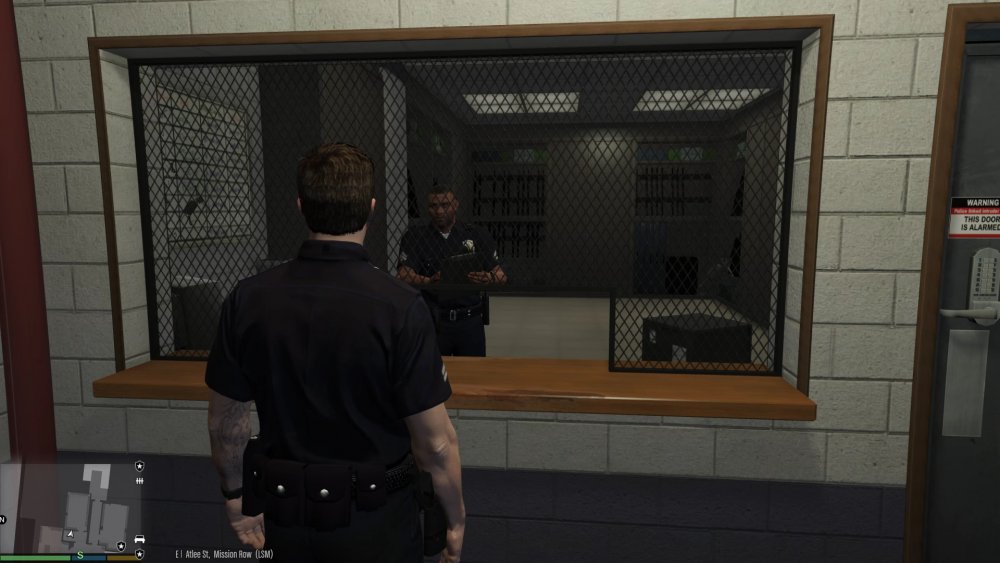
I wish I had the knowledge to know how to create scripts and plugins as I would attempt this myself but I haven't the first clue, but what I would like to see is a simple addition to the Police station. Much like the choice of character menu, I would love to be able to walk up to the armoury and choose my loadout. Standard loadout is fine when you first go on duty, but I tend to use the combat pistol as it has decent animated glock mods currently available. It would be a nice feature to use the armoury to chop and change and add a bit of immersion rather then simply doing via a trainer. For instance, I think it would be great to walk up to the clerk/officer and have a conversation where you request particular weapons and how much ammo you need. Same if you need a torch attachment or road flares or something. Im sure this is probably quite easy to do judging by the quality of plugins currently available. Its a small feature, but just like choosing your appearance in the locker room, I think it would be great to have an active armoury considering all the parts are there, just needs a script. If anyone can achieve this as a side project, I would be grateful. Otherwise I would love to suggest this for future updates, I think it would be nice little feature to compliant the already outstanding work. (Seriously though I've spent all my days off playing this mod since the update and its release, its good damn beautiful)
-
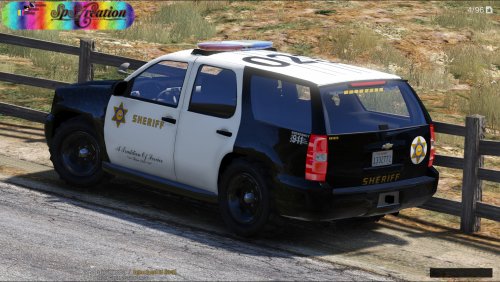 Hi SpeedySC197, excellent work on the skins. I'd love to get my hands on the tow truck skin if its available for release, as I use the same tow truck you use in the video, or at least it looks the same. If you need the link to the truck for credit, I downloaded it from here - https://www.gta5-mods.com/vehicles/police-towtruck Also love the screen shots, I had to do a double take on a couple of them.
- 63 comments
- 10 reviews
-
I have also encountered this animation issue with belts disappearing when pistols are drawn or random body armour appearing. Initially I didnt have this problem, but this is also when animations on customs pistols were not working for me. I then accidentally had a file confliction using my mod manager which somehow translated in game by allowing the pistol animations to start working. The minute the pistol animations works, I encountered the uniform bug and only when any pistols were drawn, no other weapons caused the issue. Is anyone else encountering this problem using modified pistols? As this may be what is causing the issue. I haven't sorted out my gun animation problem yet, but I find when the animations are not working on my two glock pistols that replaced the pistol and combat pistol, the uniform is fine.
-
-
 I had issues with slicktops spawning constantly, but I changed the vehicle.meta in 'update' with Required_Extra in livery and then the required extra line specified by EXTRA_1 and EXTRA_2. Now either spawns when I call for back up. Heres the lines from my meta file that resolved the issue for me, so hopefully it will work for anyone else having the slicktop issue, I'll highlight in bold the relevant lines: <flags>FLAG_HAS_LIVERY FLAG_EXTRAS_REQUIRE FLAG_EXTRAS_STRONG FLAG_LAW_ENFORCEMENT FLAG_EMERGENCY_SERVICE FLAG_NO_RESPRAY FLAG_DONT_SPAWN_IN_CARGEN FLAG_REPORT_CRIME_IF_STANDING_ON</flags> <type>VEHICLE_TYPE_CAR</type> <plateType>VPT_FRONT_AND_BACK_PLATES</plateType> <dashboardType>VDT_GENTAXI</dashboardType> <vehicleClass>VC_EMERGENCY</vehicleClass> <wheelType>VWT_MUSCLE</wheelType> <trailers /> <additionalTrailers /> <drivers> <Item> <driverName>S_M_Y_Cop_01</driverName> <npcName /> </Item> </drivers> <extraIncludes /> <doorsWithCollisionWhenClosed /> <driveableDoors /> <bumpersNeedToCollideWithMap value="false" /> <needsRopeTexture value="false" /> <requiredExtras>EXTRA_1 EXTRA_2</requiredExtras> <rewards>
- 137 comments
- 22 reviews
-
 Sounds perfect, more than what I could have hope for. I look forward to seeing where this goes. Thanks for answering my question so quickly.
- 561 comments
- 97 reviews
-
I've started using freemode peds with custom clothing mods when playing LSPDFR. I know the holster animation will only work on models with an actual holster, so will probably never work on mp or freemode characters, but I was wondering if there is a way the 'intimidation' feature can still be activated but on any model? At the moment it won't with custom characters whilst LSPDFR is active, but is this something that might be possible with future updates that you can activate the animation regardless of character model? As you can see from my screen shot, the animation is still forced when conducting a standard LSPDFR stop, but if we can do this with your mod, it would be fantastic. Especially as it just add as little more immersion. I simply love the 'intimidation' feature and would love to use it on other models.
- 561 comments
- 97 reviews
-
 I may be being a bit naive about this mod, but is it possible to conduct a traffic stop whilst maintaining the dashcam view? I though I may be able to however when I activate AltQ the character freezes. If it is simply an overlay, then it works perfectly. Nice to see the return of the dashcam.
- 113 comments
- 27 reviews
-
Works for me so far. Latest ragehook and script hook. Even got the rage hook menu back after script hook had beef with it. However few hiccups along the way with core LSPDFR functions. I'm on the support forum now looking for solutions.
-
Also found that the FIB models have no sound when playing with LSPDFR. Except using the Sixth Star mod - https://www.gta5-mods.com/misc/the-sixth-star - I placed the Ped.met file as provided in the mp_heist file as instructed by the mod and I now how have fully voice peds when playing LSPDFR. Great for when the suspect runs.
-
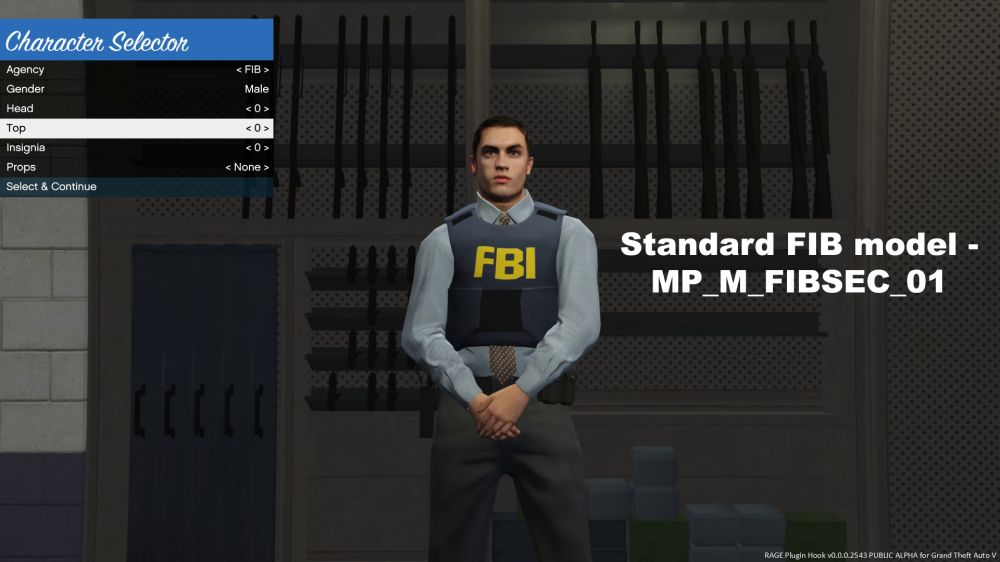
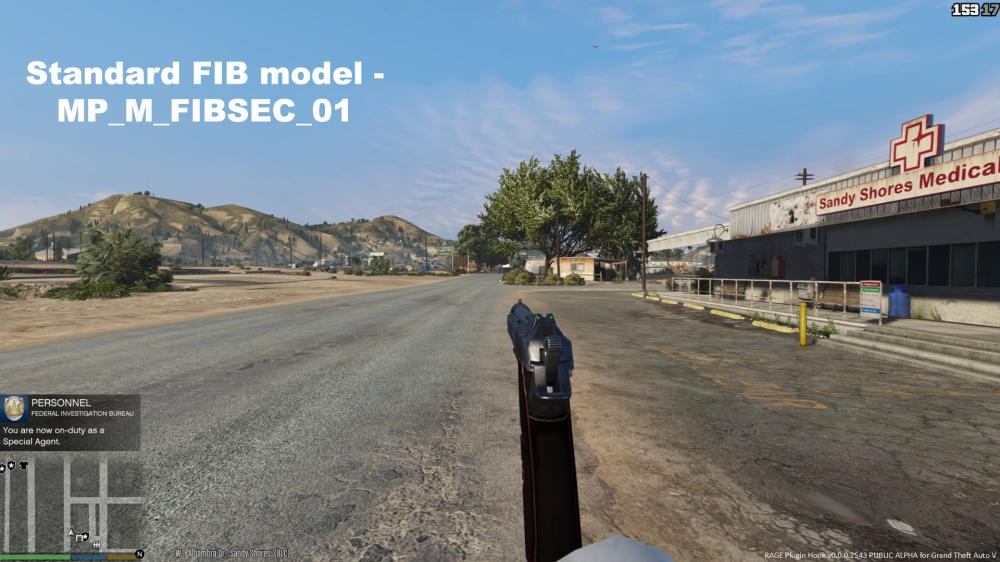
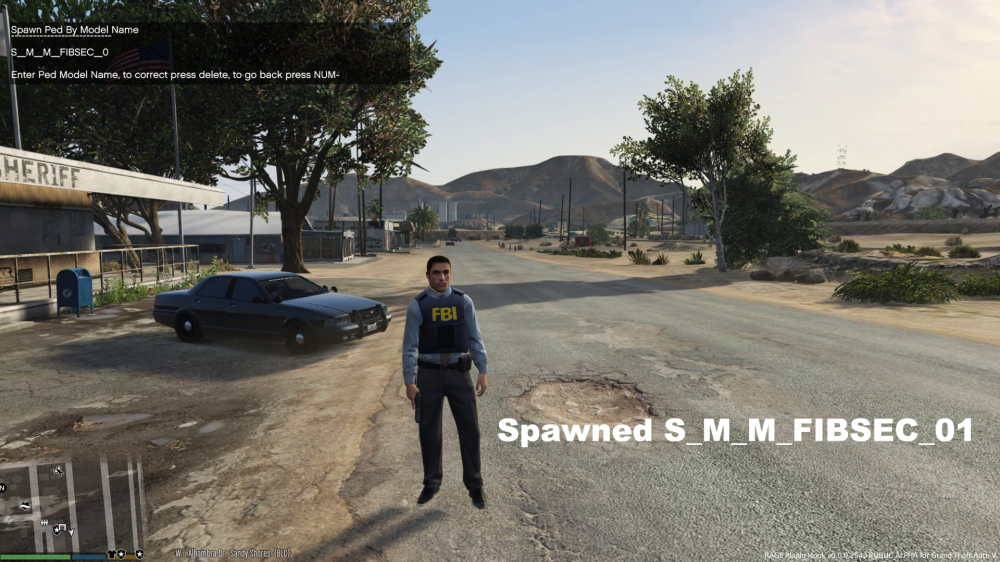
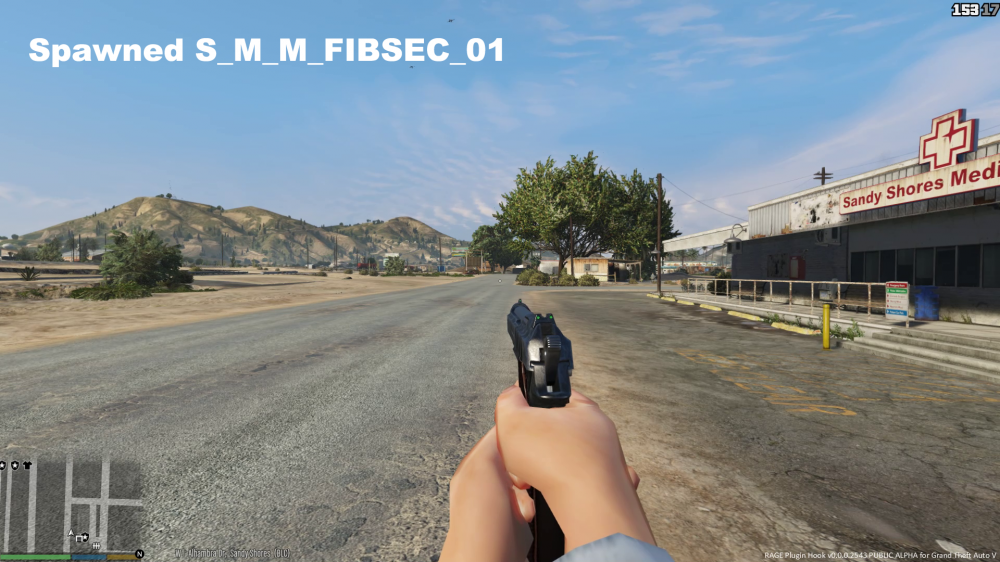
When playing LSPDFR and you select the FIB model in the player choice menu, I find the model is missing its hands if you play in First person. I found from this that I was unable to edit the model or change the texture to FBI as I tend to change things to their real counterpart. It was driving me mad changing the textures but seeing no result until I discovered the model used in LSPDFR is not the model I was editing. MP_M_FIBsec_01 can be found in the 64v file - (Rockstar Games\Grand Theft Auto V\x64v.rpf\models\cdimages\streamedpeds_mp.rpf\) and I believe is the current model used for LSPDFR missing hands and all. I also found S_M_M_FIBSEC_01 is also the same model but in mpheist - Rockstar Games\Grand Theft Auto V\update\x64\dlcpacks\mpheist\dlc.rpf\x64\models\cdimages\mpheist_componentpeds.rpf\s_m_m_fibsec_01.ymt This model features the hands and can be used in first person. I am simply recommending that this may be a better model for future versions of LSPDFR. **** Please note in the images are my texture edited models, once I figured out what model LSPFR used I updated both.
-
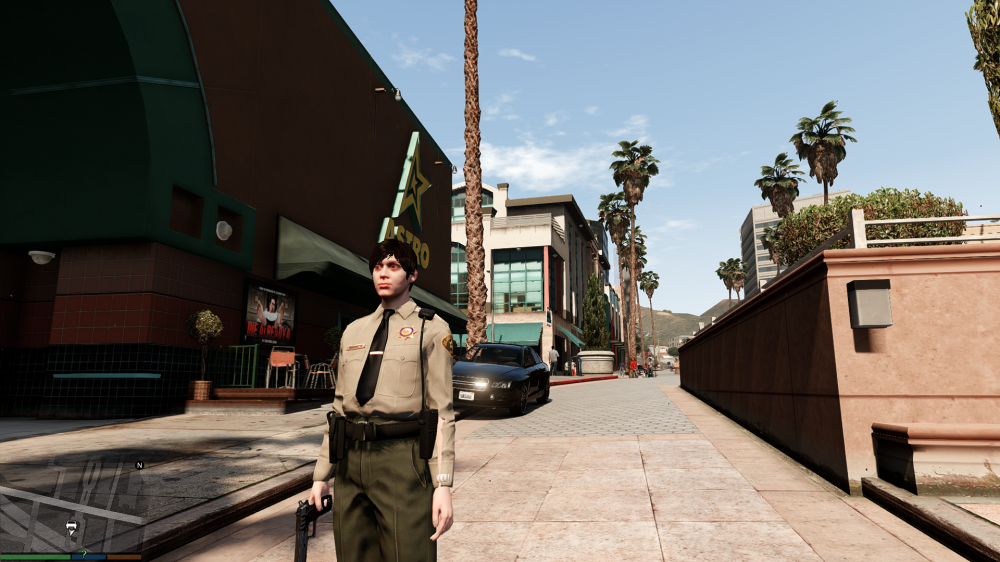
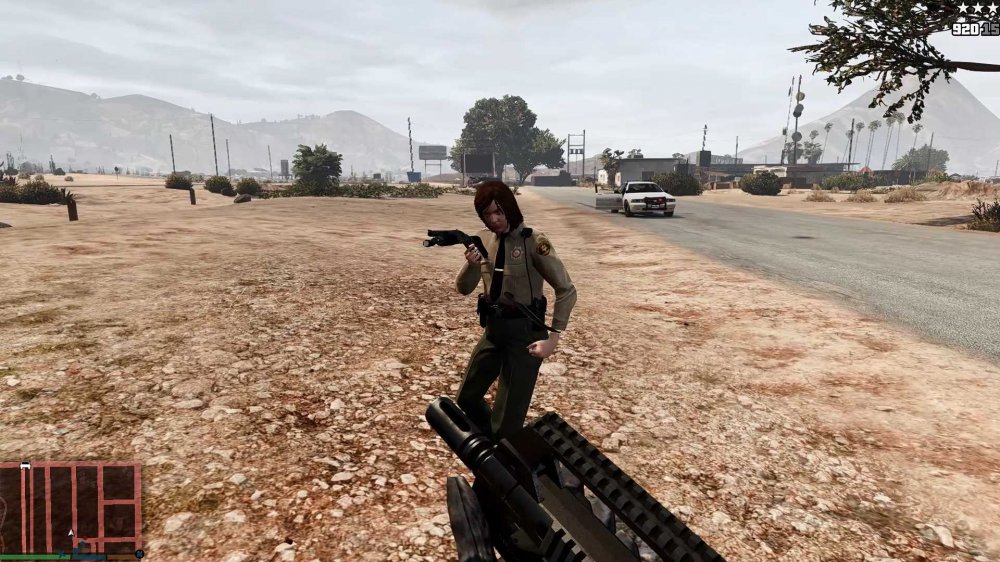
Love the mod, the uniforms look great. All are perfect except for the female sheriff (s_f_y_sheriff_01), I seem to have a glitch on the long sleeve uniform. Might just be me, but it seem to only happen with the HD shirt. Other than this, everything else is perfect.
-
BRITISH POLICE DISPATCHER BETA 1.0 As an avid fan of British Policing in GTA LCPDFR, I became quite tired of hearing the American dispatcher, so I decided to replace over 500 audio files with my own custom voice over. This wont be to everyone's taste, but I think it helps with British Police immersion. To ensure the sentences stringed together, the voice had to be mundane and monotone. And it works. I have made a few changes, such as removing a lot of the "Umm" and "Errrr" files that just broke the sentences. I have also adapted the script to fit in with British Policing, such as calling for NPAS rather then a chopper and Members of the public rather then Civilians. See the video for a demonstration.
- 14 comments
- 6 reviews
-
Hi LtFlash, This is by far my favourite set of callouts and I do look forward to more and potentially other Burroughs. If there's one thing I would love to see implemented is the use of the policescanner audio files to hear the dispatcher. Just wanted to highlight an error with you that I continuously received with one particular call out. The man unconscious callout works right up until I press F12 for ambulance. Then I get this error - [ERROR - 4:11:06 PM] [script.CalloutManager] Error while processing callout: ManDown: Object reference not set to an instance of an object. at dh.a(VehicleSeat A_0, CModel A_1) at LCPD_First_Response.LCPDFR.API.LVehicleBase.CreatePedOnSeat(VehicleSeat seat, CModel model) at TheWasteland.Callouts.ManDown.RunEMS() at TheWasteland.Callouts.ManDown.Process() at h0.Process() [ERROR - 4:11:06 PM] [script.ManDown] System.NullReferenceException: Object reference not set to an instance of an object. at dh.a(VehicleSeat A_0, CModel A_1) at LCPD_First_Response.LCPDFR.API.LVehicleBase.CreatePedOnSeat(VehicleSeat seat, CModel model) at TheWasteland.Callouts.ManDown.RunEMS() at TheWasteland.Callouts.ManDown.Process() at h0.Process() [ERROR - 4:11:06 PM] [ExceptionHandler] dh.a(VehicleSeat A_0, CModel A_1) L_0041 LCPD_First_Response.LCPDFR.API.LVehicleBase.CreatePedOnSeat(VehicleSeat seat, CModel model) L_0000 TheWasteland.Callouts.ManDown.RunEMS() L_0158 TheWasteland.Callouts.ManDown.Process() L_0128 h0.Process() L_022e Not sure if its the script or something to do with my game. Once I received this error LCPDFR tends to crash shortly after. Regardless, still a great mod.
-
I love the concept, however I seem to have a problem of a number of the objects spawning a few meters in the air. Anyone else have this or is it just me? Not even sure of the cause for this as I haven't made any adjustments to the map whatsoever.
- 54 comments
- 7 reviews
-
-
- 1
-
-
SUSSEX POLICE TEXTURES PACK 1.0 Having been inspired by other mods on the market, I decided to modify my own take on LCPDFR based on my hometown. Having received a number of requests around the adaptations I made to my personal game, I have decided to make and official release so others can enhance their game to suit their needs. The only 3D model I have created myself is a pepper spray mod which is not included in this pack as its still a work in progress and more complex to install. Provided in this pack is a number of textures that relate to current Policing in a Sussex Town environment. I have provided the skins esited by me and added links in the credits so that you can download the correct files. I have added variations, which allows for further customisation. The majority of the files are textures however I have included models that I have edited having requested permission from the original authors. I have also customised a number of stations around the island, however these are not perfect. Things such as blips, vdh skins and edited road signs and Police signs have been included to fit in with the theme. This is quite an overhaul and I have been working on it for a few months, making little changes to fit in with mods that are released on LCPDFR. The aim was to get as closed as possible to a true representation of British Policing (Not easy considering the original setting). This wont be suited to everyone but if you like anything included, then simply download, pick and choose. These mods work best with Double Dopplers mods, so check out his page for the original files and models. INCLUDED: New skins for Dopplers Met Peds - Including: female officers, Traffic Officers with M/C rider option, male officers, Sgt's and Firearms. Skins for East Sussex Fire and Rescue ped/chief. Skins for vehicles used by Sussex Police: Ford Transit, Ford Focus, Mercedes Sprinter, BMW X5, Ford S-Max, BMW 3 series, BMW M/C and National Police Air Service Eurocopter. Skins for other services; East Sussex Fire and Rescue, South East Coast Ambulance, Brighton and Hove Buses and Streamline Taxis. New Police station Blips. MDT for LCPDFRs main menu. Skin for VDH personal helper. 8 customised Police stations. Sussex Police office. New road signs. Sirens by BritishPoliceMod (Closest representation to Sussex sirens in current service). REQUIREMENTS - Legal and working copy of GTA IV/EFLC patched to 1.0.7.0 - GTA IV Mod: ELS V7 or V8 I hope I haven't missed anything out. Any problems PM me. Also see my youtube account for ingame footage: https://www.youtube.com/user/TheMurphy909/videos Enjoy.
-
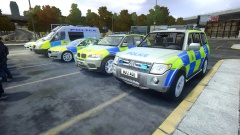
From the album: Serving Sussex.
Specialist Fleet vehicles. RPU and TFO's -
Showcase of my privately converted Sussex Mods. Mostly models from Double Doppler and British Modding Group.
-
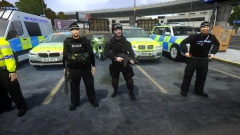
From the album: Serving Sussex.
Firearms team. Tactical Firearms response Officer (AFO) and Specialist Firearms Officers SFO. -
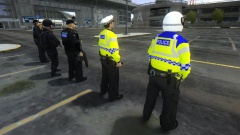
From the album: Serving Sussex.
Shot of RPT from the back.


