
TheDude
Members
-
Joined
-
Last visited
Everything posted by TheDude
-
Yah I have come to that conclusion. Anytime I spend any effort trying to figure out the code I inevitably get it wrong. I just feel like a moron every time I fail the "are you a human" quiz haha. Issue is resolved since its on google's end so if you want you can go ahead and lock up the thread. :)
-
-
-
-
Are you talking about designing a model for a car or a texture? To design a model you are going to need a program like Blender or Zmodeler, I wont lie its not easy at all - I have an associates degree in graphic design (not much if it was spent on 3D models) and I still run into trouble here and there. As for designing a texture that is much easier you only really need a rather basic understanding of photoshop and the pen tools and if you can get your hands on a template it will make your life much easier. Here is a Zmodeler Tutorial for making models. And here is a tutorial video on making textures.
-
ah alright the next one it gave me was do-able albeit very confusing; it asked me to select the food and the answer was a piece of cake and a avocado, but it also had a picture of a fish in a pond, which when selected said incorrect. I personally think a fish is way more of a food then a yucky avocado, i guess google thinks differently lol.
-
-
-
-
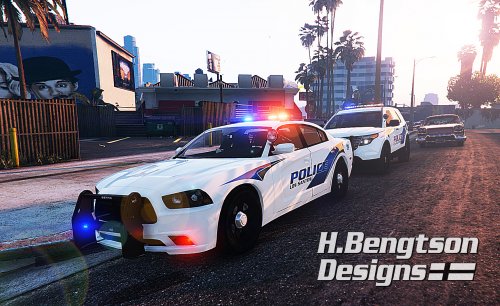 you got really good with that pen tool at an outstanding speed! well done man these look ace.
- 42 comments
- 16 reviews
-
-

- 1
-
-
mmmm yes i want this. would be time to blow some subwoofers out though. Here is another video that shows off the awesome capabilities of the rumbler.
-
OldDutch is spot on. Its generally a mix of skin control and the EUP mod.
-
 can we get the option to remap the settings key in the .ini please? F5 is my native trainer key :P and here is an updated screenshot, albiet I did re-configure the ui a tad differently.
- 200 comments
- 22 reviews
-
-
The amount of money that ubisoft or any of these companies would have to pay in legal fee's to bring a lawsuit over models to court way out does any monetary losses they are receiving from these models existing in GTAV, which is probably close to 0$. It would cost them thousands of dollars in legal fee's over something that is not costing them any money whatsoever. Where it gets shady is if people are taking personal donations for these models - at that point money is changing hands over these companies intellectual property which does make legal action more feasible on their end. If people are making money off their product they have a much stronger case so gamemodels.ru would be liable, however if you also start receiving money from the models you might find yourself in some hot water potentially if the the IP holders have a bunch of spare time and money on their hands. TLTR: Its all about money, unless your costing them money or making money off their intellectual properties you are most likely totally fine.
-
ah gotcha. replacing a stock car with one that is intended to be a standalone might hook ya up on some snags. id personally suggest adding it as the standalone with a unique name and using the law enforcement jurisdiction script to set up custom patrols since you can define it to use any custom cars you have. its a great script to have cars patrolling that normally would have no business spawning in the wild.
-
oh ok sorry i thought you were trying to replace sheriff2, not add a standalone. if you are adding a standalone it should have a unique name not one that the game already uses. for example my standalone sheriff car is named posheriff. sheriff2 is a model that already exists in the game its the sheriff SUV.
-
nope; stock police edits would be in mods\update\update.rpf\common\data\levels\gta5\vehicles.meta the file you downloaded should have a readme that instructs you how to install the file.
-
yep its on their twitter. they paid the host and are just waiting for them to re-up the service. just happened at a bad time. lol
-
olddutch is correct if you want to replace sheriff2 that would be in patchday3. mpchristmas2 is used often for adding additional cars not replacing stock ones.
-
this video should be able to help ya out, if you watch the video on youtube then links are all in the description.
-
block the launcher in your firewall, or just disconnect your net until the game loads up.
-
There is three simple rules to modding with no issues. 1.backup 2.Backup 3.BACKUP!
-
I just used this option inside the ragehook launcher and everything worked fine, game loaded up with no issues.
-
i have the steam version but i just revered within ragehook's launcher. works fine that way (as long as you had a backup)