
TheDude
Members
-
Joined
-
Last visited
Everything posted by TheDude
-
-
 was loving the mod but am having a weird issue now, maybe someone can help me sort it out. as of yesterday everything was working perfectly but today the lights on every police car no longer work, not the sec/aux or main lights or wig wags. nothing was changed in my install so I am very confused. Can still toggle sirens and open the UI with ctr-p but no matter what none of the lights will turn on. Edit: All fixed, had to reinstall openIV.asi and the Asi loader. Dunno what caused the problem but that's the solution for anyone else having the issue.
- 2,655 comments
- 234 reviews
-
 what was the flag you had to edit to change of it to be able to tow? I assume it was the vehicle.meta?
- 80 comments
- 19 reviews
-
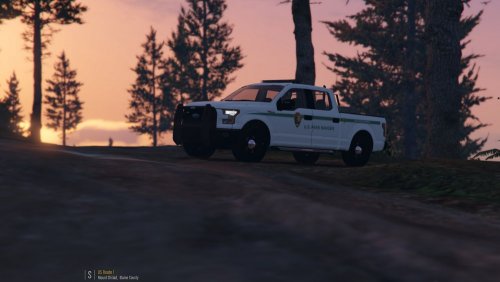 so just out of curiosity what are the meta changes in the vehicle.meta that have to be done to allow it to tow things? tried the trailer_city trailer_highway flags but no effect.
- 31 comments
- 11 reviews
-
 i know. but im trying to fix the seating issue as well. which is in the vehicle.meta just cant find it
- 218 comments
- 42 reviews
-
thanks, and where would I find the vehicle.meta for it? that part seems to be missing from the .ini
- 218 comments
- 42 reviews
-
what setting did you change to fix them? same issue here <lightSettings value="1" /> <sirenSettings value="13" />
- 218 comments
- 42 reviews
-
ah. then nope not that I know of. You could use simple trainer to clear all peds from the map but it deletes every ped which does not really sound like a solution to the problem either.
-
police radio. use the coroner option.
-
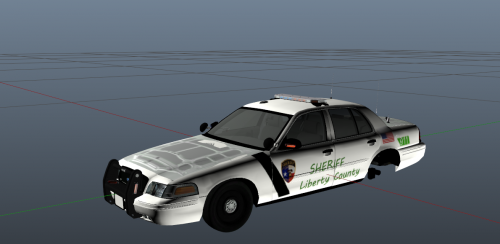 Solid first attempt but a few things seem off. 1.The Font seems all wrong for a police vehicle. 2.The location of the words on the doors are not correctly aligned. meaning when you open the door it cuts the writing off with half a letter is on the open door and the other half on the rear door panel. Could be fixed by shifting them to the right a bit. 3. The hood and trunk, there appears to be some sort of engine bay texture on them. perhaps you did not make the template transparent? 4. The flag and 911 textures on the rear panel are to large. 5. The black bar on the door does not extend to the base of the door so it looks a bit..off since its skewed to the right. 6. you could probably raise the emblem on the door a bit so its not cut off by the trim of the door itself.
- 2 comments
- 2 reviews
-
 look forward to trying out the new version. Have been missing this mod lately.
- 91 comments
- 21 reviews
-
-

- 1
-
-
 I am not seing a carvar included in the file but I am also having the issue of no sirens/engine sounds. here is what my current carvar is which has the siren settings at 1. File is setup as a standalone hence the different file names. I will also add the truck I replaced this with works fine, siren/lights ect. Edit : All fixed had to make some changes to the carvar and vehicle meta for it to work as a standalone. Here is the lines if anyone wants it though - I use mpchristmas2 for my standalones. vehicle.meta Place this at bottom of vehicle.meta And here is the carvar
- 158 comments
- 54 reviews
-
-
- 1
-
-
if you are trying to get online by launching the ragehook exe that will not work as it disables online play. If you launch the game via steam you should be able to connect as long as you dont have modified files in your install location.
-
Not easily. I would think its something the dev of the file could adjust in zmodeler. Then again maybe somewhere there is a .rpf/.meta that has those values associated in it.
-
-
-
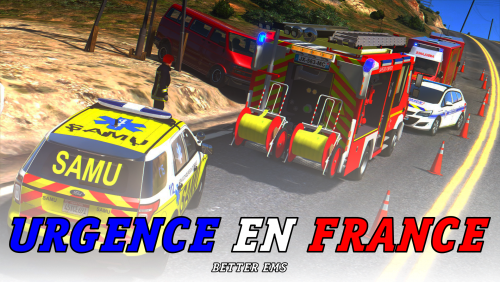 Is this a script or a skin pack?
 -
Hey man, make sure to read this post as there is information we need before anyone would be able to help you. Give a clear, detailed description of the problem. Explain any circumstances surrounding the problem. State what solutions you have tried. Post ALL relevant logs (LCPDFR.log, Scripthook.log, ScriptHookDotNet.log, AdvancedHook.log). Please put these in spoiler tags, and not as plain text, or attach them to your post. Include as much information as possible. Post your system specifications. Post what other mods you are using. This includes car and script mods.
-
when you are ingame does jumping and pressing F9 at the same time do anything? That's a way to forceduty. It sounds like lspdfr is not loading as a plugin. you could also try opening the rageconsole ingame and typing LoadPlugin LSPD First Response.dll and see if you could force it to start.
-
 Hey alex any chance in a future update you could add a section to add tattoos? (perhaps even just arm/neck). Its the only feature of my characters I made from skin control that I miss that I seem unable to recreate in EUP.
- 2,341 comments
- 236 reviews
-
-
 ah gotcha, did not know that fivem created a new service will def check that out. might want to put a disclaimer in the description though so that people do not try to attempt it on rockstar servers. :)
- 220 comments
- 55 reviews
-
its an update not a hotfix so yes it will need a new version of ragehook.
-
U? I believe the key you are looking for is 'E'
-
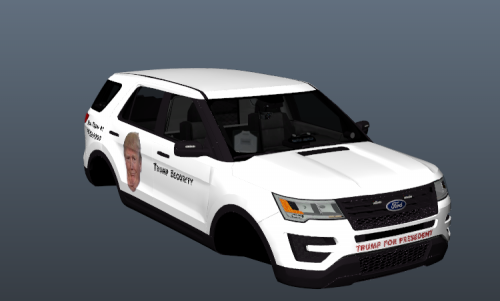 I was hoping he would be pinned under the wheels or something. But alas its just a low quality skin :( And what is with that font?
- 10 comments
- 15 reviews
-
-
- 1
-