


Molten
Members
-
Joined
-
Last visited
Everything posted by Molten
-
That explains it. I got mine of this site. I dont go on GPM these days. may have to though :p Bit insane the authors own site is the one place you get an outdated version :) guess he's busy though. Also as that change in the .ini doesn't work for the op I would guess it will only work with the latest version no matter what you type in the .ini
-
Just noticed. Allthough i downloaded version 5 and the folder say 5 the .ini says v1 :p
-
Holy, I edited my post but you might not have noticed. My V5 trafficflow.ini is same as yours. No chanceofrandomanything. Just the models 1 / 20 like you said. I think a lot of people must have an earlier .ini version file or something.
-
Sam mentioned in reponse to another thread somewhere something about this and adding a line about Responding emergency vehicles in traffic flow but can't recal what the thread was called. It was about 2 weeks ago I think. I f I come accross it i will let you know. Ahh, it was this thread and you obviously read it as you got that chanceofrandom quote. btw Icon' "EDIT: Edit the traffic flow ini not the lcpdfr ini. There should be no need to add that line to your trafficflow.ini file. It should already be there." It doesn't appear in my trafficflow.ini either. Think it might not be part of the last versioni is all i can think of. (v5)
-
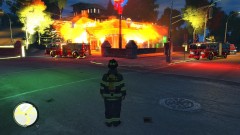 Nice, I didn't realise fire effects were in SNT
 -
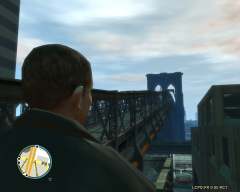
From the album: Various Patrols...
Not impressed with skin tbh making a new one. Rider position needs changing also. -
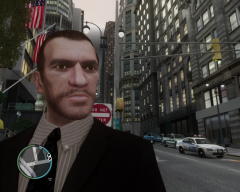
From the album: Various Patrols...
Not impressed with skin tbh making a new one. Rider position needs changing also. -
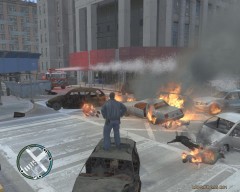
From the album: Various Patrols...
Not impressed with skin tbh making a new one. Rider position needs changing also. -
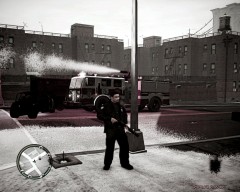
From the album: Various Patrols...
Not impressed with skin tbh making a new one. Rider position needs changing also. -
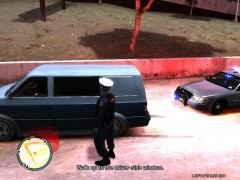 "Came across a van with heavily tinted windows. You can guess what happens next..." He pointed out your patrol car also had tinted windows ? :)
 -
2/10. As far as GTAV fakes go it's in the awefull section. Next
-
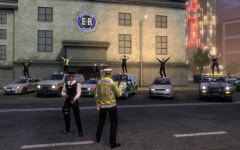 hehe, nice shot.
 -
I use open and navigate myself. Never had any issues. Browse will go to the default location of GTAIV when you installed spark and if you moved your GTAIV file for whatever reason (as I did) Browse still looks for a file that is no longer there and in some cases wont even start up unless it can locate the GTAIV.exe in that location. So unless someone has reason not to I see no issue using open and navigateing manually. If you have several versions of the game in different stages of modification then it's a must anyway. Oh as for correcting it. Never really looked to see about editing the default location for browse. Next time I use it I will take a look as you got me wondering too now.
-
I wont use teamviewer mainly cause I believe if someone with a little help dont work out their own problem, then the next post will be can you get on teamviewer for me and instal this car / siren etc etc.
-
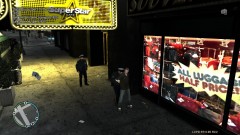 lol, I kinda walked right into that one.
 -
Yeah that's logical. Clears up a few things too. Edit: sorry for jumping into your thread Dhruv, but had been wondering about these issues for a while :)
-
From my own point of view for me it works about 80%. Sometimes I still get the wrong car spawning in the wrong area. Like you I'm not sure if it's something I'm doing wrong or what.
-
lol nice one. In a vid i posted on you tube it has NY police scanner running in background. Didn't notice it when I was recording but there was a call about a naked black lady in the street shouting abuse at passers by. It was near a primary school so was dealt with quickly. To add to penguins post I only became aware of this yesterday >>> http://en.wikipedia.org/wiki/NORAD_Tracks_Santa
-
Cheers, it wasn't that obvious, for me anyway what Sam had changed :) I need to pay closer attention. *Goes to check his .ini
-
Everyone gets that. No need to worry about it. It doesn't affect your gameplay. I have no idea but at a guess it could be something to do with the testers build to check they are entitled to recieved nightly build version or something like that. Like I said thats a pure guess though.
-
So the helicopter is supposed to crash to the ground causing injury and death when the player arrests or kills the suspect ? :)
-
That second Vid you posted. On youtube no one mentions it in the comments. But the still image that shows of that vid shows them driving down Park lane area Near Mayfair. When the Vid gets to that point, (you can see all the very expensive car showrooms on the left as they pass and if you know the building they pass the London Park lane hotel) anyway they turn at Marble arch and then a minute or two later they come around the back of buckingham palace by the royal mews and then go down the Mall. What I am getting at is they seem to double back on themselves at one point. Could be to get around traffic but seems a very odd route :) Also bit of trivia for the keen eyed. For much of the 2nd vid they are taking the same route as the first vid but in the other direction. They make it look easy which is a hallmark of a good driver. Most people think they could do it but there is more to it than just fast driving.
-
Air support drops out of the sky every single time when they are no longer needed, such as after a pursuit etc. Always happen to me and happens to others too. Pretty sure it's a well known issue. (.9RC1)
-
I just printed that, Framed it. And now I'm gonna hang it on my wall as it's not often the words "Molten is" and "right" appear in the same sentence.
-
Aha, That explains all. I tried it the other day and stopped using it cause at a distance looked like a white tent had been placed over it. looked like a mobile scene of crime lol :p Will download this version and look forward to keeping it this time :)

