



PimDSLR
Members
-
Joined
-
Last visited
Everything posted by PimDSLR
-
Hello, I want to upload a car but it wont upload. I click Save and Submit files, and the the page reloades and nothing happeds? What must I do? (Update: I got it to work, something blocked it) Thanks.
-
Almost finshed, with Valor lighbar.
-
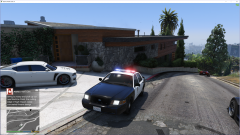
From the album: (WIP) CVPI Fed Signal Valor lighbar
(WIP) CVPI Fed Signal Valor Coming verry soon -
 Amazing realistic plugin, you can feel that is it made out of love! ;) Thanks guys!
- 1,081 comments
- 166 reviews
-
Amazing man! You're a hero! I only found one bug, don't know if it's just me, but one door is shut in the bank heist, so you can't go down.
- 1,081 comments
- 166 reviews
-
My GTA 5 is constantly crashing on startup, I updated my game and replaced the mods folder with the new ones. It's still crashing. Does someone know anything? Thanks. PimDSLR RagePluginHook.log OpenIV.log
-
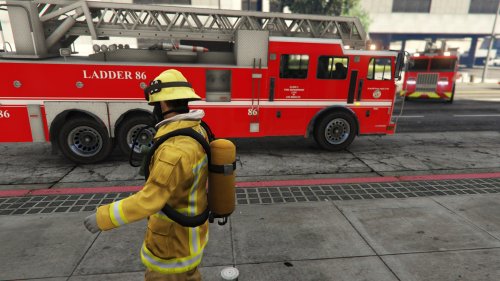 It looks aswome! Didn't find any bugs. One question: can you add some more led lights?
- 28 comments
- 4 reviews
-
-

- 2
-
-
Yeah, that's true. Didn't thought about that. It already needs to spawn a lot of peds and cars. Would still be cool ;)
-
I can't wait to try it out, it looks so good! You're doing a great job! May I give a suggestion? Don't know if it's already told or your planing to do it. But is it possible to ad a big crowd to the bank heist? Also news trucks and camera crews would be cool. The animations are there I think.
-
Hello guys, I need some help for visual mods for GTA 5, like VisualV, enb etc.. It won't work in my game, I have followed all instructions, I even followed video tutorials. I have a mod folder were everything is installed. My specs: Intel 6700K 4,7 EVGA GTX 970 2.0 factory overclocked Corsair 16GB DDR4
-
 Looking good. Great to see a new lightbar. And for the Sheriff slot! Good work ;)
- 146 comments
- 24 reviews
-
-
- 1
-
-
-
-
 What a great car! It looks so nice and made with love;) Was great to test it. Thanks F5544
- 139 comments
- 21 reviews
-
-
- 1
-
-
Thanks for your help! I already do that every time. I use Wise Care Pro.
-
Yep, releasing that to. But strange that I don't have this with other games.
-
It didn't give me one more fps ;(
-
No, my processor is above the minimum requirements. It's a 2015 model. I don't have this the problem with other games that require more CPU and GPU power. I just hit 28fps, that isn't normal.
-
Here is the file. Yes, I have looked in the Nvidia Control Panel. But I don't have this with other games, like The Wicther 3, and that game needs much more GPU power. DxDiag.txt
-
I'm gonna dubel check it, thanks!
-
OK, it is on 1080p, it's a new typ processor for high end gaming. Note that the GTX 970 isn't a chip but a EVGA GTX 970 superclocked 2.0
-
Yes it's a 2015 model, some new technology ;) it's called the Graphics Amplifier.
-
Yes, its a Alienware 15, with a desktop GPU: the 970. Cpu bottleneck?
-
-


