
PimDSLR
Members
-
Joined
-
Last visited
Everything posted by PimDSLR
-
No, the strange is that it doesn't matter if I set the settings to high or low.
-
Hi guys, I have asked this before, but it still isn't fixed: I get with my GTX 970 2.0 Superclocked, a fps around 30-34 on normal settings. That is not normal. Does someone know annyting? i5, 8GB 1600mhz RAM, GTX 970 2.0 Supercloked, 1TB HDD 128SSD.
-
 No what I mean is that it is kind of useless to upload a mod, were there already is one that sounds the same.
- 19 comments
- 2 reviews
-
I didn't convert your mod. I used a free data base of sirens. The sirens belongs to Federal Signal.
- 19 comments
- 2 reviews
-
 That's true, it's honestly not different with the strainer version. It looks the same.
- 16 comments
- 2 reviews
-
-
-
-
That won't work it think, over about 5 min there is a good version online. Sorry for the inconvenience.
- 16 comments
- 2 reviews
-
-

- 1
-
-
-
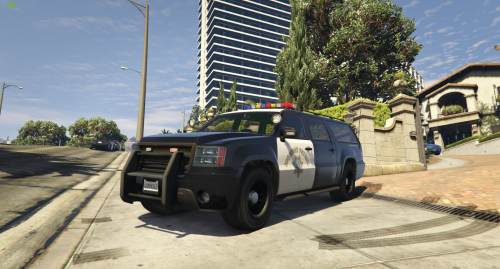
Granger (sheriff2) Whelen lighbar By PimDSLR - A modified version of the default Sheriff Granger (sheriff2) vehicle model. - Features a completely mapped body with template for custom decal textures. - Vehicle dirt mapping is intact. - Features 4 custom liveries and some slight adjustment - Whelen lighbar by F5544 -Added back lights Some lighbar leds aren't correctly flashing, I gonna look what I can do. INSTALLATION - Always make sure to create backups before overwriting any original game files. - To avoid the need to overwrite original game files, use the “mod” folder method provided by OpenIV. - 1. Using OpenIV, open the file “update/x64/dlcpacks/patchday3ng/dlc.rpf/x64/levels/gta5/vehicles.rpf”. - 2. Once inside, find and replace the vehicle files with the corresponding ones provided in the download. - - 3. Close OpenIV All of the model's and components as well as the Lightbar usage permissions were given for this release and to protect the original files and credits of these components the vehicle model has been locked. CREDITS - Base GTA V vehicle model made by Rockstar Games and modified by Lt.Caine. -Whelen lighbar by F5544 -Vehicle body remapped by Lt.Cain -Edited by PimDSLR -Advanced LED textures by PimDSLR
- 16 comments
- 2 reviews
-
-
- 2
-
-
By verify I ment that you create a shortcut of your GTA5launcher. Then type -verify game and then launch it. It will then verify your game files, and replace corrupt files.
-
-
Verify your game files.
-
-
-
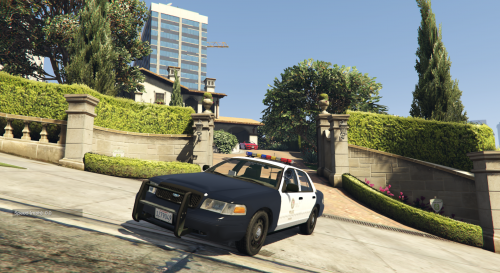 Thanks, yeah that is something what I can't change, if you spawn it a couple time it would be working. Some people, like me are a fan of slicktops so there is a choice.
- 29 comments
- 7 reviews
-
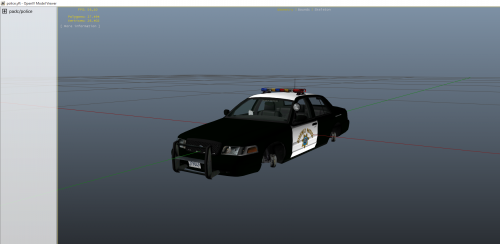 CHP skin for F5544s CPVI 2008 model. Skin made by me PimDSLR. Link for model: http://www.lcpdfr.com/files/file/8793-cvpi-lapd-whelen-lightbar-f5544-by-pimdslr/ Replace all skins in the .ytd file. Only on lcpdfr.com © PimDSLR
 -
I don't know if that is possible, alot of people loving the slicktop so I can''t change that.
- 29 comments
- 7 reviews
-
Don't edit the file. Just spawn it a couple times, it spawns random Don't edit the file. Just spawn it a couple times, it spawns random
- 29 comments
- 7 reviews
-
Do you mean, that you don't know how to use Police Radio?
-
-
Thanks, yes I know that, it's a bug. I don't know if I can fix it. I will see what I can do.
- 29 comments
- 7 reviews
-
-
- 1
-
-
-