
LSPDhotstuff
Members
-
Joined
-
Last visited
Everything posted by LSPDhotstuff
-
-
-
-
^I can't believe that ELS 8 could do that! It is really a magnificent mod
-
-
Then that's easy..
-
Today's is the happiest Mother's Day in my Life!
-
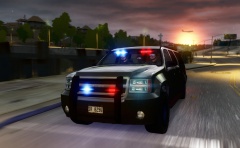 Is this ELS? Can I have download link?
 -
Anybody who is good at school academics even addicted to video games? Do you think that gaming may overthrow your knowledge at school? What's your opinion? To be honest, I still have high grades even I am addicted to video games.
-
Does anyone know what siren is used in the videos?
-
This just made the whole forum turn the table. We thought that you are referring to LCPDFR 1.0. Sorry, I can't help, I already forgot it. Maybe in 0.95 rc2, they don't allow other vehicles to be really tagged as police.
-
Maybe they are already busy doing other personal things since there is no update the past week. I wish they would come and convert other GTA V ped models, and start posting pictures again.
-
I wish there is GTA V for PC!! So we can mod that vehicle to a firetruck in GTA V!
-
 Yeah, what's wrong with Lt. Caine, there is also even no update on the changelog of this mod and other mods. The thing that changed that we have been waiting for, I think, is the mod picture. LOL!
- 534 comments
- 206 reviews
-
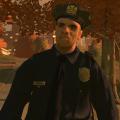 Sam, could you include a tactical version? Please I like the bulletproof vest with the sign "POLICE"
- 18 comments
- 8 reviews
-
Yeah, I want to see this on LCPDFR. But someone would need to make animations, and scripting. I saw a video where the LC Police cop arrested the suspect on the hood of the police car, like putting the suspect's head on the car's roof, then you cuff the suspect at the back. I want to also see the feature of cuffing the suspect at the front, so the suspect's hand are at the front, cuffed.
-
Good!
-
-
-
How? how to add/extract new files using SparkIV? But the author of this post said that you can. Try reading the post again with the SParkIV and OpenIV text
-
How do you add files to the weapons.img using SparkIV? I can't figure it out, please help me!
-
-
When I called for an ambulance (LCPDFR) (CTRL + M) for to revive a dead person, then I suddenly realized that this Callouts+ has a feature to call in ambulance in less lethal, so I pressed Shift R (not sure) then control says ambulance .... ASAP, then suddenly it syas the script crashes by third party? DOes this crash is caused by calling an LCPDFR ambulance then call a Callouts+ ambulance simultaneously about for 4 seconds?
-
Thank you for still keeping up the good work on this mod! I think LCPDFR would be boring without this and other callout plugins! Is there a possibility of you making bank robbery callout like in the mission "Three Leaf Clover" where there are highly armed (M4 Rifle) with bulletproof armor, and they are escaping the cops on foot until they get a vehicle? Could you also make massive shoot-outs like in 0.95 rc2? where there are already spawned police cops and cars (Noose Patriot, Stockade would be cool) at the scene, then to be more challenging, could you make the enemies in large numbers and have rifles and submachine guns with bulletproof vest?
-