


lordvalinar
Members
-
Joined
-
Last visited
Everything posted by lordvalinar
-
 I deleted the 8th livery, 7 seems to work for me. Although after awhile textures start to flicker and peds disappear... (memory leak/crash issue?) so.. 7 4k textures might still be too much. I could downgrade them to the 2k ones maybe? Or reduce the number of them... not sure which might help better on that front.
- 111 comments
- 23 reviews
-
How many liveries are allowed? Because I'm having the same problem at the moment. I replaced "liveryname"_1, and then I threw in _2 through _8 in there and I can't seem to spawn them in either. I could try deleting 1 at a time, but thought I'd ask in case you answer before I find out. @HuzzahBritain
- 111 comments
- 23 reviews
-
 That was another issue I'm having as well. Seems like there's an invisible field around a suspect in certain areas (most of the time I have this issue during a Traffic Stop; when I have them step out of the car, I can't do anything except point my gun at them to arrest them) and other times it's during call-outs (just for example a domestic disturbance) I talk to the suspect and witness but I can't do anything with them "Hold E to Interact with ped"...
- 1,178 comments
- 137 reviews
-
 EDIT: Nevermind. They do but with Radiance V on the lights were so bright the back lights were barely visible "blinking" So... they work. @Captain14 Just gotta say great pack 10/10, as my review states :P But I wanted to point something out (not sure if you can fix, address, or can help with) but your cars + MoreControlV (for the indicators) don't seem to work correctly. Using the indicators the FRONT lights blink as they should, but the REAR lights do not blink? (Tested the impala POLICE slot; haven't tested the others). Just wanted to point this out. Can test the other cars, and even try a diff mod for the indicators and see if it gives same results to help troubleshoot but yeah.
- 779 comments
- 187 reviews
-
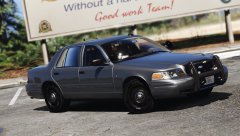 Okay! Looking forward to hearing on the progress :) It's a great car *rubs hands together* I must have it, my precioussss.
 -
Lol nice Simeon reference there. Also PSource... hope this is not asking too much... but is it possible to make it "ELS-style lighting" (but not actually ELS)? Similar to the LSPD packs made by Captain14? Really looking for an unmarked CVPI to replace that taurus/interceptor (POLICE4) :P but I don't have ELS (nor want it at the moment). mod link to said pack (just in case):
-
Alright pretty straight forward review here. The pack itself? A++ 100%, seriously fan-frickin' tastic! :D I'm loving this pack and is practically my new favorite xD 1.) Easy to install (open OpenIV, install package, boom you're done!) 2.) Well made liveries that still fit the setting 3.) ELS styling lights; meaning I don't need to bother with ELS (yes ELS is superb and a wonderful plugin, but that's more hotkeys I gotta map to my already 200 mapped keys lol) so it's great for the style and less work on our part. The only thing I wish it had (and since this is personal preference, I am not downgrading the rating because of it) was a slicktop (unmarked) version of the CVPI. Am not a fan of the taurus/interceptor used in slot POLICE4 :P And even then in the unmarked cruiser slot, the interceptor was not unmarked lol but oh well. That's easily replaceable. So yeah! Great pack, easy to install and well made in both liveries and lighting. I also loved the Sheriff and FBI packs (I use 'em all) ^_^
- 779 comments
- 187 reviews
-
Booya! Yup that did it. I put the RAGENativeUI included in the LSPDFR+ plugin and it worked! Thanks OfficerKB ^_^
- 1,178 comments
- 137 reviews
-
-

- 1
-
-
Same. Posted 6 days ago, still waiting for some confirmation. I know Albo's a busy dude and I got some spare time, so hopefully when he gets around to it and gets back to us when he can. Look forward to hearing what's going on.
- 1,178 comments
- 137 reviews
-
HELP! For some reason my court doesn't look like the ones in the screenshots... I push F9 as is in the .ini file. the PENDING RESULTS | RESULTS span almost the entire width of the screen and then everything kind of locks up. I can still enter menues (ie. the map, interaction menes etc) but the gameitself is like paused and I can't exit the court menu... No other plugins i have utilize F9 ((except the default LSPDFR ForceDuty F9 but it says you need to be jumping for that to happen; plus I have tried this with LControlKey + C and same thing )) Edit: To also clarify I have had no pullovers, or court summons. This was tested just going on duty and pressing F9. Will also test doing a court summons and see if that makes a difference. Edit2: Nope. Court summons don't do anything (waited over 10 minutes with the "RealisticCourtDates = false") nothing. F9 = same freeze/locking up issue :( *sighs* RagePluginHook.log
- 1,178 comments
- 137 reviews
-
Well that's true too... I don't use the SUVs that much :P So I can leave them as is. Cool. Thanks everyone for your help ^_^
-
*sighs* Yeah... just figured that out as soon as I posted (and went to test - removed ELS from my game folder). Yup.. non-ELS .. lol well I feel dumb. No wonder it wasn't working. But still..... ELS style + Radiance V (1.8) still makes it look pretty good at least.... I'll keep this for now until I get all my other mods from the mod list installed and get everything working and comfortable :P Then maybe I can swap out the cars... Or should I swap them out first? O.o Not sure how many modify the same files.
-
Edit: Unless I am mistaken about something... the readme says "ELS style lighting"... does this mean they are not actually ELS? O.o Mod Link: * LSPD Pack Installer 2.0.0.oiv * LSPD Pack Uninstaller.oiv And thanks! I'm horrible at memorizing street names (probably why I'm not a real cop xD ... plus back/knee injuries but that's beside the point heh) I'll try to spawn them in real quick, but don't think that'll help. When I have ELS installed, ALL the cars (even AI) seem to be.... missing all their extras and lightbars it's weird.
-
Well I'm pretty sure this is operator error and not a problem with the plugins; however, I need some help figuring out what I did wrong. I have the LSPD Pack + ELS 1.05, when I go in game to the station and pick a car, the extras and lights work perfectly. But it's after I've selected my car, none of the extras show up and I don't have the ELS menu/thingy in the lower right corner. Pressing J, K, L, or G don't work as they should (pressing "J" I hear the click sound, but the lights do not turn on until 3rd click. But all 3 clicks the EXTRAS are flashing (disappear/re-appear, not lights)). * I copied the ELS folder+files from the ELS 1.05 download (do I need the 1.00 first?) over to the main GTA 5 install directory * I intsalled the LSPD (ELS compatible) pack via OpenIV (which put it into the mod folder "update.rpf"? something like that?) * Went in game to do the above mentioned and problems occurred. I would really really love to get it working proper if someone can help point me in the right direction. If you need screenshots or logs, I can include them as necessary. Also pressing "P" brings up my map for some reason (thought it was supposed to bring up the ELS menu?) SIDE NOTE: Not related, but was just wondering since I'm posting this. How do you get the street addresses to show/stay near your gps map? I've seen some LSPDFR vids of that and I can't figure it out. Is it a mod? or Simple Trainer?
-
-
-
-
not with dsound.dll, no... at least none I'm aware of as I tried it myself. I can only get the 100% save working with xlive.dll if you import it. :\
-
You should have shot the lady for littering. The only penalty in Liberty City is the death penalty :P Otherwise, maybe little less background music in favor of gameplay sounds. Might just be a personal preference, not sure, but if trying to show off sirens or something and all u hear is the constant 'thump thump thump* of the music, then its not showing off the points you want to show. Just my 2 cents
-
-
But if the AI drives better, there won't be many stupid people to pull over, taze and/or shoot..... *is a sad panda* :P
-
http://www.thegtaplace.com/downloads/f5693-gta-iv-pc-100-save-game-updated This is the one I use all the time. the SMPA600 error is usually the result of a modded car or something saved in the parking area, and the clashing of the two seperate cars (if you don't have the mod) will make it unable to load. :\
-
LOL "didn't hit him that hard", you basically rammed him like bubba does to the new guy in prison :P
-
think they mean Earth as Hell... not sure. But in either case RIP.
-
I agree.. that was pretty awesome. And you sir, have way more self control than I do :P I would've shot up that bike guy, or been going to hell and high water to run him over :P forget arresting his @$$ lol

