


JewishBanana
Members
-
Joined
-
Last visited
Everything posted by JewishBanana
-
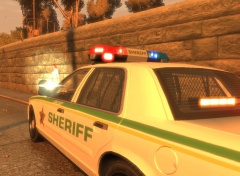 I wish it wasn't retired. It's a nice CVPI.
 -
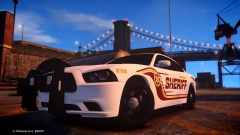 Vanilla never fails. amirite?
 -
1. Generally when somebody dies, the EMTs don't magically revive them. 2. There is a >wonderful script to get a tow truck service working in-game. 3. I'm pretty sure you can change your keybindings somewhere in the lcpdfr.ini, I could be wrong. 4 GTA IV is full of errors and bugs when modded, this happens and you have to deal with it. 5. I believe doing this is possible with > this script. 6. You can call NOoSE backup any callout, even some hobos disturbing the peace. 7. Look around for different callout scripts downloads. 8. Again, look around for API related downloads that add new callouts. 9. It's possible with the API, someone will make this callout if they want. 10. I don't know what you mean by this. 11. Follow what Luke said, guy knows what he's talking about when it comes to callout code. I know you're question's already been answered by several others, just thought I could contribute.
-
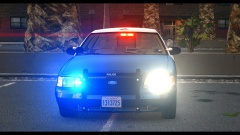 I love the LASD slicktops.
 -
Model is unlocked, so it's possible to take the equipment off and put it on the minivan. I could try but I have hardly any knowledge with mapping models.
- 10 comments
- 4 reviews
-
 That's a really nice shot.
 -
KevinDV already made a Caprice with a Liberty and pushbar. You can find it around the web.
-
-
Use Simple Native Trainer and it would be possible to change the voices your character model uses.
-
Check out this thread; '?do=embed' frameborder='0' data-embedContent>> I'm sure someone on the site would be willing to send you the lightbar, all you have to do is ask around. If I had it, I would give it to you.
-
I wouldn't mind having to fill out hours of paperwork. Being able to right down "Well I started my normal beat as usual, then some guy wearing sweatpants and a dirty jacket came flying down the street in a flaming station wagon and proceeded to pay a prostitute for sexual pleasures all while his stupid cousin was in the back screaming about bowling. It was a good day."
-
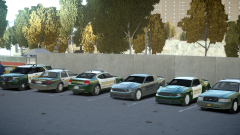 The Explorer wrap-around is a perfect match for the SLR.
 -
-
Hey Sam, I know you've moved on from the female police officers, but what about female detectives? I, and I'm sure many others, think it would be great to have both genders of investigators in the LCPD.
-
-
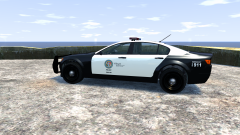 An unmarked Fugitive would be an excellent addition to the V vehicles.It's a part of a radar/radio, I believe. I don't know the exact company that produces them.We would like to grieve and remember those who lost their lives because of someone else's radical beliefs actions and you come here trying to pin the blame onto the government saying "the citizens of Boston were terrorized by the militarized police"? Innocent people died and you're brainwashed into thinking this whole thing is a plot by the government or some bullshit? You sicken me.
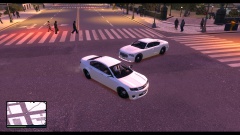 I don't understand why Rockstar didn't consider making the Fugitive into a law enforcement vehicle, leave it to the modding community to better their assets.
![[WIP] 2010 Alaska State Troopers Dodge Charger(AST Vehicle Mega Pack)](//s3-gallery.int-cdn.lcpdfrusercontent.com/gallery/album_628/sml_gallery_2982_628_24753.jpg) Coming here to boast about >your lightforce being more accurate like you always do?
Coming here to boast about >your lightforce being more accurate like you always do?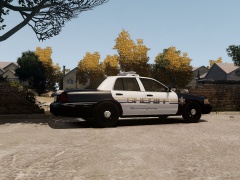
From the album: Textures put together by me.
Spoiler


![[WIP] 2010 Alaska State Troopers Dodge Charger(AST Vehicle Mega Pack)](http://s3-gallery.int-cdn.lcpdfrusercontent.com/gallery/album_628/sml_gallery_2982_628_24753.jpg)
