JewishBanana
Members
-
Joined
-
Last visited
Everything posted by JewishBanana
-
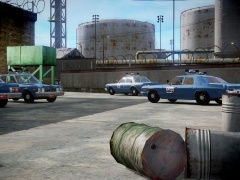 You could always take a boat to Alderney, completely avoiding LC.
 -
Jokes on you. This shot was taken at an Alderney precinct.
-
I used that exact scene for reference. I've got to watch the whole movie sometime soon.
-
From the album: The Precinct Life.
Detroit Police Department fleet, circa late 1970s. Spoiler Dodge MonacoDodge Aspen -
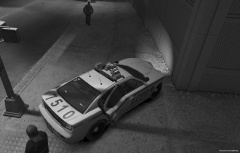 Come on LMS, don't leave us hangin'.
 -
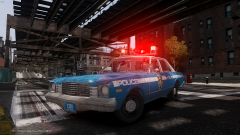 Strike has a way with classic police vehicles like nobody I've ever met before. Quite an artist he is.
 -
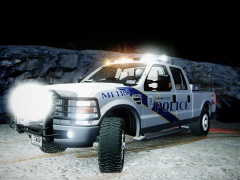
From the album: Textures put together by me.
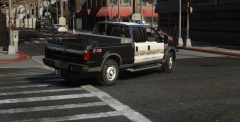
Newer Ford F-250 texture to be added to my previously released pack. Based on: -
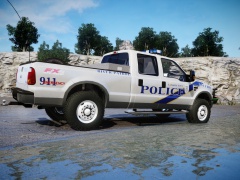
From the album: Textures put together by me.
Newer Ford F-250 texture to be added to my previously released pack. Based on: -
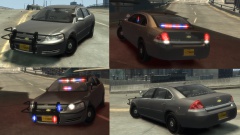 It doesn't look good. He slammed on a CVPI rambar, put the lighting equipment in the wrong places, so on and so forth. No point in sugar coating criticism, so long as it's constructive. How will you get better at making models when people don't point out the flaws and instead say "It's good, it's great for a first try"?
 -
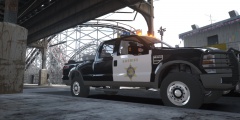 Looks nice.
 -
 I had to actually confirm that these pictures were of RCSD vehicles, because I believed them to by OCSD at first glance, but indeed they are. The strange sort of thing is that the design isn't actually old. It's from recent years, if someone would be able to identify what year that Crown Vic is, then we would be able to determine how long it's been since they retired that livery.
 -
I think this thing would look great sporting the older liveries from the RCSD, considering the older vehicles used the Whelen Edge. Pictures of the older liveries can be found on this webpage.
-
-
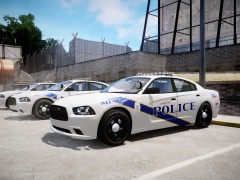
From the album: Textures put together by me.
Newer Dodge Charger texture to be added to my previously released pack. -
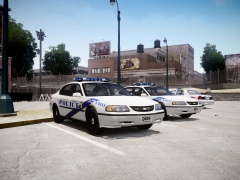
From the album: Textures put together by me.
Older Impala and Crown Victoria textures to be added to my previously released pack. -
 Yep, it's hard to see talented modders fall away. Please do update us with these marvelous models.
 -
"Am no longer in this site if U need something am here- http://www.gtapolicehq.net/index.php?/user/48/thed/" -3.16.2014 Why make a big commotion about leaving when you're really staying? I'm assuming your staying because you're continually updating your gallery.
-
-
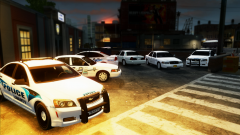 Do you think it'd be possible to do one version without a rambar? Other than that, model is great. Glad to see you're making more use of the Valor. It's a sharp looking piece of equipment.
 -
Fine looking Caprice, Foward.
-
From the picture, it looks like an FS Streethawk. Could also be Code-3 Mx7000, but I'm more certain it's a Streethawk.
-
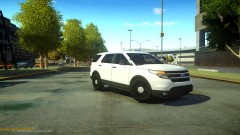 Tim abandoned the project. So no, it's not out.
 -
Not necessarily, compared to it's real life counterpart, the Department of Homeland Security, NOoSE would be considered a federal agency in GTA IV alongside the FIB.
-
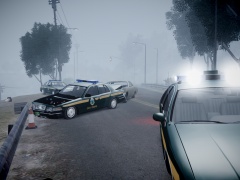 >This Vic's got a similar set-up, and it's ELS enabled.
 -
Crown Victoria Caprice