


KShark
Members
-
Joined
-
Last visited
Everything posted by KShark
-
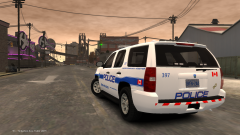
From the album: Lcpdfr Adventures
-
EFLC will not cause any compatibility issues. The only thing you need to look for are things like some scripts and enbs, which require a certain patch. (EFLC and GTA IV run different patches.) Other than that, vehicles and just about anything else will run just fine with or without EFLC. Don't hesitate to ask any other questions about getting set up. We're more than happy to help out. :)
-
Well hey there! This is a very helpful community to be apart of, and you shouldn't hesitate to communicate with anyone. We have awesome devs, a great community team, and many awesome modders. If you need help installing or looking for anything, please refer to the forums, or PM me if you'd like.
-
Will I ever receive that voice transplant from Morgan Freeman?
-
Hawaii Five-0 Impala?
-
I wish I had a PC that could run this... And all I have is the PS3 version.
-
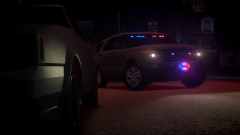 I don't think I've seen a vehicle with the licence plate lights in the front, but I definitely like it!
 -
I appreciate the initiative, but really? Another Crown Vic with a Liberty? At least get creative and explore other lighting set-ups.
-
YESS! I can't wait to use this. I'm hoping for more versions than just an NYPD version? Maybe unmarked with stock rims? :D
-
-
Really nice. 5/5 Also, your downloads are named incorrect, where the non-K9 is in the other download and not in it's corresponding .zip, and vice versa.
- 12 comments
- 3 reviews
-
-

- 1
-
-
I use AVG and Malwarebytes and they both work exceptionally well. It's totally up to your preference what software you choose, as there are many great free ones.
-
Only a few vehicles have optimized lighting for rotating lights featured in ELS 8. Unless you are talking about non-ELS vehicles, in which, is a different story. *edit*: who's NYPD Crown vic are you using? If possible, could you link?
-
-
Might be time to call Ghostbusters.
-
-
As of right now, I am developing a fictional texture pack for the Alderney City Highway Patrol. For now, I am using: DSF CVPI Forward's Caprice BxBug's Impala Heisenberg's Taurus What else should I use? Please let me know what other vehicles to use, given they are provided with a template. Let me know what to improve/change and what vehicles I should use. Thanks
-
I live in Brevard and I have to say, this is surprisingly accurate! Great job. I just wish the CVPIs weren't being phased out :/ 5/5
- 10 comments
- 1 review
-
Looks very awesome. Maybe I'll check it out...
-
With all due respect, we all start somewhere with textures. I know I did for sure. While it may be one of your first, you still need more practice. I am not trying to discourage you. What program are you using to make textures? There are many friendly users in this community to ask for help from (including myself. Don't be afraid to shoot us messages!), there are many tutorials on this site, and YouTube has plenty of tutorials. I recommend you take all the time needed to fully put 100% effort into your vehicles. Don't be afraid to look at many different pictures of vehicles also to help make skinning easier. Best of luck! ~KShark
-
Well there's this: '?do=embed' frameborder='0' data-embedContent>> It's as close as you're looking for.
-
What is your PSU?
-
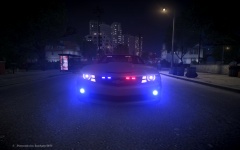 I'm in love. Such a sexy Camaro. <3
 -
That model is locked and cannot be modified.
-
Do you have a link to that siren? Also nice job so far!

