


1997chevyboy
Members
-
Joined
-
Last visited
Everything posted by 1997chevyboy
-
All you have to do is get a faster handling line for your cars!
-
Well you cant really tell them how to drive LOL, but you can limit the amout of police cars that will be in a pursuit at one time!
-
Its F8 while in a pursuit.
-
-
-
-
Anytime
-
Please do, they are awesome! If you need anymore screen shots just send me over a pm and i will see what i can do.
-
LOL And by the way your skins are A+ im just saying LOL!!
-
Your welcome man, just give me credit for the pics! And by the way your skins are A+ im just saying LOL!!
-
Here you go man enjoy! Just pic the ones you like i guess!
-
I think i could help you out with that!
-
Your nights should have been dark after you put those timecycle files in! I would just look through a few ENBs that are good with ELS and just use the 5 timecycle files and the visualsettings files from the ENBs! Untill you find one you like.
-
-
Hmm idk man, it should have!
-
K well did you try out the new timecycle and visualsettings files?
-
You mean with or without the snow?
-
K was just makin shure, im shure all the white snow doesnt help!
-
![[WIP] Slicktop Explorer](//s3-gallery.int-cdn.lcpdfrusercontent.com/gallery/album_1177/sml_gallery_9139_1177_87464.jpg) Great job, I was hoping to get it today to play with all weekend! But i can wait for models of this class! (A+)
Great job, I was hoping to get it today to play with all weekend! But i can wait for models of this class! (A+) -
K, also check my above post again for a description of what your ENV lighting is!
-
Thanks man, i would want someone to help me if i needed it as well, but back to your problem. The only thing that i know for shure that will fix this, is using some new timecycle files- like this one here http://www.gta4-mods.com/misc/realityiv-162-timecycle-mod-f7929 This wont have a huge impact on your pc like an ENB or ICE will! It will also make your game look much better! Now if you dont want to try this, all i can say is try messing with your ingame display brightness and contrast. Let me know how it goes, also this does have a new visualsettings.dat, so make a backup of your old one if you like how your ELS lights look now. You might have to change them alittle with the new timecycle files, but its worth it!!! Also my post about your ENV lighting, this is not the actual light that is on the light bar. It is the light that is emitted onto objects around you and on the ground from the light bar. I say this because i knoticed in your pics with ELS on, that there is no lights on the ground from your lightbar! Like seen in my video here (WATCH IN 720P)
-
Well its better than not having one at all, if he doesnt wanna spend the time!!! Shure is!!!
-
Isn't this a unlocked caprice??? http://www.2shared.com/file/uY6d9xW-/Unlocked_Caprice.html
-
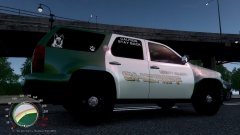 It shure does!
 -
Im not shure if there is one you can download yet, but here are some thats are http://lcpdmods.com/files/category/22-unlocked-models/ http://gtapolicemods.com/downloads.php?do=cat&id=113 http://www.2shared.com/file/uY6d9xW-/Unlocked_Caprice.html




![[WIP] Slicktop Explorer](http://s3-gallery.int-cdn.lcpdfrusercontent.com/gallery/album_1177/sml_gallery_9139_1177_87464.jpg)
