


1997chevyboy
Members
-
Joined
-
Last visited
Everything posted by 1997chevyboy
-
Thats nice to know even though i have had pistols and rifles since i was 11, im shure you have to if you grew up in louisiana. I figured there was a legal way to get around having a pistol under the age of 21!
-
I agree with you, but you still cant buy a pistol or pistol ammo till you are 21, unless you just go to a gun show and get one there if your 18. I still doubt you can walk around Louisiana with a pistol openly if your not 21, but i could be wrong!
-
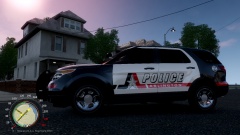 Thanks man i try!
 -
Nice ,thats some real s**t!
-
Here you go http://gtapolicemods.com/downloads.php?do=file&id=1768 http://gtapolicemods.com/downloads.php?do=file&id=815 http://gtapolicemods.com/downloads.php?do=file&id=814 http://gtapolicemods.com/downloads.php?do=file&id=1767 http://gtapolicemods.com/downloads.php?do=file&id=1690
-
We can handle whatever mother nature throws at us! Barefoot to!!!
-
From the album: Random
(Still under constuction) - Just a lil PREVIEW to see what you guys think so far!© CoastLine Graphics
-
It's snowing here in louisiana to! The world is coming to an end!
-
It should work fine with an ENB, i still have mine in and havent crashed! But i also didnt use the timecycle file bc i like the one i have. But i do have two questions, if my native resolution is 1600 x 900, what should i set my height to bc it still is in 800 x 600 when i put 1600 x 836 in the commandline? Last do i have to only run the Contig.exe one time, or every time i want to play? It should work fine with your ENB, mabey try using your timecycle that came with your ENB, as i didnt change mine and havent crashed!
-
We will be playing GTA V on pc by then i hope!
-
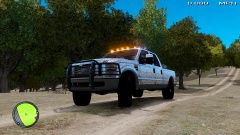 The brush guard looks just fine, its those tires that need to be changed! It looks much better with these just color them black.
 -
-
Nice man, this will help lots of people!
-
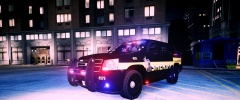 Lookin better and better!
 -
Have you checked these out? '?do=embed' frameborder='0' data-embedContent>> Im not shure if there is an explorer made yet, but i could be wrong.
-
Same here spark IV is the way to go if your new to modding, its much more simple to add mods!
-
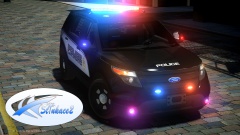 Oh yes my favorite light bar the Federal Signal Valor, the best light bar money can buy!!! (Lets just hope it gets released!)
 -
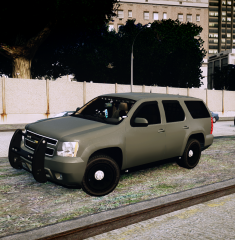 Dang i like this alot!
 -
-
-
-
It is definitely MP compatible, Our clan plays online without many problems! Just yesterday i played with a few guys for about 1 hour and 20 min in multiplayer, with no crash! To make shure you and your friends dont run into many problems, make shure you all are using the same mods and cars. For me 1.0 is more stable than 0.95 ever was or ever could be!!! Also you can just make a backup of your gta iv and switch back and forth with 0.95 and1.0a instead of a fresh install. It is definitely MP compatible!!! SAM TLDR: Unsupported, and scripts in mutliplayer which affect NPCs are always REALLY buggy, but LCPDFR comes with some memory fixes to enhance your MP experience, but not yet with full support. Where does he say 1.0 is not compatible with multiplayer?????
-
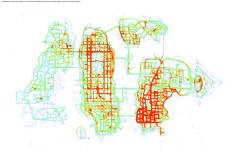 Wow, Great job guys!!!
 -
![2010 Unmarked Chevy Impala [WIP]](//s3-gallery.int-cdn.lcpdfrusercontent.com/gallery/album_2234/sml_gallery_95217_2234_1667873.png) The tint is to dark over the interior lights, they look like faded colors. I would suggest a lighter tint only over the interior light modules. Other than that its a 10/10, Great Job!
The tint is to dark over the interior lights, they look like faded colors. I would suggest a lighter tint only over the interior light modules. Other than that its a 10/10, Great Job! -
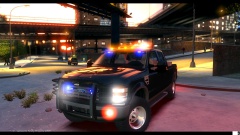 Is this truck for download anywhere?


![2010 Unmarked Chevy Impala [WIP]](http://s3-gallery.int-cdn.lcpdfrusercontent.com/gallery/album_2234/sml_gallery_95217_2234_1667873.png)
