


1997chevyboy
Members
-
Joined
-
Last visited
Everything posted by 1997chevyboy
-
This is prolly the only model i have ever seen with a bike rack!!! '?do=embed' frameborder='0' data-embedContent>>
-
 Not really, its a 2 lane ongoing and 2 lane oncoming.
 -
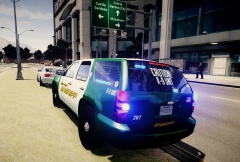
Its bxbugs123 tahoe, but the skin is stinkace2 if im correct! http://gtapolicemods.com/downloads.php?do=file&id=1849
-
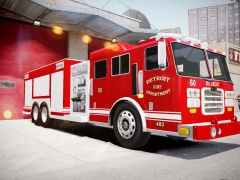 Really nice!
 -
Im glad others have seen and enjoyed this feature as well. Thanks for feed back about the feature.
-
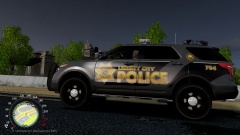
From the album: ENB TWEAKS
-
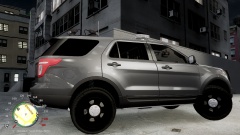
From the album: ENB TWEAKS
-
IT looks like the pedestrians of liberty city know there drunks when they see one!!!!
-
Yeah you did a great job too! Here is a pic of what i did to the same background.
- 12 comments
- 5 reviews
-
If you have police helper with the coroner mod you can disable the ambulance and only use the coroner, that worked for me with the drunk ambulance drivers! '?do=embed' frameborder='0' data-embedContent>> '?do=embed' frameborder='0' data-embedContent>>
-
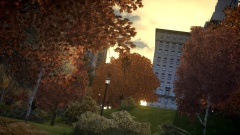 WOW really nice vegetation!!!
 -
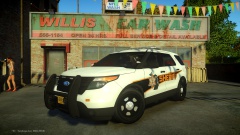 Very slick! 10/10
 -
This is straight from the policehelper.ini KeyCones = Z key=Z key=Z // set a key for deploying road barriers (CTRL + key), road cones (SHIFT + key) // and road flares (ALT+key, or CTRL+key at night) if they are installed
-
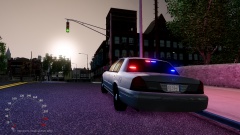 Thanks man!
 -
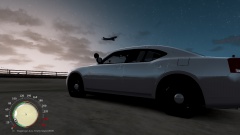
From the album: ENB TWEAKS
-
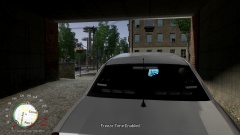
From the album: ENB TWEAKS
I have been adding and removing things from my enb for a while now, and all i really wanted to achieve was to have a realistic looking evening and night time, due to ELS looking the best at night. But for some reason alot of ENBs that are good with ELS have really dark night times, almost black. So here is a few pics of my ENB which is Savior ENB heavily modified. -
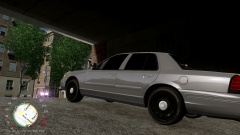
From the album: ENB TWEAKS
-
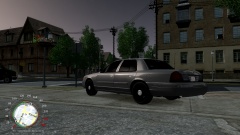
From the album: ENB TWEAKS
-
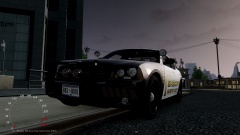
From the album: ENB TWEAKS
I have been adding and removing things from my enb for a while now, and all i really wanted to achieve was to have a realistic looking evening and night time, due to ELS looking the best at night. But for some reason alot of ENBs that are good with ELS have really dark night times, almost black. So here is a few pics of my ENB which is Savior ENB v3.5 heavily modified. -
Just press ctrl+z or ctrl+x while in you car
-
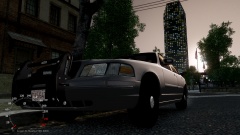
From the album: ENB TWEAKS
I have been adding and removing things from my enb for a while now, and all i really wanted to achieve was to have a realistic looking evening and night time, due to ELS looking the best at night. But for some reason alot of ENBs that are good with ELS have really dark night times, almost black. So here is a few pics of my ENB which is Savior ENB v3.5 heavily modified. -
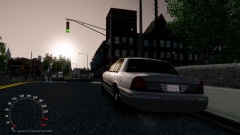
From the album: ENB TWEAKS
I have been adding and removing things from my enb for a while now, and all i really wanted to achieve was to have a realistic looking evening and night time, due to ELS looking the best at night. But for some reason alot of ENBs that are good with ELS have really dark night times, almost black. So here is a few pics of my ENB which is Savior ENB v3.5 heavily modified. -
From the album: ENB TWEAKS
I have been adding and removing things from my enb for a while now, and all i really wanted to achieve was to have a realistic looking evening and night time, due to ELS looking the best at night. But for some reason alot of ENBs that are good with ELS have really dark night times, almost black. So here is a few pics of my ENB which is Savior ENB v3.5 heavily modified. -
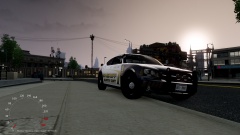
From the album: ENB TWEAKS
I have been adding and removing things from my enb for a while now, and all i really wanted to achieve was to have a realistic looking evening and night time, due to ELS looking the best at night. But for some reason alot of ENBs that are good with ELS have really dark night times, almost black. So here is a few pics of my ENB which is Savior ENB v3.5 heavily modified. -
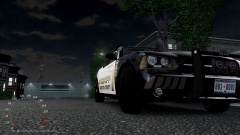
From the album: ENB TWEAKS
I have been adding and removing things from my enb for a while now, and all i really wanted to achieve was to have a realistic looking evening and night time, due to ELS looking the best at night. But for some reason alot of ENBs that are good with ELS have really dark night times, almost black. So here is a few pics of my ENB which is Savior ENB v3.5 heavily modified.


