TheRealNoodle
Members
-
Joined
-
Last visited
Everything posted by TheRealNoodle
-
ehrm... just ignore it?
-
the camera is a little bit too low but other than that: great job :D
-
-
you should provide some pictures...
-
-
possibly some football (or what you americans call it: soccer) fans killing each other, just another day in Belgium
-
I always wanted to be a police officer, I still want to be one :p
-
mega native trainer??? isn't it simple native trainer? or is there another one
-
you go to their website and fill in an application...
-
welcome :D enjoy your stay
-
this bug is older that my grandmother
-
just starting a clan on your own is not a good idea, you should at least start with some friends. oh and I prefer a gaming group because you dont really have rules in there and stuff, you can just play with friends.
-
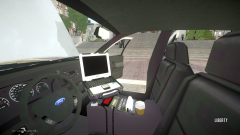 nop, looks really good, dont change a thing :D (well if you really want something: maybe add a dashcam)
 -
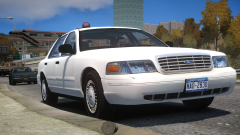 omg revolutionary XDXDXDXD
 -
yea like gta 5, I would only buy it for lspdfr
-
oooo what a beautiful car, where did you get that? XD
-
-
yep I agree with that :D
-
-
-
-
Ford CVPI Detective Credits:cvpi: Model is Ford Crown Victoria from Driver SF, converted to GTA IV by F5544, modified by KevinDV and Cj24. wheels originally made by Schaefft, converted by Sentinel55 Grill originally from DSF converted by F5544, Steering Wheel by EVI. Beacon: Model made by Toothpick22 Textures Made By Toothpick22 police radio: rockstargames antennas: Sergiyj - Scaling and converting these antennas and other minor edits. Nextgen3D - Non GTA Vehicle pack.
- 12 comments
- 2 reviews
-
thats car in the picture is not a merrit bdw
-
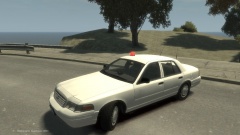
From the album: W.I.P
-
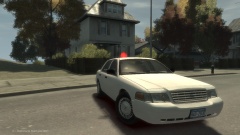
From the album: W.I.P