




TheRealNoodle
Members
-
Joined
-
Last visited
Everything posted by TheRealNoodle
-
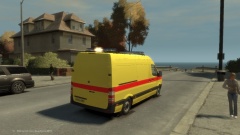
From the album: W.I.P
still need to do the skin tho -
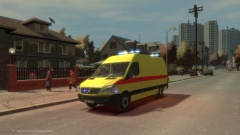
From the album: W.I.P
still need to do the skin tho -
ooooo nice cars :DDDDDDDDDDDDD (where did you get those lights bdw?)
-
I dont think youll find it.
-
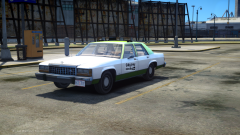 damn this looks sexy
 -
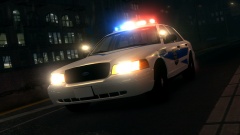 damn I like those spotlights :D
 -
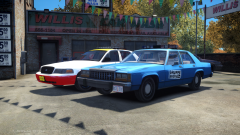 beautiful :D
 -
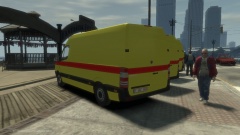 haha yea I think it will be ready for release in like 1-2 weeks :p
 -
From the album: W.I.P
belgian ambulance wip -
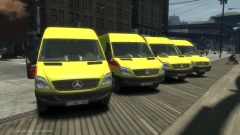
From the album: W.I.P
belgian ambulance wip -
yea somebody just sent me the link to it but thx anyway :D to mod: ths topic can be closed edit: fixed the typo vic pointed out (you grammar nazi XD)
-
hi guys, im looking for a mercedes sprinter to make a new ambulance. It would be nice if its templated but that isnt necessary
-
oh jeez another cvpi with a liberty. nice car but this is already made 10000x times, try to be creative and make someting that isnt out there already :) (not trying to be rude or anything. just giving advise)
- 16 comments
- 1 review
-
-

- 3
-
-
great to see that you got it working, have fun :D
-
you dont need it. just create a folder called Scripts in the main gta directory and place the files in there. then try again ingame
-
have you installed lcpdfr? if yes the scripts folder should be in the main game directory
-
first off: did you put the files in the scripts folder? (stupid question but this might be the problem ) and second, what keys did you tried out for turning the strobes on ingame?
-
just a quick suggestion: try making cars with all the dev parts avaideble and show the community how good you really are, then maybe people will give you unlocked parts (I said maybe). its normal that experianced modders wont give out models they have paid for, converted and templated to just another random dude who has nothing released (no offense)
-
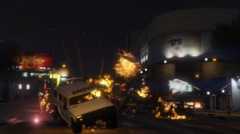 1 word: RIP :D
 -
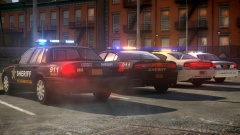 ooo sexy, I cant wait :D
 -
true I kinda forgot that bit when I was making the car. I realized it when I got ingame :/
- 9 comments
- 2 reviews
-
-
- 1
-
-
Ford CVPI Detective cvpi: Model is Ford Crown Victoria from Driver SF, converted to GTA IV by F5544, modified by KevinDV and Cj24. wheels originally made by Schaefft, converted by Sentinel55 Grill originally from DSF converted by F5544, Steering Wheel by EVI. Beacon: Model made by Toothpick22 Textures Made By Toothpick22 police radio: rockstargames antennas: Sergiyj - Scaling and converting these antennas and other minor edits. Nextgen3D - Non GTA Vehicle pack.
- 9 comments
- 2 reviews
-
everything is explained in the (,) so you should be fine, just leave it as it is. (the controls are J for strobes, K for indicator strobes) oh and what officer_sonny explained is for the els coronas, not the strobes mod you are using
-
-
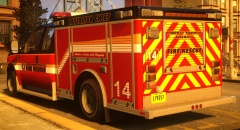 gotta love that lightbar

