



OfficerUnderwood
Members
-
Joined
Everything posted by OfficerUnderwood
-
Wouldn't I want it to be like this bike, http://gyazo.com/03bb06a1d2672c530c6b14e9bc0b8018 (Left is the Locked bike that I am comparing the right to as the right is the DEV bike)
-
If you want I could whip that GTA V Lightbar on there for you.
-
I need help in zmodeler. When ever I map ELS lights, They NEVER appear in-game even though I set them up correctly or compare them to another ELS Model to see if correct. I get info on set up here: http://www.lcpdfr.com/page/tutorials/index.action/_/vehicle-modification-tutorial/els-setup-in-zmodeler-r77 I compare set-up: http://gyazo.com/03bb06a1d2672c530c6b14e9bc0b8018 (Left is a finished bike (LOCKED) & Right is DEV Bike (UNLOCKED) Hierarchy: http://gyazo.com/87840d5ba1f9431d34e20bf8af9b92ed
-
Sorry but the cruiser is not right... But the skin on should be able to be put on the right one, which is this http://gtapolicemods.com/downloads.php?do=file&id=207
-
http://gtapolicemods.com/downloads.php?do=file&id=197 - Patrol http://gtapolicemods.com/downloads.php?do=file&id=354 - Cruiser
-
-
-
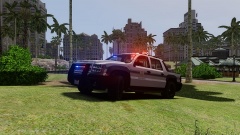
From the album: GTA V Models
-
First time introduced, Declasse Granger 3000T... The 4X4 machine that is ready for anything you need on patrol, all the way from a pit maneuver to running over civilians! Thanks to Yard1 for the unlocked model!!!
- 12 comments
- 3 reviews
-
Just open your PC in a safe manner and unplug the RAM Sticks then plug back in, If then it doesn't work then contact your manufacturer for support. (OFF TOPIC: @J.J - BTW Windows 8 is fine in my opinion J.J I don't see a problem but Windows 7 recommended. Who cares we have opinions and I respect your opinion) Hopefully me and J.J have helped out.
-
-
Ok.. And sorry to again be a spam problem, but will the pack be updated or uploaded into a new pack?
-
1. 2. GTA IV is a buggy game 3. Police PC takes a few E's to open. 3. Why no LCPDFR 1.0?
-
Oh ya ment to ask but have you fixed the ULTRABALDNESS shine on the peds?
-
Is this ELS 8 & LCPDFR 1.0, If so then try turning on preloadmodels in the ini. Fixed the issue for me.
-
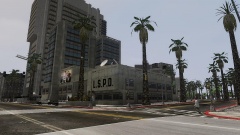
From the album: GTA V Models
-
These are stations that I have textured over the time I got bored and wanted to make Liberty City into a Los Santos themed city. Just make sure to read the read me for more info. "DO NOT REUPLOAD THIS OR REDISTRIBUTE WITHOUT PERMISSION"
- 8 comments
- 2 reviews
-
Thank goodness I reminded you, LEL! Thanks, Cant wait to wear the V shades on the LSPD Officer and A bike helmet finally for the SAHP motorbike officer (Time to recreate CHiPs)
-
What about ped props for the V officers? If I may ask?
-
 Read Inbox..
 -
When I rotate this prop in 3ds max, In GTA IV & Open IV it just does not want to register as it rotated. 1. http://gyazo.com/cb14082419f30f6dc10d428fcedec9ca (White glasses is the right way, the black glasses are rotated in a 90 Degree angle facing the way the white glasses, I link it to the dummy that the white glasses were on(WHITE GLASSES DELETED BEFORE LINK!!!), export in open format with GIMS) 2. http://gyazo.com/e7dc6cc28db78e28be6c07a32809a58a (Might be issue, I get this after export) 3. http://gyazo.com/7c2d03cabea5784a8e9134dcf89abe80 (Left is after rotation & is not rotated compared to the right which is correct) (NOTE: SAME IN-GAME SO NO POINT TO POST IN-GAME PIC IF ITS THE SAME WAY)
-
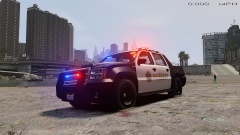
From the album: GTA V Models
Granger SWB: (Thanks Yard1 for providing unlocked!) Thank you to SkylineGTRFreak for providing the unlocked and converted base GTAV vehicle model. Base GTAV vehicle model originally made by Rockstar Games, converted to GTAIV by SkylineGTRFreak. Model modified to SWB version by Thundersmacker and DLer then 3000T by bigfordman03 UV mapped and modified to ELS LSPD version by Yard1. Prisoner divider and wheels by Lt.Caine Liveries made by Yard1. -
That fixed it for me, Thanks Luke.
-
Did you import the AdvHook, Scripthook, & dsound that was included in ELS 8. If not import them as they are updated to use ELS at least the AdvHook included.
-
I get this too, but does it also happen when you answer to call of a pursuit or when a officer is in pursuit of a suspect?


