



OfficerUnderwood
Members
-
Joined
Everything posted by OfficerUnderwood
-
Again nobody can answer this..
-
For a week now, GTA IV starts sounding like it choppy or static.. From the checkpoint sound to the players footsteps, What I did notice today is that when it gets a bit loud, Then the static takes affect. How could I fix this?
-
-
Ya I know at one time when I didn't need it but then now when I want to find it, I just cant find the CVPI.
-
Where can I find A CVPI with Whelen Liberty and Go Rinno Wraparound Rambar because I cant find the car as its needed as a Sheriff Car for my Clan. A photo of what i'm looking for http://policecarwebsite.net/fc/rwcar4l/hc201.jpg
-
Didn't help again but I guess ill wait for my PC to get fixed. Thanks for at least helping me.
-
Done all that and I promise you.
-
What car is that because that is what I need for a Sheriffs car also Cool skin!
- 16 comments
- 15 reviews
-
I have 4 GB ram. Mobile Intel 4 Series Express Chipset Family Graphics with 1,759 MB. Intel Celeron at 2.20GHz. Now how to fix? I have seen many run GTA IV on the same graphics as me also I do want to note that for people that think they know a lot on Graphics, GTA IV Can run on Integrated Graphics before you tell me BullSh**. Need this as my PC that has Intel HD Graphics is being fixed after a HDD Crash. Any fixes. Done Commandline.txt though add a line that helped you in this situation. Done a FPS fix (MADE BACKUP OF ORIGINAL). Anything else?
-
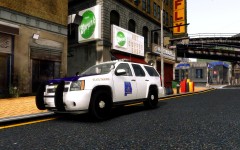 Nice but the my goodness when I see people make our vehicles, Its just something wrong with it and no offence but the color is off a bit. Sorry to be like that but it annoys me.
 -
Leftwood. Nice place and my favorite place to patrol.
-
Ok but before you download this make sure you back up your game just in case. Just drop in GTA IV Root http://www.mediafire.com/?79xjpv4irume940
-
Now if above doesn't work then here is a little help, I run GTA IV at 20-30 FPS with Intel HD and Intel Pentuim at 2.40GHz, 4 GB of ram with the Graphics DMVT at 512MB. I got a improvement after a bit of unnoticeable changes to the game, if you want it just note its in a test stage because it might not work on some. I will give you link if you want it.
-
Thank you Corleone.
-
http://policecarwebsite.net/pdcar4/dothan110.jpg Does anyone know what lightbar that is?
-
-
-
Tried it, Didnt work for me.
-
No it was the ELS lighting template, He edited a template that had the normal lighting that is on usualy on every ELS vehicle and put over them like real lights so I put the normal ELS template on and fixed it.
-
How do I get the Spotlight mod ('?do=embed' frameborder='0' data-embedContent>>) & the H&K USP.40 with Flashlight (http://www.gta4-mods.com/weapons/push-hk-usp-45-with-working-flashlight-v25-f16853) Working at the same time like Buggs and the rest CZ because the spotlight only works at Day and the Flashlight only works at Night. What time do I set the trainer?
-
For some odd reason i'm trying to figure out whats wrong with the lights as they are brighter compared to my CVPI with Whelen Liberty( http://steamcommunity.com/sharedfiles/filedetails/?id=160796417 ). I went into the files of the CVPI and checked out the ELS files and the lights looked fine on there. Any ideas on a fix or help?
-
No just trying to find the right vehicles and motorcycle to add to my GTA IV Set.
-
Ok just making sure.
-
Well can I need to ask 2 questions. 1.What lighting is in the Slicktop's? 2.What motorcycle's do y'all use?
-
What lights are in this Slicktop CVPI or If you can tell me, What lights are used in a Slicktop Alabama State Trooper CVPI. '' target='_blank'>>

